Connect 88D - Receiver LEA - Free user manual and instructions
Find the device manual for free Connect 88D LEA in PDF.


Pick your language and provide your email: we'll send you a specifically translated version.
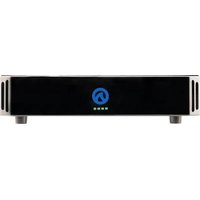
| Product Type | Receiver |
| Brand | LEA |
| Model | Connect 88D |
| Dimensions (W x H x D) | 430 mm x 100 mm x 300 mm |
| Weight | 5.0 kg |
| Power Supply | AC 230V, 50Hz |
| Power Consumption | 30 W (standby < 1 W) |
| Frequency Range | FM 87.5–108 MHz, AM 522–1620 kHz |
| Audio Output Power | 2 x 50 W (stereo) |
| Audio Inputs | 4x HDMI, 2x USB, 1x Optical, 1x Coaxial, 1x AUX |
| Audio Outputs | 2x Speaker, 1x Subwoofer, 1x Headphone |
| Main Functions | FM/AM radio, Bluetooth streaming, USB playback, Internet radio |
| Display | LCD screen |
| Remote Control | Included |
| Care and Cleaning | Wipe with a dry, soft cloth. Do not use liquids or abrasive cleaners. |
| Safety Precautions | Do not expose to moisture. Unplug during lightning storms or long periods of non-use. |
| Parts and Repairability | Contact authorized LEA service center for replacement parts and repairs. |
| General Information | Designed for home audio entertainment. Compatible with various audio sources. |
Frequently Asked Questions - Connect 88D LEA
How do I connect speakers to my Connect 88D receiver?
Connect speaker wires to the binding posts on the back panel, ensuring correct polarity (+ and -). Use speakers with impedance 4–8 ohms.
How do I perform a factory reset on the Connect 88D?
Press and hold the 'Setup' button on the front panel for 5 seconds until 'Factory Reset' appears on the display. Confirm with the 'Enter' button.
Why is there no sound from the speakers?
Check that the speaker wires are securely connected, the receiver is not muted, and the correct input source is selected. Also verify the volume level.
Can I connect my TV via HDMI ARC?
Yes, use the HDMI ARC input on the receiver. Connect your TV's HDMI ARC output to the receiver's HDMI ARC input and enable ARC in both devices' settings.
How to update firmware on the Connect 88D?
Download the latest firmware from the LEA website onto a USB drive. Insert the USB into the receiver, navigate to 'Firmware Update' in the settings menu, and follow on-screen instructions.
How do I set up Bluetooth?
Press the 'Bluetooth' button on the remote or front panel. Enable Bluetooth on your device, search for 'Connect 88D', and pair. Enter '0000' if a PIN is required.
What is the maximum power output per channel?
The receiver delivers up to 50 watts per channel into 8 ohms, with both channels driven.
How to clean the receiver?
Disconnect the power. Wipe the exterior with a dry, soft cloth. For stubborn dirt, slightly dampen the cloth with water. Avoid any liquids entering the device.
Does the Connect 88D support Dolby Atmos?
No, the Connect 88D does not support Dolby Atmos. It supports Dolby Digital and DTS surround sound formats.
How to adjust bass and treble?
Press the 'Tone' button on the remote. Use the arrow keys to adjust bass and treble levels from -10 to +10 dB. Press 'Enter' to confirm.
User questions about Connect 88D LEA
0 question about this device. Answer the ones you know or ask your own.
Ask a new question about this device
No questions yet. Be the first to ask one.
Download the instructions for your Receiver in PDF format for free! Find your manual Connect 88D - LEA and take your electronic device back in hand. On this page are published all the documents necessary for the use of your device. Connect 88D by LEA.
USER MANUAL Connect 88D LEA
Manual assistant
Powered by Anthropic
Waiting for your message
Product information
Brand : LEA
Model : Connect 88D
Category : Receiver