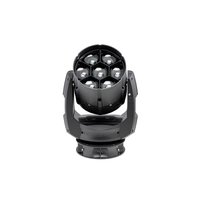
FUSION Exo Beam 10 - Lighting GLP - Free user manual and instructions
Find the device manual for free FUSION Exo Beam 10 GLP in PDF.


Pick your language and provide your email: we'll send you a specifically translated version.
| Product Type | LED Moving Head Beam |
| Light Source | 300W LED (white) |
| Beam Angle | 4° |
| Pan Range | 540° |
| Tilt Range | 270° |
| DMX Channels | 16 |
| Power Consumption | 400W |
| Input Voltage | 100-240V AC, 50/60Hz |
| Dimensions (L x W x H) | 400 x 300 x 550 mm |
| Weight | 18 kg |
| IP Rating | IP20 |
| Cooling | Fan (temperature-controlled) |
| Control Protocol | DMX512, RDM |
| Functions | Beam, spot, wash, gobo, color wheel, prism, frost |
| Maintenance | Clean lenses with soft cloth; check fan grilles |
| Safety Features | Automatic lamp shutdown, tilt safety lock |
| Spare Parts | LED module, gobo wheel, fan, power supply |
| Manufacturer | German Light Products (GLP) |
Frequently Asked Questions - FUSION Exo Beam 10 GLP
How do I reset the GLP FUSION Exo Beam 10?
Press the MENU button, navigate to 'Function' and select 'Reset'. The fixture will pan, tilt and calibrate automatically.
What is the DMX address range for this fixture?
The DMX address can be set from 1 to 512 via the control panel under DMX Address.
How to clean the lens and optics?
Use a soft, lint-free cloth slightly dampened with water or a mild glass cleaner. Never use abrasive cleaners.
Can I replace the LED module myself?
LED replacement should be done by a qualified technician. The module is accessible after removing the front cover. Always disconnect power first.
What should I do if the fixture overheats?
The fixture will automatically reduce output or shut down. Ensure proper ventilation and clean fan grilles regularly.
Is the FUSION Exo Beam 10 suitable for outdoor use?
No, it has an IP20 rating and is designed for indoor use only. Protect from moisture and dust.
How many DMX channels does it use?
The fixture uses 16 DMX channels in standard mode. A reduced 8-channel mode is also available.
What is the recommended mounting position?
Mount on a secure truss or bracket using the included omega clamps. Ensure the fixture is upright and cannot tilt beyond safe limits.
How to update the firmware?
Connect a USB stick with the latest firmware file to the USB port, then navigate to Firmware Update in the menu.
What spare parts are most commonly needed?
Common spare parts include the LED module, gobo wheel, cooling fans, and power supply unit. Contact GLP for genuine parts.
User questions about FUSION Exo Beam 10 GLP
0 question about this device. Answer the ones you know or ask your own.
Ask a new question about this device
No questions yet. Be the first to ask one.
Download the instructions for your Lighting in PDF format for free! Find your manual FUSION Exo Beam 10 - GLP and take your electronic device back in hand. On this page are published all the documents necessary for the use of your device. FUSION Exo Beam 10 by GLP.
USER MANUAL FUSION Exo Beam 10 GLP


Manual assistant
Powered by Anthropic
Waiting for your message
Product information
Brand : GLP
Model : FUSION Exo Beam 10
Category : Lighting