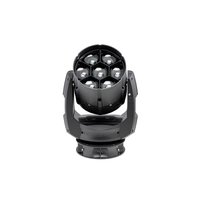
Impression X5 Compact - Lighting GLP - Free user manual and instructions
Find the device manual for free Impression X5 Compact GLP in PDF.


Pick your language and provide your email: we'll send you a specifically translated version.
| Product Type | Moving head LED wash light |
| Light Source | 5x 40W RGBW LEDs (200W total) |
| Dimensions (L x W x H) | 350 x 400 x 550 mm |
| Weight | 12 kg |
| Power Consumption | 200W |
| Power Supply | 100-240 V AC, 50/60 Hz |
| Zoom Range | 5° – 45° |
| Color Mixing | RGBW (linear, fine control) |
| Effects | Strobe, dimmer, variable CTO, color macro |
| Control Protocols | DMX512, RDM |
| Connectors | PowerCON TRUE1 in/out, 5-pin XLR DMX in/out |
| Cooling | Fan (variable speed, temperature controlled) |
| IP Rating | IP20 |
| Operating Temperature | 0°C – 45°C |
| Mounting Orientation | Any orientation (safety cable required) |
| Maintenance | Clean lens with soft cloth, replace fan filter every 500 hours |
| Safety | Disconnect power before servicing; use only specified fuses |
| Spare Parts | LED modules, power supply, fans, fuses (contact GLP service) |
| Included Accessories | Safety cable, omega brackets, power cord |
Frequently Asked Questions - Impression X5 Compact GLP
How do I reset the GLP Impression X5 Compact?
To reset, go to the menu and select 'Factory Reset' or use a DMX reset command. Alternatively, power cycle the fixture.
What is the maximum ambient temperature for operation?
The fixture operates safely at ambient temperatures up to 45°C. Above this, thermal protection may trigger.
How do I clean the lens?
Use a soft, dry cloth to wipe the lens gently. Avoid abrasive materials. For stubborn dirt, use a mild glass cleaner.
What fuse rating is required?
Use a 10A slow-blow fuse for 230V mains. Check the label near the power entry for exact rating.
Can I mount the fixture upside down?
Yes, the fixture can be mounted in any orientation. Always use a safety cable rated for the weight.
How do I address the fixture via DMX?
Use the menu buttons to set the DMX address. Press 'Menu', navigate to 'DMX Address', set value, and press 'Enter'.
What does the 'Fan Error' message mean?
It indicates the cooling fan is not working. Check if the fan is blocked or failed. Replace the fan immediately to avoid overheating.
How often should I replace the fan filter?
Replace the fan filter every 500 operating hours or more frequently in dusty environments.
Is the fixture RDM compatible?
Yes, the Impression X5 Compact supports RDM (Remote Device Management) for remote addressing and monitoring.
Where can I find spare parts?
Contact GLP service or authorized dealers. Provide the model and serial number for exact parts.
User questions about Impression X5 Compact GLP
0 question about this device. Answer the ones you know or ask your own.
Ask a new question about this device
No questions yet. Be the first to ask one.
Download the instructions for your Lighting in PDF format for free! Find your manual Impression X5 Compact - GLP and take your electronic device back in hand. On this page are published all the documents necessary for the use of your device. Impression X5 Compact by GLP.
USER MANUAL Impression X5 Compact GLP


Manual assistant
Powered by Anthropic
Waiting for your message
Product information
Brand : GLP
Model : Impression X5 Compact
Category : Lighting