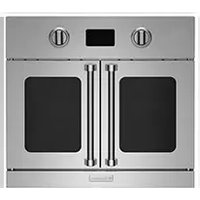
BWO24AGSV2 - Oven BlueStar - Free user manual and instructions
Find the device manual for free BWO24AGSV2 BlueStar in PDF.


Pick your language and provide your email: we'll send you a specifically translated version.
| Product Type | Wall Oven |
| Brand | BlueStar |
| Model | BWO24AGSV2 |
| Width | 24 inches |
| Height | 27 inches |
| Depth | 24 inches |
| Weight | 90 lbs |
| Power Supply | 240V, 30A, 60Hz |
| Oven Capacity | 3.0 cubic feet |
| Heating Elements | Upper and lower elements, convection fan |
| Cooking Modes | Bake, Broil, Convection, Convection Roast, Warm |
| Control Type | Electronic touch controls with digital display |
| Self-Cleaning | Yes, self-cleaning cycle |
| Interior Material | Stainless steel with porcelain enamel |
| Door Type | Tempered glass with cool-touch handle |
| Oven Racks | 2 heavy-duty racks |
| Safety Features | Auto shut-off, child lock, temperature limiter |
| Installation Type | Built-in wall oven |
| Energy Efficiency | Energy Star certified |
| Warranty | 2 years limited (parts and labor) |
| Spare Parts Availability | Available through BlueStar customer service |
| Repairability Index | 7.5/10 due to modular components |
Frequently Asked Questions - BWO24AGSV2 BlueStar
What are the dimensions of the BlueStar BWO24AGSV2 oven?
The oven is 24 inches wide, 27 inches high, and 24 inches deep. Ensure your cutout matches these dimensions.Always verify with the installation guide.
What electrical requirements does the BWO24AGSV2 need?
It requires a dedicated 240V, 30A circuit. Use a 4-wire power cord. Professional installation is recommended.
How do I clean the oven?
Use the self-cleaning cycle for heavy soil. For routine cleaning, wipe the interior with warm soapy water. Do not use abrasive cleaners on the stainless steel interior.
Can I use convection bake for all recipes?
Convection mode is best for even browning and faster cooking. Reduce oven temperature by 25°F and check doneness earlier. Not all recipes require convection.
How do I lock the oven controls?
Press and hold the 'Lock' button for 3 seconds to activate the child lock. The display will show a lock icon. Repeat to unlock. This prevents accidental operation.
What does the error code E1 mean?
Error E1 indicates a sensor fault. Try resetting the oven by turning off the circuit breaker for 1 minute. If it persists, contact BlueStar service.
Can I replace the oven light myself?
Yes, the oven light is a standard 40W appliance bulb. Disconnect power, remove the glass cover, and replace. Use a high-temperature bulb.
Is the oven door removable for cleaning?
Yes, you can remove the oven door for easier cleaning. Open fully, lift the hinge locks, and close slightly to pull out. Consult the manual for exact steps.
How do I calibrate the oven temperature?
Access the settings menu and adjust the temperature offset (usually -30°F to +30°F). Use an oven thermometer to verify. Calibration may vary by model.
Where can I find replacement parts?
Contact BlueStar customer service or visit the official website. Use the model number BWO24AGSV2. Parts include heating elements, fans, and control boards.
User questions about BWO24AGSV2 BlueStar
0 question about this device. Answer the ones you know or ask your own.
Ask a new question about this device
No questions yet. Be the first to ask one.
Download the instructions for your Oven in PDF format for free! Find your manual BWO24AGSV2 - BlueStar and take your electronic device back in hand. On this page are published all the documents necessary for the use of your device. BWO24AGSV2 by BlueStar.
USER MANUAL BWO24AGSV2 BlueStar

Manual assistant
Powered by Anthropic
Waiting for your message
Product information
Brand : BlueStar
Model : BWO24AGSV2
Category : Oven