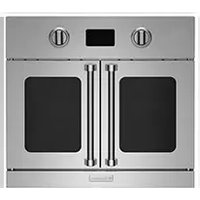
BSDEWO30SDV3 - Oven BlueStar - Free user manual and instructions
Find the device manual for free BSDEWO30SDV3 BlueStar in PDF.


Pick your language and provide your email: we'll send you a specifically translated version.
| Product Type | Electric Built-in Single Oven |
| Model | BSDEWO30SDV3 |
| Brand | BlueStar |
| Width | 30 inches (76.2 cm) |
| Height | 27 inches (68.6 cm) |
| Depth | 24 inches (61 cm) |
| Weight | Approximately 100 lbs (45 kg) |
| Power Supply | 240 V, 30 A, 60 Hz |
| Oven Capacity | 4.5 cubic feet (approx.) |
| Cooking Functions | Bake, Broil, Convection Bake, Convection Roast, Self-Cleaning |
| Temperature Range | 150°F – 550°F (65°C – 288°C) |
| Control Type | Digital touch controls with knob |
| Display | LED screen with clock and timer |
| Rack Configuration | 2 oven racks (adjustable) |
| Interior Light | Yes, halogen |
| Self-Cleaning | Yes, pyrolytic |
| Child Lock | Yes |
| Auto Shut-Off | Yes, programmable |
| Door Type | Triple-layer glass, cool-touch |
| Energy Efficiency | Energy Star certified (estimated) |
| Warranty | 1 year parts and labor |
| Spare Parts Availability | OEM parts available through BlueStar |
| Maintenance | Self-cleaning cycle; removable door and racks for cleaning |
Frequently Asked Questions - BSDEWO30SDV3 BlueStar
How do I install the BlueStar BSDEWO30SDV3 oven?
Ensure the cutout dimensions match the product specifications (30' W x 27' H x 24' D). The oven requires a 240V, 30A dedicated circuit. Follow the detailed instructions in the user manual for electrical connection and secure mounting.
What are the cleaning options for this oven?
The oven features a pyrolytic self-cleaning cycle that heats the interior to high temperatures to burn off residue. Additionally, the door and racks can be removed for manual cleaning with mild soap and water.
How do I set the timer and clock?
Press the 'Clock' button, then use the knob or +/− keys to adjust the time. Press 'Set'. For the timer, press 'Timer', set the desired time, then press 'Start'. The oven will beep when time is up.
What should I do if the oven does not heat?
Check that the oven is properly connected to power and the circuit breaker is on. Verify that the oven is set to a cooking mode and temperature. If the issue persists, consult the troubleshooting section of the manual or contact BlueStar support.
Can I use aluminum foil in the oven?
Yes, but avoid covering the oven floor or the heating elements. Foil should be used on racks or in pans to catch drips. Never allow foil to touch the heating elements.
How do I enable the child lock feature?
Press and hold the 'Lock' button for 3 seconds. The display will show a lock icon. To disable, press and hold again. This prevents accidental activation.
What is the maximum weight per oven rack?
Each oven rack supports up to 50 lbs (22.7 kg) evenly distributed. Do not exceed this limit to avoid damage.
How do I replace the interior oven light?
Turn off power to the oven. Remove the glass cover by turning counterclockwise. Replace with a 40W halogen bulb (type G9). Reinstall cover and restore power.
Why is the oven not preheating to the set temperature?
Ensure the door is fully closed. If the oven is in a self-cleaning mode, preheating may be affected. Check the temperature sensor; if faulty, contact service. Ambient temperature also influences preheating time.
Where can I find spare parts for the BSDEWO30SDV3?
OEM spare parts are available through BlueStar's website or authorized dealers. Common parts include heating elements, oven racks, door gaskets, and control boards. Use the model number when ordering.
User questions about BSDEWO30SDV3 BlueStar
0 question about this device. Answer the ones you know or ask your own.
Ask a new question about this device
No questions yet. Be the first to ask one.
Download the instructions for your Oven in PDF format for free! Find your manual BSDEWO30SDV3 - BlueStar and take your electronic device back in hand. On this page are published all the documents necessary for the use of your device. BSDEWO30SDV3 by BlueStar.
USER MANUAL BSDEWO30SDV3 BlueStar

Manual assistant
Powered by Anthropic
Waiting for your message
Product information
Brand : BlueStar
Model : BSDEWO30SDV3
Category : Oven