DEH-1701UB - Car radio PIONEER - Free user manual and instructions
Find the device manual for free DEH-1701UB PIONEER in PDF.


Pick your language and provide your email: we'll send you a specifically translated version.
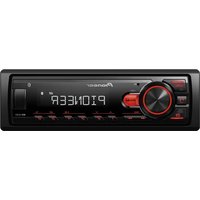
| Product Type | Car Stereo Receiver |
| Brand | Pioneer |
| Model | DEH-1701UB |
| Form Factor | 1-DIN |
| Dimensions (W x H x D) | 178 x 50 x 165 mm |
| Weight | 1.2 kg |
| Power Supply | 12 V DC (negative ground) |
| Max Power Output | 4 x 50 W |
| RMS Power Output | 4 x 22 W |
| Audio Formats Supported | CD, CD-R/RW, MP3, WMA, WAV |
| USB Port | Yes (front) |
| Auxiliary Input | Yes (front 3.5 mm) |
| Radio Tuner | FM/AM with RDS |
| Equalizer | 3-Band (Bass, Treble, Mid) |
| Display | LCD with variable color illumination |
| Remote Control | Included (wired or IR depends) |
| Security | Detachable front panel |
| Maintenance | Clean panel with soft cloth; avoid solvents |
| Repairability | Serviceable by authorized technicians; spare parts available |
Frequently Asked Questions - DEH-1701UB PIONEER
Does the Pioneer DEH-1701UB have Bluetooth?
No, the DEH-1701UB does not include Bluetooth. It supports CD, USB, and aux input for audio.
How do I detach the front panel?
Press the release button on the front panel and pull it away. Store it in the provided case to prevent theft.
Can I play music from a USB flash drive?
Yes, the DEH-1701UB has a USB port on the front. It supports MP3, WMA, and WAV files. The USB drive must be formatted as FAT32.
What are the dimensions of the DEH-1701UB?
It is a standard 1-DIN size: 178 mm (W) x 50 mm (H) x 165 mm (D). Weight is about 1.2 kg.
How do I reset the unit?
Locate the reset button (usually a small hole) on the front panel. Use a pointed object to press it. This restores factory settings.
What audio formats are compatible with CD playback?
The CD player supports CD-DA, CD-R, and CD-RW discs with MP3, WMA, and WAV files. Ensure discs are finalized.
Can I connect an external amplifier?
Yes, the DEH-1701UB has preamp outputs (front/rear) for connecting external amplifiers. Check the manual for wiring details.
How do I set the clock on the DEH-1701UB?
Press and hold the SRC button until the clock appears. Use the volume knob or arrow buttons to adjust hours and minutes. Press SRC again to save.
What is the maximum power output?
The unit delivers up to 4 x 50 W maximum power. RMS output is 4 x 22 W at 4 ohms.
How do I clean the front panel?
Use a soft, dry cloth. Avoid harsh chemicals or abrasive cleaners. Wipe gently to remove dust and fingerprints.
User questions about DEH-1701UB PIONEER
0 question about this device. Answer the ones you know or ask your own.
Ask a new question about this device
No questions yet. Be the first to ask one.
Download the instructions for your Car radio in PDF format for free! Find your manual DEH-1701UB - PIONEER and take your electronic device back in hand. On this page are published all the documents necessary for the use of your device. DEH-1701UB by PIONEER.
USER MANUAL DEH-1701UB PIONEER
Manual assistant
Powered by Anthropic
Waiting for your message
Product information
Brand : PIONEER
Model : DEH-1701UB
Category : Car radio