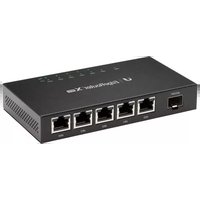
AmpliFi AFi-G - Router Ubiquiti Networks - Free user manual and instructions
Find the device manual for free AmpliFi AFi-G Ubiquiti Networks in PDF.


Pick your language and provide your email: we'll send you a specifically translated version.
| Product Type | Wireless Router |
| Brand | Ubiquiti Networks |
| Model | AmpliFi AFi-G |
| Wireless Standards | IEEE 802.11ac / abgn |
| Frequency Bands | 2.4 GHz and 5 GHz |
| Max Data Rate | AC1750 (450 Mbps @2.4 GHz + 1300 Mbps @5 GHz) |
| MIMO | 3×3 @2.4 GHz, 3×3 @5 GHz |
| Interfaces | 2 x Gigabit Ethernet LAN/WAN |
| Antennas | Internal dual-band |
| Power Supply | 12V DC, 1A (adapter included) |
| Dimensions (W x D x H) | 89 x 89 x 64 mm (3.5 x 3.5 x 2.5 in) |
| Weight | 200 g (7 oz) |
| Key Features | Mesh Wi-Fi, easy setup via app, touchscreen display |
| Security | WPA2-PSK, AES encryption |
| Reset Button | Yes, pinhole reset |
| Mounting | On flat surface or wall mount (optional) |
| Operating Temperature | 0°C to 40°C (32°F to 104°F) |
| Certifications | FCC, CE, IC |
| Warranty | 1 year (limited) |
Frequently Asked Questions - AmpliFi AFi-G Ubiquiti Networks
How do I set up my AmpliFi AFi-G router?
Download the AmpliFi app from the App Store or Google Play, then follow the in-app instructions to connect the router to your modem and configure your network.
What is the default IP address for the AmpliFi AFi-G?
The default IP address is 192.168.10.1. Enter it in your browser to access the web interface if needed.
How do I reset the AmpliFi AFi-G to factory settings?
Use a paperclip to press and hold the reset button on the back for about 10 seconds until the LED flashes. Release and wait for the router to reboot.
Can I use the AmpliFi AFi-G as a mesh extender?
Yes, the AFi-G can be added to an existing AmpliFi mesh network as a mesh point via the app.
What is the maximum number of devices supported?
The router supports up to 200+ connected devices under normal usage, but performance may vary.
How do I change the Wi-Fi password?
Open the AmpliFi app, go to Settings > Wi-Fi, and edit the network password. Changes apply immediately.
Does the AmpliFi AFi-G support VPN?
Yes, it supports VPN passthrough for protocols like PPTP and IPSec. For client VPN, you may need to configure manually.
What should I do if my internet is not working?
Check that the Ethernet cable is connected from the router's WAN port to the modem. Restart both modem and router. If issue persists, contact your ISP.
How do I update the firmware?
Firmware updates are automatic via the AmpliFi app. You can also manually upload a firmware file through the web interface under Settings > System > Update.
Is parental control available?
Yes, via the AmpliFi app you can pause internet access for specific devices or set schedules for children's devices.
User questions about AmpliFi AFi-G Ubiquiti Networks
0 question about this device. Answer the ones you know or ask your own.
Ask a new question about this device
No questions yet. Be the first to ask one.
Download the instructions for your Router in PDF format for free! Find your manual AmpliFi AFi-G - Ubiquiti Networks and take your electronic device back in hand. On this page are published all the documents necessary for the use of your device. AmpliFi AFi-G by Ubiquiti Networks.
USER MANUAL AmpliFi AFi-G Ubiquiti Networks



Manual assistant
Powered by Anthropic
Waiting for your message
Product information
Brand : Ubiquiti Networks
Model : AmpliFi AFi-G
Category : Router