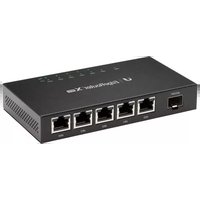
AmpliFi Instant System - Router Ubiquiti Networks - Free user manual and instructions
Find the device manual for free AmpliFi Instant System Ubiquiti Networks in PDF.
Pick your language and provide your email: we'll send you a specifically translated version.
| Product Type | Mesh Wi-Fi Router System |
| Brand | Ubiquiti Networks |
| Model | AmpliFi Instant System |
| Wi-Fi Standard | 802.11ac Wave 2 |
| Frequency Bands | 2.4 GHz and 5 GHz |
| Maximum Speed | AC1750 (450 Mbps on 2.4 GHz + 1300 Mbps on 5 GHz) |
| Number of Units | 2 (1 router + 1 mesh point) |
| Dimensions (each unit) | 98 x 98 x 36 mm (3.9 x 3.9 x 1.4 in) |
| Weight (each unit) | 200 g (7.1 oz) |
| Power Supply | USB-C (5V/2.5A adapter included) |
| Ports | 1 WAN Gigabit Ethernet, 1 LAN Gigabit Ethernet (router unit only) |
| Antenna | Internal omnidirectional |
| Mesh Technology | True mesh with self-healing |
| Setup | Via AmpliFi mobile app (iOS/Android) |
| Parental Controls | Yes, with content filtering and time limits |
| Guest Network | Yes, separate SSID |
| Security | WPA2-PSK, WPA3 support (firmware update) |
| Operating Temperature | 0°C to 40°C (32°F to 104°F) |
| Cleaning Instructions | Wipe with a dry, soft cloth. Avoid liquids. |
| Spare Parts Availability | Not available; non-repairable consumer device |
| Warranty | 2 years limited |
Frequently Asked Questions - AmpliFi Instant System Ubiquiti Networks
How do I set up the AmpliFi Instant System?
Download the AmpliFi app from the App Store or Google Play. Plug in the router unit, connect it to your modem via Ethernet, then follow the in-app instructions. The app will guide you through adding the mesh point.
What is the coverage area of the AmpliFi Instant System?
Each unit covers up to 2,000 sq ft (185 m²). With two units, you can cover up to 4,000 sq ft, depending on home layout and materials.
Can I add more mesh points to the system?
Yes, you can add up to 4 additional AmpliFi Instant Mesh Points to extend coverage further. They pair easily via the app.
Does the AmpliFi Instant System support Wi-Fi 6?
No, this model uses 802.11ac (Wi-Fi 5) technology. For Wi-Fi 6, consider the AmpliFi Alien or HD systems.
How do I reset the router to factory settings?
Press and hold the reset button on the back of the router unit for about 10 seconds until the LED flashes. The device will restart with default settings.
Can I use the AmpliFi Instant System with a modem/router combo?
Yes, but you may need to put your ISP device in bridge mode to avoid conflicts. The AmpliFi app can help diagnose issues.
Does the system have a guest network feature?
Yes, you can enable a guest network from the app. It creates a separate SSID with isolated access to the internet only.
What security protocols does the AmpliFi Instant System support?
It supports WPA2-PSK and, after a firmware update, WPA3 for enhanced security. It also includes a built-in firewall.
How do I update the firmware on the AmpliFi Instant System?
Firmware updates are automatically checked and installed via the AmpliFi app. You can also manually trigger an update in the settings menu.
What should I do if the mesh point loses connection?
First, ensure the mesh point is within range (ideally 30-50 ft from the router). Restart both units. If the issue persists, use the app to resync or reposition the mesh point.
User questions about AmpliFi Instant System Ubiquiti Networks
0 question about this device. Answer the ones you know or ask your own.
Ask a new question about this device
No questions yet. Be the first to ask one.
Download the instructions for your Router in PDF format for free! Find your manual AmpliFi Instant System - Ubiquiti Networks and take your electronic device back in hand. On this page are published all the documents necessary for the use of your device. AmpliFi Instant System by Ubiquiti Networks.