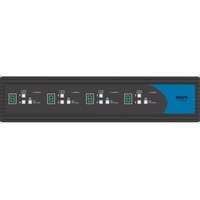
SDPN-4Q-P - Switch iPGARD - Free user manual and instructions
Find the device manual for free SDPN-4Q-P iPGARD in PDF.


Pick your language and provide your email: we'll send you a specifically translated version.
| Product Type | Secure KVM Switch |
| Brand | iPGARD |
| Model | SDPN-4Q-P |
| Number of Ports | 4 |
| Video Interface | DisplayPort |
| Maximum Resolution | 3840 x 2160 @ 60 Hz |
| USB Support | USB 2.0, keyboard/mouse emulation |
| Security Features | Anti-tamper switches, tamper-evident seals, secure firmware |
| Power Supply | 12V DC, 2.5A |
| Power Consumption | < 30W |
| Dimensions (W x D x H) | 17.3 x 9.8 x 4.4 cm (6.8 x 3.9 x 1.7 in) |
| Weight | 0.68 kg (1.5 lbs) |
| Operating Temperature | 0°C to 50°C (32°F to 122°F) |
| Storage Temperature | -20°C to 60°C (-4°F to 140°F) |
| Humidity | 0-80% RH (non-condensing) |
| Mounting Options | Rack mountable (1U) with included brackets |
| Cable Length Supported | Up to 5 meters (16 ft) |
| Compliance | FCC, CE, RoHS |
| Package Contents | SDPN-4Q-P unit, power adapter, rack ears, user manual |
| Maintenance | Wipe with a dry cloth; avoid liquids and abrasive cleaners |
| Safety Warnings | Do not disassemble; use only supplied power adapter; keep away from moisture |
| Spare Parts Availability | Replacement power adapters and rack ears available from iPGARD |
| Product Warranty | 2 years limited |
Frequently Asked Questions - SDPN-4Q-P iPGARD
What is the iPGARD SDPN-4Q-P used for?
The iPGARD SDPN-4Q-P is a secure KVM switch that allows you to control up to four computers from a single keyboard, mouse, and monitor while maintaining high-security standards.
What video interface does the SDPN-4Q-P support?
It supports DisplayPort video input and output, with a maximum resolution of 3840x2160 @ 60Hz.
Does it support USB peripherals?
Yes, it provides USB 2.0 ports for keyboard, mouse, and other peripherals, with keyboard/mouse emulation to prevent data leakage.
How do I switch between computers?
You can switch using front panel pushbuttons, hotkeys (keyboard commands), or via on-screen display (OSD).
What security features does it have?
It includes anti-tamper switches that erase data if the unit is opened, tamper-evident seals, and secure firmware to protect against cyber threats.
Can I rack mount the SDPN-4Q-P?
Yes, it comes with rack ears and occupies 1U of rack space.
What is the power requirement?
It requires a 12V DC, 2.5A power adapter (included).
How do I clean and maintain the device?
Wipe the exterior with a soft, dry cloth. Do not use any liquids or abrasive cleaners. Keep the ventilation slots clean.
Are there any known compatibility issues?
This switch is compatible with most x86-based computers running Windows, Linux, or macOS. Ensure your graphics card supports DisplayPort.
For security-sensitive environments, it supports NIAP Common Criteria compliance.
For security-sensitive environments, it supports NIAP Common Criteria compliance.
What is covered under warranty?
iPGARD provides a 2-year limited warranty covering defects in materials and workmanship. Contact support for warranty claims. Extended support options may be available.
User questions about SDPN-4Q-P iPGARD
0 question about this device. Answer the ones you know or ask your own.
Ask a new question about this device
No questions yet. Be the first to ask one.
Download the instructions for your Switch in PDF format for free! Find your manual SDPN-4Q-P - iPGARD and take your electronic device back in hand. On this page are published all the documents necessary for the use of your device. SDPN-4Q-P by iPGARD.
USER MANUAL SDPN-4Q-P iPGARD


Manual assistant
Powered by Anthropic
Waiting for your message
Product information
Brand : iPGARD
Model : SDPN-4Q-P
Category : Switch