SUHN-2D - Switch iPGARD - Free user manual and instructions
Find the device manual for free SUHN-2D iPGARD in PDF.


Pick your language and provide your email: we'll send you a specifically translated version.
| Product Type | Secure KVM Switch |
| Model | SUHN-2D |
| Number of Ports | 2 |
| Video Interface | HDMI |
| USB Support | Yes, for keyboard/mouse and peripheral sharing |
| Max Resolution | 4K@60Hz (3840x2160) |
| Power Supply | 5V DC, 1A (external adapter) |
| Power Consumption | 2.5W typical |
| Dimensions (W x D x H) | 7.2 x 2.4 x 0.9 inches (183 x 61 x 23 mm) |
| Weight | 0.5 lbs (227 g) |
| Chassis Material | Metal with tamper-evident seals |
| Security Features | Tamper-evident, secure EDID emulation, USB port isolation |
| Operating Temperature | 32°F to 122°F (0°C to 50°C) |
| Storage Temperature | -4°F to 140°F (-20°C to 60°C) |
| Humidity | 20% to 80% non-condensing |
| Supported Operating Systems | Windows, macOS, Linux, and most USB-enabled OS |
| Keyboard/Mouse Emulation | Yes, for seamless switching |
| Cable Length (included) | 3 ft (0.9 m) USB and HDMI cables |
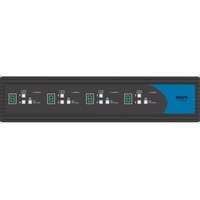
| Front Panel Controls | Push-button port selection, LED indicators |
| Maintenance & Cleaning | Wipe with dry cloth; no liquids |
| Spare Parts & Repairability | No user-serviceable parts; contact iPGARD support |
Frequently Asked Questions - SUHN-2D iPGARD
What is the maximum resolution supported by the SUHN-2D?
The SUHN-2D supports up to 4K@60Hz (3840x2160) resolution for crisp and clear video output.
Does the SUHN-2D require an external power supply?
Yes, it comes with a 5V DC power adapter. The switch also supports bus-powered operation with some USB ports, but the adapter is recommended for stable performance.
Can I share USB devices like keyboards and mice between two computers?
Yes, the SUHN-2D allows you to share a single USB keyboard, mouse, and other USB peripherals between two connected computers.
Is the SUHN-2D secure for use in classified environments?
Yes, it offers tamper-evident seals, secure EDID emulation, and USB port isolation to prevent data leaks and ensure security.
How do I switch between computers?
You can switch using the front panel push-button or via keyboard hotkeys (e.g., Scroll Lock + Scroll Lock + 1/2).
What cables are included with the SUHN-2D?
The package includes two HDMI cables (3 ft each) and two USB cables (3 ft each) to connect the switch to your computers.
Does the switch support audio?
Yes, HDMI audio is supported. The switch passes through audio from the selected computer to your monitor or speakers.
Can I use the SUHN-2D with USB-C computers?
Yes, as long as the computers have HDMI output and USB-A ports. For USB-C computers, you may need adapters.
What do the LED indicators mean?
The front panel LEDs show which computer port is currently active. A steady green LED indicates the selected port.
How do I clean and maintain the SUHN-2D?
Use a soft, dry cloth to wipe the exterior. Do not use liquids or solvents. Ensure the device is powered off before cleaning.
User questions about SUHN-2D iPGARD
0 question about this device. Answer the ones you know or ask your own.
Ask a new question about this device
No questions yet. Be the first to ask one.
Download the instructions for your Switch in PDF format for free! Find your manual SUHN-2D - iPGARD and take your electronic device back in hand. On this page are published all the documents necessary for the use of your device. SUHN-2D by iPGARD.
USER MANUAL SUHN-2D iPGARD


Manual assistant
Powered by Anthropic
Waiting for your message
Product information
Brand : iPGARD
Model : SUHN-2D
Category : Switch