Stick - Receiver Wireless Solution - Free user manual and instructions
Find the device manual for free Stick Wireless Solution in PDF.


Pick your language and provide your email: we'll send you a specifically translated version.
| Product Type | Wireless Receiver |
| Model | Stick |
| Brand | Wireless Solution |
| Dimensions | Approx. 20 x 15 x 5 mm |
| Weight | Approx. 5 g |
| Power Source | USB powered (5V DC) |
| Interface | USB Type-A |
| Wireless Technology | 2.4 GHz RF |
| Operating Range | Up to 10 meters (open space) |
| Compatibility | Windows, macOS, Linux |
| Plug & Play | Yes, no driver required |
| LED Indicator | Power/activity light |
| Operating Temperature | 0°C to 40°C |
| Storage Temperature | -20°C to 60°C |
| Humidity Range | 10% to 90% non-condensing |
| Material | Plastic casing |
| Color | Black |
| Maintenance | Wipe with dry cloth; keep away from liquids |
| Safety Precautions | Do not expose to water, heat, or direct sunlight |
| Spare Parts | Not applicable (integrated unit) |
| Repairability | Non-repairable; replace if defective |
| Certifications | CE, FCC, RoHS |
Frequently Asked Questions - Stick Wireless Solution
How do I set up the Wireless Solution Stick receiver?
Simply plug the receiver into an available USB port on your computer. It is plug-and-play and should be recognized automatically. No additional drivers are needed for most operating systems.
What devices are compatible with this receiver?
This receiver is compatible with Wireless Solution wireless mice, keyboards, and other peripherals that operate on the same 2.4 GHz frequency. It works with Windows, macOS, and Linux systems.
What is the maximum operating range?
The receiver has an operating range of up to 10 meters in open space. Walls and obstacles may reduce the effective range.
Why is my receiver not detected by the computer?
Ensure the receiver is fully inserted into a working USB port. Try a different port. If the issue persists, restart your computer. For further help, contact Wireless Solution support.
Can I use multiple receivers at the same time?
Yes, you can use multiple receivers simultaneously, but each receiver must be paired with its own peripheral. They operate on independent channels to avoid interference.
Does the receiver require any software?
No, the receiver is plug-and-play and does not require any additional software or drivers. Your operating system will automatically configure it.
How do I clean the receiver?
Unplug the receiver and wipe it gently with a dry, soft cloth. Do not use any liquids, solvents, or abrasive cleaners.
What should I do if the receiver gets wet?
Immediately unplug the receiver and dry it thoroughly with a soft cloth. Allow it to air dry completely before attempting to use it again. Do not use heat sources. If problems persist, replace the receiver.
Is the receiver repairable?
The receiver is a sealed unit and is not intended for repair. If it malfunctions, please contact Wireless Solution for a replacement under warranty.
Where can I find the user manual?
The user manual can be downloaded for free from notice-facile.com or the official Wireless Solution website. It contains detailed instructions and troubleshooting tips.
User questions about Stick Wireless Solution
0 question about this device. Answer the ones you know or ask your own.
Ask a new question about this device
No questions yet. Be the first to ask one.
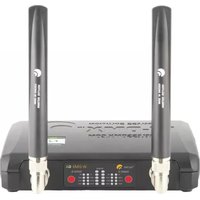
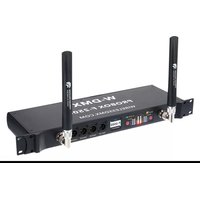
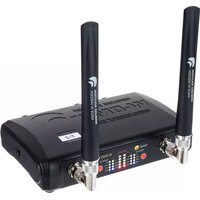
Download the instructions for your Receiver in PDF format for free! Find your manual Stick - Wireless Solution and take your electronic device back in hand. On this page are published all the documents necessary for the use of your device. Stick by Wireless Solution.
USER MANUAL Stick Wireless Solution


Manual assistant
Powered by Anthropic
Waiting for your message
Product information
Brand : Wireless Solution
Model : Stick
Category : Receiver