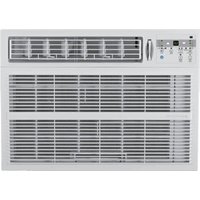
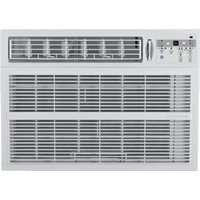
2AP13000A - Air conditioner ARCTIC WIND - Free user manual and instructions
Find the device manual for free 2AP13000A ARCTIC WIND in PDF.


Pick your language and provide your email: we'll send you a specifically translated version.
| Product Type | Portable Air Conditioner |
| Model | 2AP13000A |
| Brand | ARCTIC WIND |
| Cooling Capacity | 13,000 BTU (approx.) |
| Room Coverage | Up to 550 sq. ft. |
| Dimensions (W x D x H) | 17.5 x 14.5 x 27.5 inches |
| Weight | Approx. 65 lbs |
| Power Supply | 115V / 60Hz / 10.5A |
| Plug Type | NEMA 5-15P, 3-prong |
| Refrigerant | R-410A |
| Air Flow (Max) | 350 CFM |
| Controls | Remote control and digital display |
| Modes | Cool, Fan, Dehumidify, Auto |
| Fan Speeds | 3 (Low, Medium, High) |
| Timer | 24-hour timer |
| Temperature Range | 62°F - 88°F (cooling) |
| Dehumidification | Up to 3.5 pints/hour |
| Installation Type | Slider window kit included |
| Filter | Washable reusable filter |
| Maintenance | Clean filter every 2 weeks; drain condensate as needed |
| Safety Features | Overload protection, auto shut-off, tip-over switch |
| Spare Parts Available | Replacement filters, remote, drain plug |
| Noise Level | Approx. 55 dB (low), 62 dB (high) |
| Energy Efficiency | EER rating 10.7 (approx.) |
| Warranty | 1 year limited (parts and labor) |
Frequently Asked Questions - 2AP13000A ARCTIC WIND
How do I install the air conditioner in a window?
Open the window, attach the included slider kit to the window frame, then place the unit on the slider. Secure the window sash against the top of the unit. Plug the power cord into a grounded outlet. Refer to the manual for detailed steps.
How often should I clean the air filter?
Clean the filter every two weeks during heavy use. Remove the filter, rinse with warm water, dry completely, and reinstall. A clogged filter reduces cooling efficiency.
What does the 'EF' or 'AS' error code mean?
An 'EF' error usually indicates a sensor issue; 'AS' may refer to ambient sensor fault. Try resetting the unit by unplugging it for 5 minutes. If persists, contact customer support.
Can I use an extension cord with this air conditioner?
No, use only a direct 115V/60Hz outlet. Extension cords can overheat and cause fires. Use a surge protector designed for air conditioners if needed.
How do I drain the condensate water?
The unit self-evaporates most water. In high humidity, connect a drain hose to the rear drain port to direct water to a floor drain or bucket. Use the manual drain plug for continuous drainage.
The remote control is not working. What should I do?
Replace the batteries (2 x AAA). Ensure the remote is pointed at the unit within 20 feet. Remove any obstructions. If still not working, try resetting the unit.
How do I switch between cooling and fan mode?
Press the Mode button on the remote or control panel repeatedly to cycle through Cool, Fan, Dehumidify, and Auto modes. The display shows the current mode.
Why is my air conditioner blowing warm air?
Check that the unit is set to Cool mode and the temperature setpoint is lower than room temperature. Ensure the filter is clean and the air exhaust hose is properly vented outside.
Can I schedule the unit to turn on/off?
Yes, use the 24-hour timer on the remote. Press Timer to set hour increments for auto-on or auto-off. Up to 24 hours delay.
What spare parts are available for this model?
Available spare parts include replacement air filters, remote control, drain plug, and window slider kit. Contact ARCTIC WIND customer service or visit their website.
User questions about 2AP13000A ARCTIC WIND
0 question about this device. Answer the ones you know or ask your own.
Ask a new question about this device
No questions yet. Be the first to ask one.
Download the instructions for your Air conditioner in PDF format for free! Find your manual 2AP13000A - ARCTIC WIND and take your electronic device back in hand. On this page are published all the documents necessary for the use of your device. 2AP13000A by ARCTIC WIND.
USER MANUAL 2AP13000A ARCTIC WIND
Manual assistant
Powered by Anthropic
Waiting for your message
Product information
Brand : ARCTIC WIND
Model : 2AP13000A
Category : Air conditioner