2AP14000A - Air conditioner ARCTIC WIND - Free user manual and instructions
Find the device manual for free 2AP14000A ARCTIC WIND in PDF.


Pick your language and provide your email: we'll send you a specifically translated version.
| Product Type | Portable Air Conditioner |
| Model | 2AP14000A |
| Brand | ARCTIC WIND |
| Cooling Capacity | 14,000 BTU |
| Room Coverage | Up to 700 sq. ft. |
| Power Supply | 115V, 60Hz |
| Power Consumption (Cooling) | 1250W |
| Dimensions (W x D x H) | 17.5 x 14.5 x 28.5 in. |
| Weight | 75 lbs |
| Refrigerant Type | R-410A |
| Modes | Cool, Fan, Dehumidify |
| Fan Speeds | 3 (Low, Medium, High) |
| Thermostat Control | Digital, 62°F - 86°F |
| Remote Control | Yes, included |
| Timer Function | 1-24 hour on/off |
| Self-Evaporation System | Yes, most conditions |
| Air Filter | Washable, reusable |
| Filter Maintenance | Clean every 2 weeks |
| Safety Features | Auto shut-off, tip-over protection |
| Installation Type | Portable with window kit |
| Warranty | 1 year limited |
Frequently Asked Questions - 2AP14000A ARCTIC WIND
How do I clean the air filter?
Turn off and unplug the unit. Remove the filter from the back panel. Wash it with mild soap and water, then let it dry completely before reinstalling. Clean every two weeks for optimal performance.
What does it mean if the unit displays 'E2' error code?
The E2 code indicates a frozen coil condition. Turn off the unit and let it defrost. Ensure the air filter is clean and there is proper airflow. If the problem persists, contact customer support.
How do I set the timer?
Press the Timer button on the remote or control panel. Use the + and - buttons to set the desired hours (1-24). Press Timer again to confirm. The unit will automatically turn on or off after the set time.
Why is the unit not cooling?
Check if the air filter is dirty. Ensure the window kit is properly sealed and the exhaust hose is not kinked. Also verify the set temperature is lower than room temperature.
How do I drain the water?
In humid conditions, the unit may collect water. Locate the drain plug at the bottom back. Place a pan under it, remove the plug, and allow water to drain. Replace the plug securely.
Can I use an extension cord?
It is not recommended. Plug the unit directly into a grounded outlet. Extension cords may overheat or cause voltage drop, affecting performance and safety.
How often should I clean the unit?
Clean the air filter every two weeks. Wipe the exterior with a damp cloth. At the start of each season, check the exhaust hose and window seal for debris.
What is the proper way to store the unit in winter?
Drain any water from the unit. Clean the filter and let it dry. Cover the exhaust hose port. Store the unit upright in a dry, cool place away from direct sunlight.
Why does the unit make a gurgling sound?
Gurgling is normal and indicates the compressor or refrigerant flowing. If the sound becomes loud or constant, check if the unit is level and not tilted.
How do I install the window kit?
Open the window, place the adjustable window kit panel in the opening, and close the window onto it. Secure with screws if needed. Attach the exhaust hose to the unit and the window kit. Ensure a tight seal.
User questions about 2AP14000A ARCTIC WIND
0 question about this device. Answer the ones you know or ask your own.
Ask a new question about this device
No questions yet. Be the first to ask one.
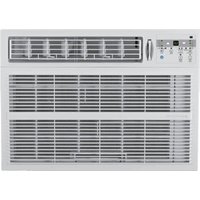
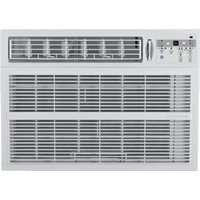
Download the instructions for your Air conditioner in PDF format for free! Find your manual 2AP14000A - ARCTIC WIND and take your electronic device back in hand. On this page are published all the documents necessary for the use of your device. 2AP14000A by ARCTIC WIND.
USER MANUAL 2AP14000A ARCTIC WIND
Manual assistant
Powered by Anthropic
Waiting for your message
Product information
Brand : ARCTIC WIND
Model : 2AP14000A
Category : Air conditioner