Crystal - Uncategorized MYVU - Free user manual and instructions
Find the device manual for free Crystal MYVU in PDF.


Pick your language and provide your email: we'll send you a specifically translated version.
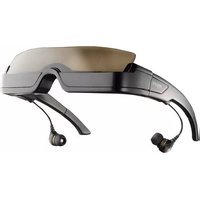
| Product Type | Smart Glasses |
| Dimensions | 150 x 40 x 180 mm (approx.) |
| Weight | 50 g |
| Battery Capacity | 350 mAh |
| Charging Port | USB-C |
| Connectivity | Bluetooth 5.0 |
| Speaker Type | Open-ear speaker |
| Microphone | Dual noise-canceling |
| Touch Controls | Single tap, double tap, swipe |
| Voice Assistant | Compatible with Siri, Google Assistant |
| Water Resistance | IPX4 (splash resistant) |
| Operating Temperature | 0°C to 40°C |
| Storage Temperature | -20°C to 60°C |
| Material | TR90 plastic, silicone |
| Color Options | Black, Crystal Clear |
| Battery Life | Up to 8 hours of music playback |
| Charging Time | 1.5 hours |
| Standby Time | Up to 7 days |
| Frequency Range | 20 Hz – 20 kHz |
| Driver Size | 16 mm |
| Compatible Devices | iOS, Android, Bluetooth-enabled devices |
| Warranty | 1 year limited warranty |
Frequently Asked Questions - Crystal MYVU
How to pair MYVU Crystal with my phone?
Turn on the glasses and put them in pairing mode (hold the touch button for 5 seconds). Enable Bluetooth on your phone, then select 'MYVU Crystal' from the list.
What is the battery life of MYVU Crystal?
The battery lasts up to 8 hours for music playback and up to 7 days on standby, depending on volume and usage.
Is MYVU Crystal water resistant?
Yes, it has an IPX4 rating, meaning it can withstand splashes of water. Do not submerge in water.
How long does it take to fully charge MYVU Crystal?
A full charge takes approximately 1.5 hours using the provided USB-C cable.
How to clean MYVU Crystal?
Clean with a soft, dry cloth. Avoid using chemicals or abrasive materials. Remove lenses before cleaning if possible.
Can I use voice assistants with MYVU Crystal?
Yes, it supports Siri and Google Assistant. Double-tap the touch button to activate.
How to adjust volume on MYVU Crystal?
Swipe forward or backward on the touch control to increase or decrease volume. Press once to play/pause.
How to update firmware on MYVU Crystal?
Download the MYVU companion app and follow the update instructions. Ensure the glasses are charged and nearby.
What is the warranty period for MYVU Crystal?
MYVU Crystal comes with a 1-year limited warranty from the date of purchase. Coverage includes manufacturing defects.
Are MYVU Crystal glasses compatible with prescription lenses?
Yes, you can replace the standard lenses with prescription lenses through an optician. The frame is designed to fit standard lens sizes.
User questions about Crystal MYVU
0 question about this device. Answer the ones you know or ask your own.
Ask a new question about this device
No questions yet. Be the first to ask one.
Download the instructions for your Uncategorized in PDF format for free! Find your manual Crystal - MYVU and take your electronic device back in hand. On this page are published all the documents necessary for the use of your device. Crystal by MYVU.
USER MANUAL Crystal MYVU
Manual assistant
Powered by Anthropic
Waiting for your message
Product information
Brand : MYVU
Model : Crystal
Category : Uncategorized