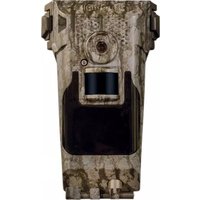
119432CW - Camera BUSHNELL - Free user manual and instructions
Find the device manual for free 119432CW BUSHNELL in PDF.


Pick your language and provide your email: we'll send you a specifically translated version.
| Product Type | Trail Camera |
| Model | 119432CW |
| Brand | Bushnell |
| Resolution | 20 MP (typical) |
| Video Resolution | 1080p HD |
| Detection Range | Up to 100 ft |
| Flash Type | Low-glow infrared LEDs |
| Trigger Speed | 0.3 seconds |
| Power Source | 8 AA batteries |
| Battery Life | Up to 6 months (typical usage) |
| Memory Card Support | SD/SDHC up to 32GB |
| Dimensions (W x H x D) | 5.5 x 4.5 x 2.5 inches |
| Weight | 12 oz (without batteries) |
| Mounted Height Recommendation | 3-6 ft above ground |
| Operating Temperature | -20°F to 120°F |
| Waterproof Rating | IP54 (splash resistant) |
| Mounting Method | Tree strap or stake mount |
| Time-Lapse Mode | Yes, selectable intervals |
| Camera Lock Support | Yes, Python cable lock ready |
| Care Instructions | Wipe with dry cloth; avoid solvents |
| Spare Parts Availability | Contact Bushnell customer service |
Frequently Asked Questions - 119432CW BUSHNELL
What type of batteries does the Bushnell 119432CW use?
The camera uses 8 AA batteries (alkaline or lithium recommended for cold weather).
How do I set the date and time on the camera?
Press the MENU button, use the arrow keys to navigate to Date/Time, then set the values using the up/down keys and confirm with OK.
What memory card is compatible?
SD and SDHC cards up to 32GB are supported. For optimal performance, use a Class 10 card.
How do I mount the camera?
Use the included tree strap or stake mount. Secure the camera at 3-6 ft above ground, aiming slightly downward at the target area.
Why are my night photos blurry?
Blurry night photos can result from motion blur or dirty lens. Ensure the lens is clean and the camera is mounted securely. Reduce the detection sensitivity if needed.
How do I reset the camera to factory settings?
Go to the SETUP menu and select RESET. Confirm by selecting YES. All settings will return to default.
What is the trigger speed of this camera?
The trigger speed is approximately 0.3 seconds, capturing fast-moving wildlife.
Can I use an external power source?
Yes, you can use an optional 6V DC power adapter (not included). Use the external power jack on the bottom of the camera.
How do I view photos from the camera?
Remove the SD card and insert it into a computer card reader, or use the USB cable (not included) to connect the camera directly to a computer.
Does the camera have a time-lapse mode?
Yes, you can enable time-lapse mode in the menu and set intervals from 1 second to 60 minutes.
User questions about 119432CW BUSHNELL
0 question about this device. Answer the ones you know or ask your own.
Ask a new question about this device
No questions yet. Be the first to ask one.
Download the instructions for your Camera in PDF format for free! Find your manual 119432CW - BUSHNELL and take your electronic device back in hand. On this page are published all the documents necessary for the use of your device. 119432CW by BUSHNELL.
USER MANUAL 119432CW BUSHNELL

Manual assistant
Powered by Anthropic
Waiting for your message
Product information
Brand : BUSHNELL
Model : 119432CW
Category : Camera