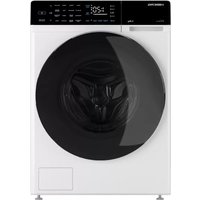
i-DDQ6 - 712 W - Washing machine Hiberg - Free user manual and instructions
Find the device manual for free i-DDQ6 - 712 W Hiberg in PDF.


Pick your language and provide your email: we'll send you a specifically translated version.
| Product Type | Washing Machine |
| Brand | Hiberg |
| Model | i-DDQ6 - 712 W |
| Rated Power | 712 W |
| Energy Class | A+++ |
| Capacity | 6 kg |
| Spin Speed | 1200 rpm |
| Dimensions (H x W x D) | 85 x 60 x 52 cm |
| Weight | 65 kg |
| Water Connection | Cold water only |
| Noise Level (Wash/Spin) | 58 dB / 76 dB |
| Number of Programs | 15 |
| Key Programs | Cotton, Synthetics, Delicates, Quick Wash, Eco |
| Display | LED |
| Delay Start | Up to 24 hours |
| Child Lock | Yes |
| Self-Cleaning | Drum Clean Program |
| Consumption (Annual) | 180 kWh, 9000 L water |
| Available Spare Parts | Door seal, belt, pump, control board |
| Warranty | 2 years |
Frequently Asked Questions - i-DDQ6 - 712 W Hiberg
How do I start a wash cycle?
Load the laundry, add detergent, close the door, select a program using the dial, and press the Start/Pause button.
What does the 'Quick Wash' program do?
It washes lightly soiled clothes in about 30 minutes at 30°C, ideal for small loads.
How to clean the detergent drawer?
Remove the drawer by pressing the release lever, rinse under running water, and wipe dry. Do this every 2 months.
Why is my washing machine not spinning?
Check if the drain filter is clogged, the load is unbalanced, or the spin speed is set to zero. Clean the filter first.
Can I wash a duvet in this machine?
The maximum capacity is 6 kg. A single duvet may exceed that. Check the label and use the Bulky program if available.
How to use the delay start feature?
Select your program, press the Delay button repeatedly to set the desired hours (1-24), and press Start. The machine will finish at the set time.
What maintenance is required?
Clean the drain filter monthly, run a drum clean cycle every 3 months, and leave the door open after use to prevent mold.
The display shows an error code: what should I do?
Refer to the manual's error code table. Common codes like E10 (water inlet) or E20 (drain) indicate specific issues.
How to install the washing machine?
Remove transit bolts, level the feet, connect water hose to cold water tap, and insert drain hose into a standpipe. Ensure electricity is off during connection.
Where can I find spare parts?
Contact Hiberg customer service or authorized dealers. Common parts like door seal and pump are available online.
User questions about i-DDQ6 - 712 W Hiberg
0 question about this device. Answer the ones you know or ask your own.
Ask a new question about this device
No questions yet. Be the first to ask one.
Download the instructions for your Washing machine in PDF format for free! Find your manual i-DDQ6 - 712 W - Hiberg and take your electronic device back in hand. On this page are published all the documents necessary for the use of your device. i-DDQ6 - 712 W by Hiberg.
USER MANUAL i-DDQ6 - 712 W Hiberg
Manual assistant
Powered by Anthropic
Waiting for your message
Product information
Brand : Hiberg
Model : i-DDQ6 - 712 W
Category : Washing machine