SC-TM11026 - Toaster Scarlett - Free user manual and instructions
Find the device manual for free SC-TM11026 Scarlett in PDF.


Pick your language and provide your email: we'll send you a specifically translated version.
| Product Type | Toaster |
| Brand | Scarlett |
| Model | SC-TM11026 |
| Dimensions (approx.) | 25 x 15 x 20 cm |
| Weight (approx.) | 1.2 kg |
| Power Consumption | 800-900 W |
| Voltage | 220-240 V ~ 50/60 Hz |
| Number of Slots | 2 |
| Self-Centering Racks | Yes |
| Defrost Function | Yes |
| Reheat Function | Yes |
| Cancel Button | Yes |
| Variable Browning Control | 6 settings |
| Removable Crumb Tray | Yes |
| Cord Length (approx.) | 0.8 m |
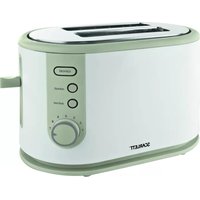
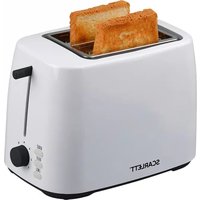
| Color | White |
| Material | Plastic body with stainless steel accents |
| Safety Features | Auto shut-off, cool-touch exterior |
| Cleaning Instructions | Wipe exterior with damp cloth; empty crumb tray regularly |
| Intended Use | Household only |
Frequently Asked Questions - SC-TM11026 Scarlett
How do I use the toaster?
Place bread in the slots, select browning level using the dial, and press the lever down. The toaster will automatically pop up when done. Use the Cancel button to stop at any time.
How do I clean the toaster?
Unplug and let cool. Remove and empty the crumb tray. Wipe the exterior with a damp cloth. Do not immerse in water.
Can I toast bagels?
Yes, the toaster has self-centering racks that accommodate bagels. For best results, slice bagels evenly and place cut side facing the heating elements.
Why does the toaster turn off before the toast is done?
The toaster has an auto shut-off feature for safety. If the toast is not done, the browning setting may be too low. Adjust the dial to a higher number.
How do I adjust the browning level?
Rotate the variable browning control dial to your preferred setting. Lower numbers for lighter toast, higher for darker. Start with a medium setting (3-4).
Can I use the toaster to reheat bread?
Yes, press the Reheat button to warm previously toasted bread without additional browning.
Is the toaster safe for my countertop?
Yes, the toaster has a cool-touch exterior and non-slip feet. Ensure it is placed on a stable, heat-resistant surface away from curtains.
What does the defrost button do?
The Defrost function adjusts the toasting cycle for frozen bread, ensuring even toasting without burning the outside.
How should I store the toaster?
Unplug and let cool completely. Wrap the cord around the base (if applicable) and store in a dry place. Avoid storing with crumbs inside.
Where can I find spare parts?
Contact Scarlett customer service or check authorized retailers for replacement parts like the crumb tray or power cord. Use only official parts.
User questions about SC-TM11026 Scarlett
0 question about this device. Answer the ones you know or ask your own.
Ask a new question about this device
No questions yet. Be the first to ask one.
Download the instructions for your Toaster in PDF format for free! Find your manual SC-TM11026 - Scarlett and take your electronic device back in hand. On this page are published all the documents necessary for the use of your device. SC-TM11026 by Scarlett.
USER MANUAL SC-TM11026 Scarlett


Manual assistant
Powered by Anthropic
Waiting for your message
Product information
Brand : Scarlett
Model : SC-TM11026
Category : Toaster