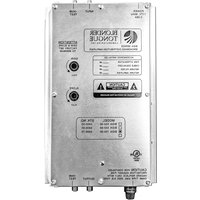
BIDA 86B-30P - Radio Blonder Tongue - Free user manual and instructions
Find the device manual for free BIDA 86B-30P Blonder Tongue in PDF.


Pick your language and provide your email: we'll send you a specifically translated version.
| Product Type | Radio |
| Brand | Blonder Tongue |
| Model | BIDA 86B-30P |
| Frequency Band | FM / AM (87.5-108 MHz, 530-1710 kHz) |
| Tuning Type | Digital PLL Synthesized |
| Preset Memory | 30 stations |
| Output Power | 10 W RMS per channel (stereo) |
| Speaker Impedance | 8 ohms |
| Power Supply | AC 120V, 60 Hz |
| Power Consumption | 30 W |
| Antenna | Built-in FM dipole / AM loop |
| Audio Inputs | 1x 3.5mm AUX, 1x RCA (Line in) |
| Audio Outputs | 1x 3.5mm headphone, 1x RCA (Line out) |
| Dimensions (W x H x D) | 430 x 120 x 280 mm |
| Weight | 5.2 kg |
| Material | Metal chassis, plastic front panel |
| Display | LCD with backlight |
| Remote Control | Included (infrared) |
| Accessories | Power cord, antenna, remote control, user manual |
| Cleaning | Wipe with dry soft cloth, avoid liquids |
| Safety | Do not open, keep away from water, use grounded outlet |
Frequently Asked Questions - BIDA 86B-30P Blonder Tongue
How do I set the clock on the BIDA 86B-30P?
Press and hold the Clock button until the hour flashes, then rotate the Tuning knob to set hour. Press Clock again to set minutes, then rotate knob. Press Clock to confirm.
Can I connect an external device to the radio?
Yes, use the AUX input (3.5mm) on the front or the Line In RCA jacks on the back. Select AUX mode using the source button.
Why is there no sound from the speakers?
Check that the volume is not turned down (Volume knob), ensure the correct source is selected, and verify speaker connections. If using headphones, the speakers mute.
How do I preset radio stations?
Tune to the desired station, then press and hold one of the Preset buttons (1-30) until you hear a beep. The station is saved. Repeat for others.
What type of antenna does it use?
For FM, use the supplied T-shaped dipole antenna. For AM, the built-in loop antenna is used. Ensure they are properly extended and positioned for best reception.
Can I use rechargeable batteries?
The BIDA 86B-30P does not use batteries; it operates on AC power only (120V, 60Hz). Always connect to a grounded outlet.
How do I clean the radio?
Unplug the unit. Use a soft, dry cloth to wipe the exterior. Do not use any liquid cleaners or abrasive materials. Keep ventilation slots free of dust.
Is there a headphone output?
Yes, there is a 3.5mm headphone jack on the front panel. Plugging in headphones will automatically mute the speakers.
What should I do if the radio does not power on?
Check the power cord connection and ensure the outlet is working. Verify the Power button is pressed. If still off, internal fuse might be blown; contact support.
Can I use a remote control with this model?
Yes, an infrared remote control is included. Point it at the front panel sensor within 7 meters. Replace batteries when range decreases.
User questions about BIDA 86B-30P Blonder Tongue
0 question about this device. Answer the ones you know or ask your own.
Ask a new question about this device
No questions yet. Be the first to ask one.
Download the instructions for your Radio in PDF format for free! Find your manual BIDA 86B-30P - Blonder Tongue and take your electronic device back in hand. On this page are published all the documents necessary for the use of your device. BIDA 86B-30P by Blonder Tongue.
USER MANUAL BIDA 86B-30P Blonder Tongue


Manual assistant
Powered by Anthropic
Waiting for your message
Product information
Brand : Blonder Tongue
Model : BIDA 86B-30P
Category : Radio