AccuSteam EGF2403B2450-T1 - Hob AccuTemp - Free user manual and instructions
Find the device manual for free AccuSteam EGF2403B2450-T1 AccuTemp in PDF.


Pick your language and provide your email: we'll send you a specifically translated version.
| Product Type | Induction Hob |
| Brand | AccuTemp |
| Model | AccuSteam EGF2403B2450-T1 |
| Dimensions (W x D x H) | 60 cm x 52 cm x 5.5 cm |
| Cooking Zones | 4 Induction Zones |
| Total Power | 7200 W |
| Power per Zone (max) | Front Left: 2100 W, Rear Left: 2100 W, Front Right: 1800 W, Rear Right: 1200 W |
| Voltage | 230 V / 50 Hz |
| Weight (net) | 10 kg |
| Color | Black |
| Control Type | Touch Control |
| Display | Digital LED |
| Timer | Yes (up to 99 minutes) |
| Child Lock | Yes |
| Automatic Pan Detection | Yes |
| Overheat Protection | Yes |
| Residual Heat Indicator | Yes |
| Surface Material | Ceramic Glass |
| Cleaning | Wipe with damp cloth; use ceramic hob cleaner for stubborn stains |
| Installation Type | Built-in |
| Energy Efficiency Class | A+ |
| Warranty | 2 years |
Frequently Asked Questions - AccuSteam EGF2403B2450-T1 AccuTemp
How do I clean the AccuSteam EGF2403B2450-T1 hob?
Clean the ceramic glass surface with a soft damp cloth and a mild cleaner. For stubborn residues, use a ceramic hob scraper and a specialized cleaner. Avoid abrasive sponges.
What type of cookware is compatible with this induction hob?
Use cookware with a magnetic base (e.g., cast iron, stainless steel with magnetic bottom). Test with a magnet; if it sticks, it is compatible.
How do I activate the child lock?
Press and hold the child lock button (usually a key icon) for 3 seconds until the indicator lights up. Repeat to deactivate.
Why is my hob not turning on?
Check that the main power supply is connected and the hob is properly installed. Ensure no cookware is placed on the control panel. Also verify that the child lock is not active.
What is the recommended installation clearance?
Leave a minimum 5 cm gap between the hob and surrounding cabinets, and at least 50 cm above the hob to the range hood. Ensure proper ventilation.
Can I use a timer for multiple cooking zones?
Yes, the hob has a multi-zone timer. Each zone can be set independently up to 99 minutes. After the timer expires, the corresponding zone switches off automatically.
What does the residual heat indicator mean?
The H symbol displayed means the cooking zone is still hot. Do not touch until the indicator turns off. It remains until the surface cools below 60°C.
How do I pair the hob with the AccuSteam function?
The AccuSteam feature requires compatible cookware with a steam insert. Place the insert on the zone, select the steam function via the menu, and set the desired temperature or time.
What is the maximum power consumption?
The total maximum power is 7200 W. However, the hob may limit power if multiple zones are used simultaneously to prevent overloading the circuit.
Does the hob have an automatic shut-off?
Yes, the hob will automatically turn off if no pan is detected for 30 seconds, or if a zone is left on without operation for 2 hours (for low power) or shorter at high power.
User questions about AccuSteam EGF2403B2450-T1 AccuTemp
0 question about this device. Answer the ones you know or ask your own.
Ask a new question about this device
No questions yet. Be the first to ask one.
Download the instructions for your Hob in PDF format for free! Find your manual AccuSteam EGF2403B2450-T1 - AccuTemp and take your electronic device back in hand. On this page are published all the documents necessary for the use of your device. AccuSteam EGF2403B2450-T1 by AccuTemp.
USER MANUAL AccuSteam EGF2403B2450-T1 AccuTemp
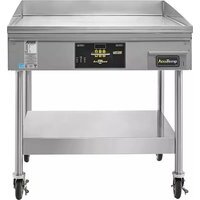
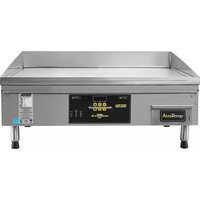
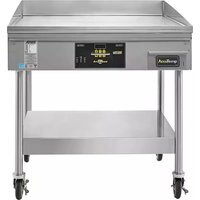
Manual assistant
Powered by Anthropic
Waiting for your message
Product information
Brand : AccuTemp
Model : AccuSteam EGF2403B2450-T1
Category : Hob