TKIT-1B - Thermostat KING - Free user manual and instructions
Find the device manual for free TKIT-1B KING in PDF.


Pick your language and provide your email: we'll send you a specifically translated version.
| Product Type | Thermostat |
| Brand | KING |
| Model | TKIT-1B |
| Dimensions (Approx.) | 120 mm x 80 mm x 25 mm |
| Weight (Approx.) | 150 g (with batteries) |
| Power Supply | 2 x AA batteries (not included) or 24 VAC |
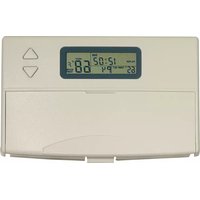
| Display Type | Digital LCD |
| Temperature Range | 5°C to 35°C |
| Accuracy | ±0.5°C |
| Programming Options | 7-day programmable with 4 periods per day |
| Compatibility | Most heating and cooling systems (gas, electric, heat pump) |
| Warranty | 2 years |
| Cleaning Instructions | Wipe with a soft dry cloth; do not use liquid cleaners |
| Safety Features | Low voltage operation, built-in freeze protection |
| Spare Parts Availability | Batteries; contact KING support for other parts |
| Reparability | Replace batteries; for other issues consult a professional |
| User Manual | Available for download in PDF format |
Frequently Asked Questions - TKIT-1B KING
How do I install the KING TKIT-1B thermostat?
First, turn off power to your HVAC system. Remove the old thermostat, label wires, and connect them to the corresponding terminals on the TKIT-1B. Attach the base to the wall, insert batteries or connect 24VAC, then attach the faceplate. Refer to the manual for wiring diagrams.
How do I program the thermostat for weekdays?
Press the Menu button, select Schedule, then choose Weekdays. You can set up to 4 periods (Morning, Day, Evening, Night) with desired temperatures. Confirm each entry with OK.
What type of batteries does it use and how long do they last?
It requires 2 AA alkaline batteries. Battery life is approximately 1 year under normal use. Replace when the low battery icon appears.
How do I reset the thermostat to factory settings?
Press and hold the Reset button (located in the battery compartment) for 5 seconds using a paperclip. This clears all user settings and restores defaults.
Can I use the TKIT-1B with a heat pump?
Yes, the TKIT-1B supports heat pump systems. In the settings, select Heat Pump as the system type. Ensure wiring matches the O/B terminal for reversing valve.
How do I clean the thermostat?
Clean the exterior with a soft dry cloth. Do not use water, solvents, or abrasive cleaners. Keep the vents free of dust to ensure accurate temperature sensing.
Why is the display blank?
Check if batteries are inserted correctly or need replacement. For 24VAC powered units, verify the power supply is on and voltage is within range (24VAC). If using batteries, try a fresh set.
Does the thermostat have a backlight?
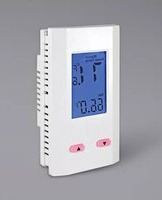
Yes, the display has a blue backlight that activates when any button is pressed. It stays on for about 10 seconds after the last press.
How do I set the temperature manually?
Press the Up or Down arrows to adjust the target temperature. The device will override the programmable schedule until the next scheduled period or until you press Hold.
What is the warranty period and how do I claim it?
The KING TKIT-1B comes with a 2-year limited warranty. To claim, contact KING customer support with proof of purchase and a description of the defect. They will provide instructions for repair or replacement.
User questions about TKIT-1B KING
0 question about this device. Answer the ones you know or ask your own.
Ask a new question about this device
No questions yet. Be the first to ask one.
Download the instructions for your Thermostat in PDF format for free! Find your manual TKIT-1B - KING and take your electronic device back in hand. On this page are published all the documents necessary for the use of your device. TKIT-1B by KING.
USER MANUAL TKIT-1B KING
Manual assistant
Powered by Anthropic
Waiting for your message
Product information
Brand : KING
Model : TKIT-1B
Category : Thermostat