AP500HA - Access Control System Speco Technologies - Free user manual and instructions
Find the device manual for free AP500HA Speco Technologies in PDF.


Pick your language and provide your email: we'll send you a specifically translated version.
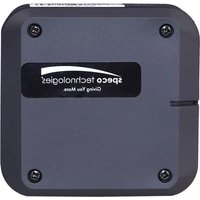
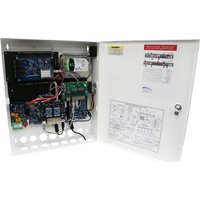
| Product Type | Access Control System |
| Brand | Speco Technologies |
| Model | AP500HA |
| Dimensions (H x W x D) | 12.7 cm x 8.9 cm x 2.5 cm (5 in x 3.5 in x 1 in) |
| Weight | 0.3 kg (0.66 lbs) |
| Power Supply | 12V DC, 500mA |
| Input Method | Keypad and RFID card reader |
| User Capacity | 500 users (PIN and/or card) |
| Display | Backlit alphanumeric LCD, 2 lines x 16 characters |
| Operating Temperature | -10°C to 50°C (14°F to 122°F) |
| Weatherproof Rating | IP54 (splash resistant) |
| Main Functions | Access control via PIN or RFID card; programmable time schedules; door lock control; alarm output; remote unlock capability |
| Maintenance | Clean with a soft, dry cloth; avoid liquids; periodically check connections |
| Safety Features | Tamper alarm; keypad lockout after 3 invalid attempts; emergency bypass |
| Spare Parts | Contact Speco Technologies authorized distributors for replacement keypads, readers, or power adapters |
| Repair | Repair should be performed by qualified personnel; no user-serviceable parts inside |
| General Information | Compatible with standard 12V electric door locks and exit buttons; supports dry contact output |
Frequently Asked Questions - AP500HA Speco Technologies
How do I add a new user to the AP500HA?
Enter programming mode by entering the master PIN code followed by the program key. Then use the menu to add a user: select 'Add User', assign a user ID, and enter a PIN or present an RFID card. Refer to the manual for detailed steps.
What is the default master code?
The default master code is usually 9999 or 123456. However, it is recommended to change it immediately after installation. If the code doesn't work, perform a factory reset.
How do I perform a factory reset?
Locate the reset button on the device (usually a small hole). Press and hold the reset button for 10 seconds, or remove power and reapply while holding. This will clear all user data and revert to factory defaults.
Can I use the AP500HA without an RFID card?
Yes, the device supports both PIN and card access. Users can be assigned a PIN only, a card only, or both. You can configure this during user enrollment.
What type of door lock is compatible?
The AP500HA is designed for 12V DC electric door locks (fail-safe or fail-secure) with a maximum current of 2A. Ensure your lock is within the relay rating.
How do I change the master code?
Enter programming mode, navigate to 'System Settings', then 'Change Master Code'. Enter the new code twice to confirm. Make sure to note the new code.
Does the AP500HA have a built-in battery backup?
No, the device does not include a built-in battery. However, an external backup battery can be connected to the power supply to maintain operation during power outages.
How many users can be stored?
The AP500HA supports up to 500 users, each with a unique PIN and/or RFID card. This includes both standard users and master users.
Can I connect the AP500HA to a computer?
No, the AP500HA is a standalone unit and does not have a USB or Ethernet port. Programming is done directly on the keypad. For remote management, consider network-enabled models.
The keypad is not responding. What should I do?
Check the power connection and ensure the voltage is 12V DC. If the display is blank, verify the fuse and wiring. If the device is locked due to multiple invalid attempts, wait 30 seconds or use the master code to unlock.
User questions about AP500HA Speco Technologies
0 question about this device. Answer the ones you know or ask your own.
Ask a new question about this device
No questions yet. Be the first to ask one.
Download the instructions for your Access Control System in PDF format for free! Find your manual AP500HA - Speco Technologies and take your electronic device back in hand. On this page are published all the documents necessary for the use of your device. AP500HA by Speco Technologies.
USER MANUAL AP500HA Speco Technologies

Manual assistant
Powered by Anthropic
Waiting for your message
Product information
Brand : Speco Technologies
Model : AP500HA
Category : Access Control System