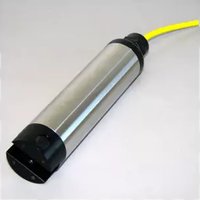
WQ201 - Portable device YSI - Free user manual and instructions
Find the device manual for free WQ201 YSI in PDF.


Pick your language and provide your email: we'll send you a specifically translated version.
| Product Type | Portable Water Quality Meter |
| Brand | YSI |
| Model | WQ201 |
| Dimensions | 210 × 80 × 40 mm |
| Weight | 0.45 kg (with batteries) |
| Power Source | 4 × AA alkaline batteries (1.5V each) |
| Display | Backlit LCD, multi-parameter |
| Measurement Parameters | pH, ORP, Conductivity, TDS, Temperature |
| Operating Temperature Range | 0°C to 50°C |
| Waterproof Rating | IP67 (submersible up to 1 meter for 30 minutes) |
| Memory | 100 data points with date/time stamp |
| Data Logging | Manual or automatic logging at user-defined intervals |
| Interface | USB mini-B for data transfer |
| Battery Life | Approximately 200 hours of continuous use |
| Calibration | Automatic one-point or two-point calibration for pH |
| Warranty | 1 year against manufacturing defects |
| Included Accessories | Carrying case, pH sensor, conductivity cell, calibration solutions (pH 4, 7, 10; conductivity standard), USB cable, quick start guide |
| Maintenance | Rinse sensors with distilled water after each use; store with sensor cap moistened |
| Safety Precautions | Avoid dropping; do not immerse beyond IP67 limits; replace batteries in dry area |
| Repairability | Sensor modules replaceable; battery compartment accessible; contact YSI support for service |
Frequently Asked Questions - WQ201 YSI
How do I calibrate the pH sensor?
To calibrate the pH sensor, first rinse it with distilled water. Then dip the sensor in pH 7.00 buffer solution and press the CAL button. Wait for the reading to stabilize, then press ENTER. Repeat with pH 4.01 or 10.01 buffer for two-point calibration. The meter automatically adjusts.
How can I change the batteries?
The battery compartment is located on the back of the meter. Loosen the two screws using a Phillips screwdriver, remove the cover, and replace the four AA alkaline batteries with new ones, observing polarity. Replace the cover and tighten screws securely.
How do I clean the sensors?
After each use, rinse both the pH sensor and conductivity cell with distilled water. For stubborn deposits, use a soft brush and mild detergent. Do not use abrasive cleaners. Store the sensors with a moist cap (use storage solution or pH 4 buffer) to keep them hydrated.
What are the measurement ranges?
pH: 0 to 14; ORP: -2000 to +2000 mV; Conductivity: 0 to 200 mS/cm; TDS: 0 to 100 g/L; Temperature: 0°C to 50°C. Accuracy varies by parameter: pH ±0.02, conductivity ±0.5% of reading.
How should I store the WQ201 when not in use?
Store the meter in a cool, dry place. Rinse and dry the sensors, then place a few drops of storage solution or pH 4 buffer into the protective cap and attach it. Remove batteries if storing for more than one month.
Is the device fully waterproof?
The WQ201 has an IP67 rating, meaning it can be submerged in water up to 1 meter deep for 30 minutes. However, it is not designed for continuous underwater use. Ensure the battery compartment and USB port covers are sealed tightly.
How do I transfer data to a computer?
Connect the meter to your computer using the provided USB cable. The meter appears as a removable drive. Data files are stored in CSV format. You can copy them directly or use YSI software (available on the YSI website) for advanced analysis.
Can I replace the sensors myself?
Yes, the pH sensor and conductivity cell are user-replaceable. To replace, unscrew the sensor module from the meter body. Install the new sensor by screwing it in firmly. Recalibrate the meter after replacement.
What does an error code like 'Err1' mean?
Error codes are displayed when a measurement is out of range or the sensor is faulty. Err1 typically indicates a pH sensor error (e.g., broken glass or short circuit). Check the sensor connection and try cleaning. If persists, replace the sensor.
How often should I perform maintenance?
Rinse sensors after each use. Calibrate pH weekly or before critical measurements. Check battery contacts for corrosion monthly. Replace batteries when low battery icon appears. Have the meter serviced by YSI annually if used frequently.
User questions about WQ201 YSI
0 question about this device. Answer the ones you know or ask your own.
Ask a new question about this device
No questions yet. Be the first to ask one.
Download the instructions for your Portable device in PDF format for free! Find your manual WQ201 - YSI and take your electronic device back in hand. On this page are published all the documents necessary for the use of your device. WQ201 by YSI.
USER MANUAL WQ201 YSI


Manual assistant
Powered by Anthropic
Waiting for your message
Product information
Brand : YSI
Model : WQ201
Category : Portable device