DM-552 - Flat Screen Mount Gabor - Free user manual and instructions
Find the device manual for free DM-552 Gabor in PDF.


Pick your language and provide your email: we'll send you a specifically translated version.
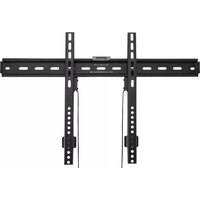
| Product Type | Flat Screen Mount |
| Brand | Gabor |
| Model | DM-552 |
| VESA Compatibility | 75x75mm, 100x100mm |
| Maximum TV Size | 32 inches |
| Weight Capacity | 25 kg (55 lbs) |
| Material | Cold-rolled steel |
| Color | Black |
| Wall Plate Dimensions | 200 x 100 mm |
| Depth from Wall | 50 mm |
| Tilt Range | +5° / -15° |
| Swivel Range | ±30° |
| Rotation | 360° |
| Level Adjustment | ±3° |
| Power Supply | None (manual) |
| Care Instructions | Wipe with a dry, soft cloth; avoid harsh chemicals |
| Safety Feature | Anti-tip safety latch |
| Included Hardware | Mounting screws, wall anchors, spacers, and tools |
| Spare Parts Availability | Replacement kits available from Gabor support |
| Warranty | 2 years limited |
Frequently Asked Questions - DM-552 Gabor
What VESA patterns does the Gabor DM-552 support?
The DM-552 supports standard VESA patterns of 75x75mm and 100x100mm, which are common for small to medium flat screens.
What is the maximum screen size and weight for this mount?
It is designed for screens up to 32 inches with a maximum weight capacity of 25 kg (55 lbs). Always ensure your TV is within these limits.
Does the DM-552 allow tilt and swivel adjustment?
Yes, it offers +5°/-15° tilt and ±30° swivel, plus 360° rotation for optimal viewing angles.
How do I install the Gabor DM-552 mount?
First, attach the wall plate to a solid wall (stud recommended) using the included anchors and screws. Then, fix the bracket to the back of your TV. Finally, hang the TV onto the wall plate and secure it with the locking screws.
What tools are required for installation?
You'll need a drill, screwdriver, level, and socket wrench (typically included). The mount comes with a basic installation tool.
Can the DM-552 be installed on drywall?
It is recommended to mount into wood studs for safety. For drywall without studs, use appropriate toggle bolts (not included) and ensure the combined weight does not exceed the anchors' rating.
Is the mount compatible with my curved TV?
The DM-552 is designed for flat screens. Curved TVs may have non-standard VESA patterns or weight distribution; compatibility is not guaranteed.
What is the warranty period for this mount?
Gabor offers a 2-year limited warranty covering manufacturing defects. Keep your proof of purchase for warranty claims.
Can I level the TV after mounting?
Yes, the mount includes a ±3° level adjustment feature. Loosen the screws slightly, adjust, and retighten.
Does the package include all necessary screws and hardware?
Yes, it comes with a hardware kit containing screws, spacers, wall anchors, and a mounting template. However, additional screws may be needed for non-standard VESA holes.
User questions about DM-552 Gabor
0 question about this device. Answer the ones you know or ask your own.
Ask a new question about this device
No questions yet. Be the first to ask one.
Download the instructions for your Flat Screen Mount in PDF format for free! Find your manual DM-552 - Gabor and take your electronic device back in hand. On this page are published all the documents necessary for the use of your device. DM-552 by Gabor.
USER MANUAL DM-552 Gabor
Manual assistant
Powered by Anthropic
Waiting for your message
Product information
Brand : Gabor
Model : DM-552
Category : Flat Screen Mount