Active Light - Lighting Hive - Free user manual and instructions
Find the device manual for free Active Light Hive in PDF.


Pick your language and provide your email: we'll send you a specifically translated version.
| Product Type | Smart LED Bulb |
| Brand | Hive |
| Model | Active Light |
| Dimensions (A19) | 60 mm × 110 mm |
| Weight | 100 g |
| Power Supply | 220-240 V AC, 50/60 Hz |
| Wattage | 9 W (equivalent 60 W incandescent) |
| Luminous Flux | 806 lumens |
| Color Temperature | 2700 K - 6500 K (adjustable white) |
| Connectivity | Zigbee |
| Compatibility | Hive Hub required; works with Alexa, Google Assistant |
| Dimmable | Yes, via app or voice |
| Beam Angle | 120° |
| Lifespan | 25,000 hours |
| Color Rendering Index (CRI) | ≥80 |
| Operating Temperature | -10°C to 40°C |
| Cleaning | Wipe with a dry, soft cloth |
| Safety | Do not immerse in water; switch off before handling |
| Repairability | Non-repairable; replace unit if faulty |
| Certifications | CE, RoHS |
| Warranty | 2 years |
| Package Contents | 1 x Hive Active Light bulb |
Frequently Asked Questions - Active Light Hive
How do I install the Hive Active Light bulb?
Screw the bulb into a standard E26/E27 socket. Ensure the power is off during installation. Once installed, turn on the power and follow the pairing instructions in the Hive app.
What are the dimensions of the bulb?
The Hive Active Light has a standard A19 shape, approximately 60 mm in diameter and 110 mm in height.
Can I use the bulb without a Hive Hub?
No, the bulb requires a Hive Hub (sold separately) to connect to your home network and enable smart features.
How do I connect the bulb to my Zigbee network?
Open the Hive app, go to 'Add Device', select 'Light', and follow the on-screen prompts. The bulb will automatically be discovered when powered on.
Is the bulb compatible with Apple HomeKit?
The Hive Active Light is not natively HomeKit compatible, but you can use a bridge like Hive HomeShield or integrate via IFTTT.
How do I adjust the color temperature?
In the Hive app, select the bulb and use the color temperature slider to change from warm white (2700K) to cool white (6500K). Voice control also supports temperature adjustments.
What should I do if the bulb does not turn on?
Check that the bulb is screwed in properly and the circuit breaker is on. Try resetting the bulb by turning the power off and on three times quickly. If the issue persists, contact Hive support.
What is the expected lifespan of the bulb?
The Hive Active Light is rated for up to 25,000 hours of use, which equates to roughly 22 years if used 3 hours per day.
Is the bulb dimmable?
Yes, the bulb is fully dimmable from 1% to 100% brightness via the Hive app, voice commands, or automations. It works with standard dimmer switches only if they are compatible.
How should I clean the bulb?
Always switch off and let the bulb cool before cleaning. Wipe the exterior with a dry, soft cloth. Do not use liquid cleaners or immerse in water.
User questions about Active Light Hive
0 question about this device. Answer the ones you know or ask your own.
Ask a new question about this device
No questions yet. Be the first to ask one.
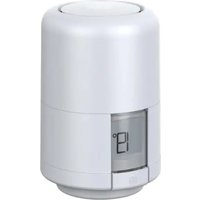
Download the instructions for your Lighting in PDF format for free! Find your manual Active Light - Hive and take your electronic device back in hand. On this page are published all the documents necessary for the use of your device. Active Light by Hive.
USER MANUAL Active Light Hive


Manual assistant
Powered by Anthropic
Waiting for your message
Product information
Brand : Hive
Model : Active Light
Category : Lighting