UP 8502 - Receiver RCF - Free user manual and instructions
Find the device manual for free UP 8502 RCF in PDF.


Pick your language and provide your email: we'll send you a specifically translated version.
| Product Type | UHF Wireless Receiver |
| Brand | RCF |
| Model | UP 8502 |
| Frequency Range | 470-870 MHz (varies by region) |
| Frequency Response | 50 Hz - 18 kHz |
| Audio Outputs | XLR balanced, 1/4" unbalanced |
| Channel Count | Dual channel (2 microphones) |
| RF Sensitivity | < -95 dBm |
| Signal-to-Noise Ratio | > 110 dB |
| Total Harmonic Distortion | < 0.5% |
| Power Supply | 12-18 V DC via external adapter |
| Dimensions (W x H x D) | 210 x 45 x 160 mm |
| Weight | 1.2 kg |
| Mounting Features | 19" rack mount kit included |
| Display | OLED with channel info and battery level |
| Operating Temperature | 0°C to 40°C |
| Functions | Auto-scan, IR sync, squelch adjustment |
| Maintenance | Clean with dry cloth; avoid liquids |
| Safety | CE, FCC certified; use only supplied PSU |
| Spare Parts & Repairability | Replacement antennas and PSU available |
| General Information | Professional wireless system for live sound |
Frequently Asked Questions - UP 8502 RCF
How do I pair the receiver with a transmitter?
Ensure both devices are powered on. Press the IR sync button on the receiver and point the transmitter's IR window towards the receiver's IR port. The receiver will automatically tune to the transmitter's frequency.
What frequency bands does the UP 8502 support?
The receiver operates in the UHF band, typically 470-870 MHz, but the exact range depends on the regional variant. Check the label on the unit for specific frequencies.
Can I use multiple receivers simultaneously?
Yes, you can operate multiple receivers at the same time if they are set to different frequencies to avoid interference. Up to 10 units can be used together in the same venue.
How do I clean the receiver?
Disconnect the power. Use a soft, dry cloth to wipe the exterior. Avoid using any liquids or solvents as they may damage the electronics.
What is the maximum range of the wireless system?
Under optimal conditions, the range is up to 100 meters (330 feet) line of sight. Obstacles like walls and metal structures can reduce the range.
The receiver shows no signal. What should I check?
First, ensure the transmitter is powered on and within range. Check that both devices are on the same frequency. Also verify that the antennas are properly connected and not damaged.
How do I adjust the squelch?
Access the menu on the receiver's OLED display. Navigate to 'Squelch' setting and adjust it using the rotary encoder. Higher squelch levels reduce noise but may also reduce range.
Can I mount the receiver in a rack?
Yes, the UP 8502 comes with a rack mount kit for standard 19-inch racks. It occupies 1U of rack space. Follow the instructions in the manual for proper installation.
What type of batteries does the transmitter use?
The transmitter uses 2 AA batteries (alkaline or rechargeable). Battery life is approximately 8-10 hours depending on usage and battery type.
How do I perform a factory reset?
Turn off the receiver. Press and hold the 'Menu' button while powering it on. The display will show 'Factory Reset'. Confirm by pressing 'Enter'. All settings will revert to defaults.
User questions about UP 8502 RCF
0 question about this device. Answer the ones you know or ask your own.
Ask a new question about this device
No questions yet. Be the first to ask one.
Download the instructions for your Receiver in PDF format for free! Find your manual UP 8502 - RCF and take your electronic device back in hand. On this page are published all the documents necessary for the use of your device. UP 8502 by RCF.
USER MANUAL UP 8502 RCF

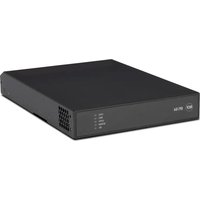
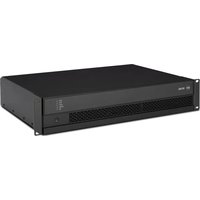
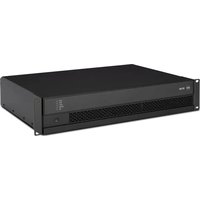
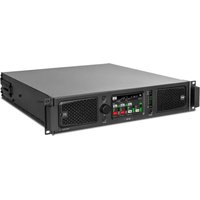
Manual assistant
Powered by Anthropic
Waiting for your message
Product information
Brand : RCF
Model : UP 8502
Category : Receiver