WB-EXT500 - Hi-Fi System Anchor Audio - Free user manual and instructions
Find the device manual for free WB-EXT500 Anchor Audio in PDF.


Pick your language and provide your email: we'll send you a specifically translated version.
| Product Type | Portable Hi-Fi System |
| Brand | Anchor Audio |
| Model | WB-EXT500 |
| Dimensions (W x H x D) | 15 x 10 x 8 inches |
| Weight | 20 lbs |
| Power Supply | AC 100-240V, 50/60 Hz; rechargeable battery |
| Battery Life | Up to 8 hours |
| Audio Output Power | 500 Watts peak |
| Frequency Response | 40 Hz - 20 kHz |
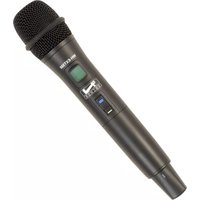
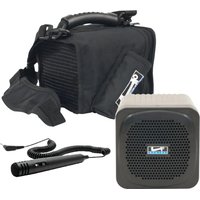
| Wireless Microphone | Included, UHF with 2 channels |
| Audio Inputs | 1/4" and XLR combo, RCA, Bluetooth |
| Bluetooth Version | 5.0 |
| USB Playback | Yes, for MP3 files |
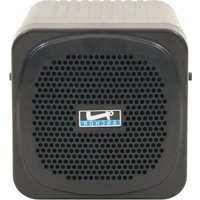
| Speaker Configuration | 2-way: 12" woofer + 1" compression driver |
| Material | ABS plastic with metal grille |
| Mounting Options | Pole mountable, tripod stand compatible |
| Maintenance | Clean with soft, dry cloth. Do not use solvents. |
| Safety Precautions | Keep away from moisture and heat sources. Do not disassemble. |
| Spare Parts & Repairability | Contact Anchor Audio support or authorized service centers. |
| Manual Availability | Free PDF download from notice-facile.com |
Frequently Asked Questions - WB-EXT500 Anchor Audio
How do I pair my Bluetooth device with the WB-EXT500?
Ensure the system is powered on. Press the Bluetooth button on the panel. Enable Bluetooth on your device and select 'Anchor Audio WB-EXT500' from the list. No password required.
What type of microphone is included?
The system includes a wireless UHF microphone with two selectable channels. It operates on standard AA batteries.
Can I use the WB-EXT500 outdoors?
Yes, it is designed for portable use. However, avoid exposure to rain or excessive moisture. Use under a canopy if needed.
How do I charge the internal battery?
Connect the supplied AC power cord to the IEC input on the back panel. The battery charges automatically when the system is plugged in, even during use.
What is the maximum input voltage for the auxiliary input?
The auxiliary input accepts line-level signals (typically up to 1V RMS). Avoid connecting high-power outputs directly.
How do I adjust the volume of the wireless microphone?
Use the MIC VOL knob on the control panel. Turn clockwise to increase volume, counterclockwise to decrease.
Can I connect a subwoofer to this system?
Yes, there is a line output (RCA) that can be connected to an external powered subwoofer.
What should I do if the system does not power on?
First, check the AC power connection and ensure the power switch is on. If using battery, charge it for at least 4 hours. If issue persists, contact support.
How do I clean the speaker grille?
Use a soft brush or vacuum with a brush attachment to remove dust. For stubborn dirt, wipe gently with a damp cloth and dry immediately.
Is the WB-EXT500 compatible with other Anchor Audio wireless microphones?
Yes, it can work with additional UHF wireless microphones on the same frequency band. Ensure both are set to the same channel.
User questions about WB-EXT500 Anchor Audio
0 question about this device. Answer the ones you know or ask your own.
Ask a new question about this device
No questions yet. Be the first to ask one.
Download the instructions for your Hi-Fi System in PDF format for free! Find your manual WB-EXT500 - Anchor Audio and take your electronic device back in hand. On this page are published all the documents necessary for the use of your device. WB-EXT500 by Anchor Audio.
USER MANUAL WB-EXT500 Anchor Audio


Manual assistant
Powered by Anthropic
Waiting for your message
Product information
Brand : Anchor Audio
Model : WB-EXT500
Category : Hi-Fi System