BN8035/NDAA - Security Camera Bolide - Free user manual and instructions
Find the device manual for free BN8035/NDAA Bolide in PDF.


Pick your language and provide your email: we'll send you a specifically translated version.
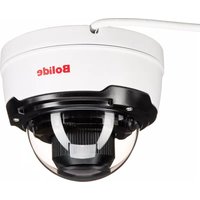
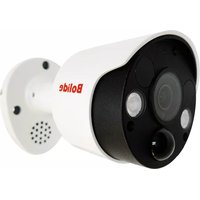
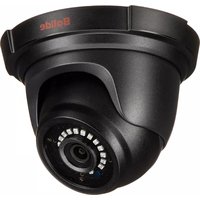
| Product Type | Security Camera |
| Brand | Bolide |
| Model | BN8035/NDAA |
| Dimensions (W x H x D) | 3.15 x 3.15 x 2.76 inches (80 x 80 x 70 mm) |
| Weight | 0.5 lbs (230 g) |
| Power Supply | 12V DC, 500mA (adapter included) |
| Power Consumption | 6W (max) |
| Video Resolution | Full HD 1080p (1920x1080) |
| Night Vision | Up to 65 ft (20 m) with IR LEDs |
| Lens Type | Fixed, 3.6mm wide angle |
| Field of View | 80° horizontal |
| Weather Resistance | IP66 (dust and water resistant) |
| Mounting | Wall or ceiling mount (bracket included) |
| Video Output | Analog HD (TVI/AHD/CVBS) or optional IP via converter |
| Motion Detection | Built-in (configurable sensitivity) |
| Audio | Built-in microphone (audio input) |
| Material | Aluminum alloy housing |
| Operating Temperature | -40°C to 60°C (-40°F to 140°F) |
| Maintenance | Clean lens with a soft, dry cloth. Check connections periodically. |
| Safety Precautions | Do not expose to extreme heat or moisture beyond IP66 rating. Use only supplied power adapter. |
| Spare Parts | Available from Bolide or authorized dealers (mounting kit, adapter). |
| Repairability | Limited to component replacement by qualified technician. |
| Compliance | RoHS, CE, FCC |
| Warranty | 1 year limited |
Frequently Asked Questions - BN8035/NDAA Bolide
How do I connect the BN8035/NDAA camera to my DVR?
Use a coaxial BNC cable to connect the video output of the camera to the video input of your DVR. Ensure the camera is powered via the 12V DC adapter. Set the DVR channel to match the camera's signal type (TVI/AHD/CVBS).
Can this camera work with a PoE switch?
No, the BN8035/NDAA is an analog camera and does not support Power over Ethernet (PoE). It requires a 12V DC power adapter. For IP functionality, you would need a separate video encoder.
What is the maximum distance for night vision?
The built-in IR LEDs provide effective night vision up to 65 feet (20 meters) in complete darkness.
How do I clean the camera lens?
Use a soft, dry microfiber cloth to gently wipe the lens. Avoid using liquids or harsh chemicals, as they may damage the IR filter or lens coating.
Is this camera suitable for outdoor use?
Yes, it has an IP66 weatherproof rating, meaning it is dust-tight and protected against heavy rain. It can withstand temperatures from -40°C to 60°C.
Can I view the camera feed on my smartphone?
Direct mobile viewing is not possible because it is an analog camera. You need a DVR with network support to stream the feed to a smartphone via the manufacturer's app.
What type of cable do I need for installation?
Use a standard RG59 coaxial cable with BNC connectors for video. Power is transmitted via a separate 2-conductor wire from the adapter.
Does this camera have audio recording?
Yes, it features a built-in microphone that captures audio. Audio is transmitted along with video through the coaxial cable (if your DVR supports audio inputs).
How do I mount the camera?
Use the included mounting bracket. Screw the bracket to a wall or ceiling, attach the camera to the bracket, and adjust the angle. Tighten the screws securely.
What should I do if the image is blurry?
First, clean the lens. Then adjust the focus ring on the camera if applicable (the BN8035/NDAA has a fixed focus lens, so blur may indicate a defective unit). Check video cable connections and ensure the DVR settings match the camera resolution.
User questions about BN8035/NDAA Bolide
0 question about this device. Answer the ones you know or ask your own.
Ask a new question about this device
No questions yet. Be the first to ask one.
Download the instructions for your Security Camera in PDF format for free! Find your manual BN8035/NDAA - Bolide and take your electronic device back in hand. On this page are published all the documents necessary for the use of your device. BN8035/NDAA by Bolide.
USER MANUAL BN8035/NDAA Bolide


Manual assistant
Powered by Anthropic
Waiting for your message
Product information
Brand : Bolide
Model : BN8035/NDAA
Category : Security Camera