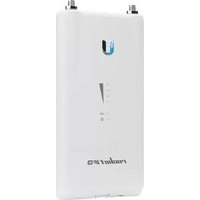
airWire - Wi-Fi repeater Ubiquiti Networks - Free user manual and instructions
Find the device manual for free airWire Ubiquiti Networks in PDF.


Pick your language and provide your email: we'll send you a specifically translated version.
| Product Type | Wi-Fi Repeater / Wireless Bridge |
| Brand | Ubiquiti Networks |
| Model | airWire |
| Frequency Band | 2.4 GHz |
| Maximum Data Rate | 150 Mbps |
| Wireless Standard | 802.11b/g/n |
| Transmit Power | Up to 27 dBm |
| Range (Outdoor) | Up to 1 km (line-of-sight) |
| Power Supply | Passive PoE (24V, 0.5A) |
| Power Consumption | 8W (max) |
| Dimensions | 200 x 80 x 30 mm (7.9 x 3.1 x 1.2 in) |
| Weight | 300 g (10.6 oz) |
| Mounting | Pole or wall mount included |
| Enclosure Rating | Weatherproof (IP65) |
| Operating Temperature | -30°C to +70°C (-22°F to 158°F) |
| Security | WPA/WPA2, MAC address filtering |
| Management | Web browser, airOS |
| Antenna | Integrated directional (12 dBi) |
| LED Indicators | Power, LAN, Signal strength |
| Warranty | 1 year limited |
| Package Contents | airWire unit, PoE injector, mounting kit, quick start guide |
Frequently Asked Questions - airWire Ubiquiti Networks
What is the Ubiquiti airWire used for?
The airWire is a wireless bridge or repeater designed to extend Wi-Fi coverage over long distances, typically up to 1 km line-of-sight. It can connect two networks or repeat an existing signal.
How do I set up the airWire?
Mount the unit outdoors with line-of-sight to the target. Connect the PoE injector to a power source and your network switch. Use a web browser to access the device's IP address and configure via the airOS interface.
Does the airWire require a clear line of sight?
Yes, for maximum performance, a clear line-of-sight between the two airWire units is recommended. Trees, buildings, or hills can significantly reduce range and throughput.
Can the airWire be used as a Wi-Fi access point?
No, the airWire is designed as a bridge or repeater, not as a standalone access point for client devices. It extends the network from a wired router to another location.
What is the maximum speed of the airWire?
The maximum data rate is 150 Mbps (802.11n) under ideal conditions. Real-world throughput is typically 60-80 Mbps depending on distance and interference.
How do I reset the airWire to factory defaults?
Press and hold the reset button on the device for 10 seconds using a paperclip. The device will reboot with default settings.
Is the airWire weatherproof?
Yes, it has an IP65 rating, making it resistant to rain, dust, and extreme temperatures (-30°C to +70°C).
What power supply is needed?
The airWire uses Passive PoE (24V, 0.5A). An injector is included in the package.
Can I use multiple airWire units in a network?
Yes, you can use multiple units as point-to-point or point-to-multipoint bridges. Each pair requires proper configuration to avoid interference.
How do I update the firmware?
Download the latest firmware from Ubiquiti's website. Log into the device via web interface, go to System > Firmware Update, and upload the file.
User questions about airWire Ubiquiti Networks
0 question about this device. Answer the ones you know or ask your own.
Ask a new question about this device
No questions yet. Be the first to ask one.
Download the instructions for your Wi-Fi repeater in PDF format for free! Find your manual airWire - Ubiquiti Networks and take your electronic device back in hand. On this page are published all the documents necessary for the use of your device. airWire by Ubiquiti Networks.
USER MANUAL airWire Ubiquiti Networks


Manual assistant
Powered by Anthropic
Waiting for your message
Product information
Brand : Ubiquiti Networks
Model : airWire
Category : Wi-Fi repeater