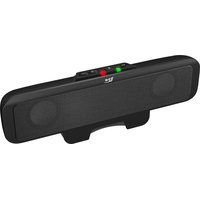
CA-BT1 - Bluetooth audio receiver Cyber Acoustics - Free user manual and instructions
Find the device manual for free CA-BT1 Cyber Acoustics in PDF.


Pick your language and provide your email: we'll send you a specifically translated version.
| Product Type | Bluetooth Audio Receiver |
| Brand | Cyber Acoustics |
| Model | CA-BT1 |
| Dimensions (approx.) | 2.4 x 1.2 x 0.5 inches |
| Weight | 1.2 oz (34 g) |
| Power Supply | USB 5V DC (Micro-USB cable included) |
| Battery | Built-in rechargeable lithium-ion battery, 150 mAh |
| Bluetooth Version | 4.2 |
| Bluetooth Range | Up to 33 feet (10 meters) |
| Audio Output | 3.5 mm stereo headphone jack |
| Pairing Buttons | Yes, multi-function button |
| LED Indicator | Blue/red for power and pairing status |
| Compatibility | Any Bluetooth-enabled device (smartphones, tablets, laptops) |
| Supported Profiles | A2DP, AVRCP |
| Charging Time | Approximately 2 hours |
| Playback Time | Up to 8 hours on a full charge |
| Standby Time | Up to 100 hours |
| Cleaning Instructions | Wipe with dry cloth; do not use liquids or solvents |
| Safety Instructions | Do not disassemble, expose to heat, or immerse in water |
| Spare Parts and Repairability | Not user-serviceable; contact Cyber Acoustics for support |
| General Information | Compatible with most audio systems; simple plug-and-play setup |
Frequently Asked Questions - CA-BT1 Cyber Acoustics
How do I pair the CA-BT1 with my device?
Turn on the receiver and put it in pairing mode by pressing and holding the multi-function button for 3 seconds until the LED flashes blue and red. Then, enable Bluetooth on your device and select CA-BT1 from the list.
Why is my receiver not connecting?
Ensure the receiver is in pairing mode (LED flashing) and your device's Bluetooth is on. Try restarting both devices. If still not connecting, forget the device from your Bluetooth list and re-pair.
What is the battery life of the CA-BT1?
The built-in battery provides up to 8 hours of continuous playback on a full charge. Charging time is approximately 2 hours.
Can I use the receiver while charging?
Yes, you can use the CA-BT1 while it is connected to a USB power source. However, the battery may charge slower during use.
What is the Bluetooth range?
The effective range is up to 33 feet (10 meters) in open space. Walls and obstacles may reduce the range.
Which devices are compatible?
The CA-BT1 works with any device that supports Bluetooth audio, including smartphones, tablets, laptops, and desktop computers.
How do I reset the receiver?
To reset, press and hold the multi-function button for 10 seconds until the LED turns off. Then, release and re-enter pairing mode.
What does the LED indicator mean?
A solid blue LED indicates connected. Flashing blue/red means pairing mode. Solid red indicates charging, and off means battery low or unit off.
Can I connect to multiple devices at once?
No, the CA-BT1 connects to one device at a time. To switch, disconnect from the current device and pair with the new one.
Is the receiver waterproof?
No, the CA-BT1 is not waterproof. Avoid exposure to moisture, rain, or splashes to prevent damage.
User questions about CA-BT1 Cyber Acoustics
0 question about this device. Answer the ones you know or ask your own.
Ask a new question about this device
No questions yet. Be the first to ask one.
Download the instructions for your Bluetooth audio receiver in PDF format for free! Find your manual CA-BT1 - Cyber Acoustics and take your electronic device back in hand. On this page are published all the documents necessary for the use of your device. CA-BT1 by Cyber Acoustics.
USER MANUAL CA-BT1 Cyber Acoustics
Manual assistant
Powered by Anthropic
Waiting for your message
Product information
Brand : Cyber Acoustics
Model : CA-BT1
Category : Bluetooth audio receiver