DE7400 - Desktop computer AOPEN - Free user manual and instructions
Find the device manual for free DE7400 AOPEN in PDF.


Pick your language and provide your email: we'll send you a specifically translated version.
| Product Type | Desktop Computer |
| Brand | AOpen |
| Model | DE7400 |
| Dimensions (H x W x D) | 18.5 x 7.5 x 17.5 inches |
| Weight | Approximately 33 lbs (15 kg) |
| Power Supply | 250W ATX |
| Processor | Intel Pentium 4 (up to 3.0 GHz) |
| Memory | 512 MB DDR (expandable to 4 GB) |
| Storage | 80 GB SATA HDD |
| Optical Drive | DVD-ROM |
| Operating System | Windows XP Professional |
| Connectivity | Ethernet 10/100, USB 2.0, VGA, Audio |
| Expansion Slots | 2x PCI, 1x AGP |
| Cooling | 1 rear fan, 1 CPU fan |
| Maintenance | Clean with dry cloth; ensure vents are unobstructed |
| Safety | Unplug before cleaning; avoid liquids |
| Spare Parts Availability | RAM, HDD, power supply, fans |
| Repairability | Easy access to internal components; standard tools required |
Frequently Asked Questions - DE7400 AOPEN
How do I upgrade the RAM on the AOpen DE7400?
Turn off and unplug the PC. Open the side panel. Locate the DIMM slots on the motherboard. Gently press the clips outward and insert the new DDR module. Ensure it clicks into place. Replace the panel and power on.
What operating system is supported?
The AOpen DE7400 originally came with Windows XP Professional. It can also run Windows 2000 or Linux distributions with appropriate drivers.
How do I clean the inside of the computer?
Unplug the power cord. Use compressed air to blow dust from fans and components. Avoid touching internal parts. Clean the exterior with a dry cloth.
Can I replace the hard drive with an SSD?
Yes, you can replace the 3.5-inch SATA HDD with a 2.5-inch SSD using a mounting bracket. Ensure the SSD is SATA compatible. Clone the existing drive or perform a fresh install.
What is the maximum RAM capacity?
The DE7400 supports up to 4 GB of DDR memory across two slots.
How do I enter the BIOS setup?
Restart the computer and press F2 or Del immediately when the AOpen logo appears. Navigate using arrow keys.
The computer does not power on. What should I check?
Ensure the power cable is securely connected. Check the power supply switch (if any). Try a different outlet. If still no power, the PSU may need replacement.
Is the AOpen DE7400 compatible with Windows 10?
It is not officially supported due to driver limitations. However, some users have installed Windows 10 but may face issues with graphics or audio drivers.
How can I connect to the internet?
The DE7400 has an Ethernet 10/100 port. Connect via an RJ-45 cable to your router. For wireless, use a USB Wi-Fi adapter.
What is the default BIOS password?
Typically, there is no default password. If prompted, leave it blank. If a password was set, you can clear the CMOS by removing the motherboard battery for a few minutes.
User questions about DE7400 AOPEN
0 question about this device. Answer the ones you know or ask your own.
Ask a new question about this device
No questions yet. Be the first to ask one.
Download the instructions for your Desktop computer in PDF format for free! Find your manual DE7400 - AOPEN and take your electronic device back in hand. On this page are published all the documents necessary for the use of your device. DE7400 by AOPEN.
USER MANUAL DE7400 AOPEN
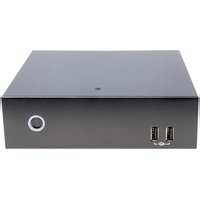
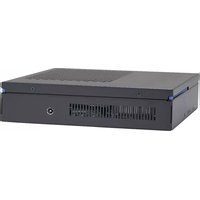


Manual assistant
Powered by Anthropic
Waiting for your message
Product information
Brand : AOPEN
Model : DE7400
Category : Desktop computer