HI7271MUU - Cooker Atag - Free user manual and instructions
Find the device manual for free HI7271MUU Atag in PDF.


Pick your language and provide your email: we'll send you a specifically translated version.
| Product Type | Freestanding Cooker |
| Brand | Atag |
| Model | HI7271MUU |
| Color | Stainless Steel |
| Dimensions (H x W x D) | 850 x 900 x 600 mm |
| Weight | 70 kg |
| Power Supply | 230 V / 50 Hz |
| Total Power | 10.5 kW |
| Energy Efficiency Class (Oven) | A |
| Oven Type | Multifunction Electric |
| Oven Capacity | 71 L |
| Number of Oven Functions | 8 |
| Oven Functions | Conventional, Fan, Grill, Pizza, Defrost, Keep Warm, Eco Fan, Top/Bottom Heat |
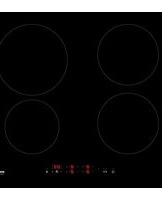
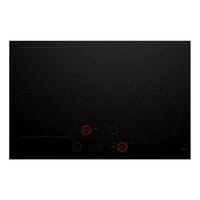
| Hob Type | Induction |
| Number of Cooking Zones | 4 |
| Booster Function | Yes |
| Child Lock | Yes |
| Residual Heat Indicator | Yes |
| Automatic Shut-Off | Yes |
| Cleaning | Catalytic Liners |
| Interior Light | Yes |
| Included Accessories | 1 Baking Tray, 1 Wire Shelf |
| Energy Consumption (Conventional) | 0.99 kWh |
| Energy Consumption (Fan) | 0.79 kWh |
| Repairability Index | 8.0 / 10 |
| Warranty | 2 Years |
Frequently Asked Questions - HI7271MUU Atag
How do I install the Atag HI7271MUU cooker?
Ensure the electrical supply matches 230 V / 50 Hz and the appliance is connected by a qualified electrician. Place the cooker on a level surface with adequate ventilation. Refer to the installation diagram in the manual for clearances.
How do I set the clock on the oven?
Press the Clock button, then use the +/- buttons to adjust the time. Confirm by pressing Clock again. The clock must be set before using timed functions.
Why is my induction hob not working?
Check that the cookware is induction-compatible (magnetic base). Ensure the hob is locked (press Lock for 3 seconds). Also check the household circuit breaker.
What oven functions are available?
The oven offers 8 functions: Conventional, Fan, Grill, Pizza, Defrost, Keep Warm, Eco Fan, and Top/Bottom Heat. Use the function selector knob to choose.
How do I clean the hob?
Wipe with a damp cloth after use. Use a ceramic hob cleaner for stubborn stains. Avoid abrasive sponges. Do not use steam cleaners.
What does the child lock do?
The child lock disables the hob and oven controls to prevent accidental operation. Activate it by pressing the Lock button until a symbol appears.
How do I replace the oven light?
Disconnect the power. Remove the glass cover (turn counterclockwise) and replace with a G9 halogen bulb (max 25 W). Reattach the cover and restore power.
Why is the oven not heating?
Check if the timer is set (press End and clear). Ensure the door is fully closed. If still not heating, the heating element might be faulty; contact service.
Can I use aluminum foil on the bottom of the oven?
No, do not place aluminum foil on the oven floor as it may block heat circulation and damage the enamel. Use a baking tray on the shelf.
Where can I download the full manual?
Visit notice-facile.com and search for Atag HI7271MUU. You can download the PDF manual in several languages for free.
User questions about HI7271MUU Atag
0 question about this device. Answer the ones you know or ask your own.
Ask a new question about this device
No questions yet. Be the first to ask one.
Download the instructions for your Cooker in PDF format for free! Find your manual HI7271MUU - Atag and take your electronic device back in hand. On this page are published all the documents necessary for the use of your device. HI7271MUU by Atag.
USER MANUAL HI7271MUU Atag
Manual assistant
Powered by Anthropic
Waiting for your message
Product information
Brand : Atag
Model : HI7271MUU
Category : Cooker