NN-GF349M - Microwave PANASONIC - Free user manual and instructions

Find the device manual for free NN-GF349M PANASONIC in PDF.
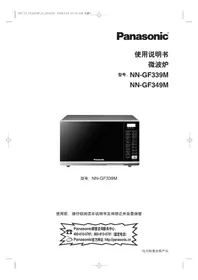
PANASONIC NN-GF349M - Microwave
📄 20 pages English EN Download 💬 AI Question 10 questions ⚙️ Specs
Notice PANASONIC NN-GF349M - page 1
Pick your language and provide your email: we'll send you a specifically translated version.
Product Type Countertop Microwave Oven
Model Number NN-GF349M
Brand Panasonic
Capacity 1.3 cubic feet
Cooking Power 1000 W
Power Consumption 1500 W (operating)
Dimensions (W x H x D) 20.5 x 12.1 x 16.2 inches
Weight 25.5 lbs
Inverter Technology Yes, for even cooking and defrosting
Sensor Cooking Genius Sensor with 10 preset menus
Defrost Function Auto defrost by weight or time
Keep Warm Function Yes, up to 30 minutes
Child Lock Yes, for safety
Interior Material Stainless steel, easy to clean
Turntable 12.4-inch glass turntable
Control Panel Touch keypad with LED display
Cleaning Instructions Wipe interior and exterior with damp cloth; avoid abrasive cleaners
Spare Parts Availability Contact Panasonic service or authorized dealers for turntable, fuse, etc.
Energy Efficiency ENERGY STAR certified
Noise Level Approximately 48 dB
Warranty 1 year limited warranty

Frequently Asked Questions - NN-GF349M PANASONIC

What is the capacity of the Panasonic NN-GF349M microwave?
The Panasonic NN-GF349M has a capacity of 1.3 cubic feet, suitable for medium-sized dishes.
Does the NN-GF349M have inverter technology?
Yes, it features Panasonic's Inverter Technology that provides precise power control for even cooking and defrosting.
How do I clean the microwave interior?
Wipe the interior with a damp cloth after each use. For stubborn stains, use a mild detergent. Avoid abrasive cleaners or scouring pads.
Can I use metal pans in this microwave?
No, metal pans or aluminum foil should not be used as they can cause arcing and damage. Use microwave-safe glass, ceramic, or plastic containers.
How do I activate the child lock?
Press and hold the 'Stop/Reset' button for 3 seconds until the lock icon appears on the display. To unlock, repeat the same step.
What is the weight of the NN-GF349M?
The microwave weighs approximately 25.5 lbs (11.6 kg).
Does it have a sensor cooking feature?
Yes, the Genius Sensor automatically adjusts cooking time and power for 10 preset menus, ensuring optimal results.
How do I set the clock?
Press 'Clock' once, then use the number pad to enter the time (hold for AM/PM if 12-hour format). Press 'Clock' again to confirm.
What is the power consumption of this microwave?
The operating power consumption is 1500 W, while the cooking power is 1000 W.
Can I replace the turntable myself?
Yes, the turntable and its support ring are user-replaceable. Order genuine Panasonic parts from an authorized service center.

User questions about NN-GF349M PANASONIC

0 question about this device. Answer the ones you know or ask your own.

Ask a new question about this device

Your email remains private: it is only used to notify you if someone answers your question.

No questions yet. Be the first to ask one.

Download the instructions for your Microwave in PDF format for free! Find your manual NN-GF349M - PANASONIC and take your electronic device back in hand. On this page are published all the documents necessary for the use of your device. NN-GF349M by PANASONIC.

USER MANUAL NN-GF349M PANASONIC

The image is too blurry to recognize any text content.

Panasonic顾客咨询服务中心:

400-810-0781; 800-810-0781 (固定电话)

PANASONIC NN-GF349M - 1

(Quick Guide to Operation

E.g.: NN-GF339M, other models refer to this Quick Guide.

功能 (Feature)使用方法 (How to operate)
儿童安全锁设定/取消(第10页)To set/cancel Child Safety Lock(page 10)设定:To set:PANASONIC NN-GF349M - (Quick Guide to Operation - 1按3次Press 3 times显示:Display:PANASONIC NN-GF349M - (Quick Guide to Operation - 2PANASONIC NN-GF349M - (Quick Guide to Operation - 3取消:To cancel:PANASONIC NN-GF349M - (Quick Guide to Operation - 4按3次Press 3 times显示:Display:PANASONIC NN-GF349M - (Quick Guide to Operation - 5PANASONIC NN-GF349M - (Quick Guide to Operation - 6
微波火力设定(第11页)To set Micro Power(page 11)PANASONIC NN-GF349M - (Quick Guide to Operation - 7设定所需微波火力Set Micro PowerPANASONIC NN-GF349M - (Quick Guide to Operation - 8设定所需微波火力Set Micro PowerPANASONIC NN-GF349M - (Quick Guide to Operation - 9设定所需烹调时间Set timePANASONIC NN-GF349M - (Quick Guide to Operation - 10按1次Press once
薄块烧烤设定(第11页)To set Grill Power(page 11)PANASONIC NN-GF349M - (Quick Guide to Operation - 11设定所需烧烤火力Set Grill PowerPANASONIC NN-GF349M - (Quick Guide to Operation - 12设定所需烧烤火力Set Grill PowerPANASONIC NN-GF349M - (Quick Guide to Operation - 13设定所需烹调时间Set timePANASONIC NN-GF349M - (Quick Guide to Operation - 14按1次Press once
组合烧烤设定(第12页)To set Combination Power(page 12)PANASONIC NN-GF349M - (Quick Guide to Operation - 15设定所需烧烤火力Set Combination PowerPANASONIC NN-GF349M - (Quick Guide to Operation - 16设定所需烧烤火力Set Combination PowerPANASONIC NN-GF349M - (Quick Guide to Operation - 17设定所需烹调时间Set timePANASONIC NN-GF349M - (Quick Guide to Operation - 18按1次Press once
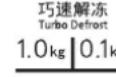
巧速解冻设定(第13页)To set Turbo Defrost(page 13)PANASONIC NN-GF349M - (Quick Guide to Operation - 19PANASONIC NN-GF349M - (Quick Guide to Operation - 20[2HBW]PANASONIC NN-GF349M - (Quick Guide to Operation - 21开始StarPANASONIC NN-GF349M - (Quick Guide to Operation - 22按1次PANASONIC NN-GF349M - (Quick Guide to Operation - 23PANASONIC NN-GF349M - (Quick Guide to Operation - 24
自动烹调菜谱设定(第13页)To set Auto Cook(page 13)PANASONIC NN-GF349M - (Quick Guide to Operation - 25PANASONIC NN-GF349M - (Quick Guide to Operation - 26PANASONIC NN-GF349M - (Quick Guide to Operation - 27PANASONIC NN-GF349M - (Quick Guide to Operation - 28PANASONIC NN-GF349M - (Quick Guide to Operation - 29PANASONIC NN-GF349M - (Quick Guide to Operation - 30

微波炉安全注意事项

I 使用微波炉前请确认以下各项:

炉门、炉体是否有损伤、开裂。

PANASONIC NN-GF349M - 炉门、炉体是否有损伤、开裂。 - 1
禁止

烧烤架

Manual assistant
Powered by Anthropic
Waiting for your message
Product information

Brand : PANASONIC

Model : NN-GF349M

Category : Microwave