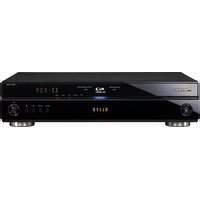
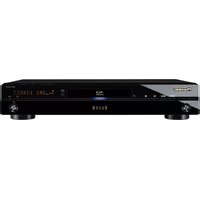
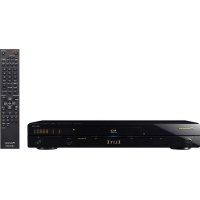
DV-3052 - Blu-ray player PIONEER - Free user manual and instructions
Find the device manual for free DV-3052 PIONEER in PDF.


Pick your language and provide your email: we'll send you a specifically translated version.
| Product Type | Blu-ray Player |
| Model | DV-3052 |
| Brand | Pioneer |
| Disc Compatibility | Blu-ray, DVD, CD |
| Video Output | HDMI, Composite |
| Audio Output | HDMI, Optical, Coaxial, Analog Stereo |
| HDMI Version | 1.4 |
| 3D Blu-ray Playback | Yes |
| Upscaling to 4K | No |
| Audio Decoding | Dolby TrueHD, DTS-HD Master Audio |
| Dimensions (W x H x D) | 430 mm x 45 mm x 250 mm |
| Weight | 2.4 kg |
| Power Supply | AC 120V, 60Hz |
| Power Consumption (Standby) | 0.5 W |
| Power Consumption (Active) | 15 W |
| Region Code | Region A (Blu-ray), Region 1 (DVD) |
| Remote Control | Included |
| Connectivity | Ethernet, USB (front), 1x HDMI out |
| Supported File Formats | MPEG-2, AVC, VC-1, AVCHD, MP3, JPEG |
| Maintenance & Cleaning | Use a soft dry cloth; do not use solvents |
| Safety Instructions | Do not expose to moisture; use in well-ventilated area |
| Spare Parts & Repairability | Contact Pioneer support; not user-serviceable |
Frequently Asked Questions - DV-3052 PIONEER
Can the Pioneer DV-3052 play 4K UHD discs?
No, the DV-3052 is a standard Blu-ray player and does not support 4K UHD playback. It can upscale 1080p content, but native resolution is 1080p.
Does the DV-3052 support 3D Blu-ray discs?
Yes, the Pioneer DV-3052 supports 3D Blu-ray discs when connected to a 3D-compatible TV via HDMI.
What audio formats does the DV-3052 support?
It supports Dolby TrueHD and DTS-HD Master Audio via HDMI, as well as standard Dolby Digital and DTS.
How do I clean the lens of the Pioneer DV-3052?
Use a dedicated lens cleaning disc for Blu-ray players. Do not open the unit; cleaning should be done carefully to avoid damage.
Can I connect the DV-3052 to the internet?
Yes, the player has an Ethernet port for wired internet connection. It does not have built-in Wi-Fi.
What region code does the DV-3052 use?
Blu-ray discs are Region A, and DVDs are Region 1 (for US/Canada). Check disc compatibility.
Does the DV-3052 have a USB port?
Yes, there is a USB port on the front panel for playing media files from flash drives.
How do I reset the Pioneer DV-3052 to factory settings?
Go to the Setup Menu > Options > Default Settings and confirm the reset.
What is the power consumption of the DV-3052?
Active consumption is approximately 15W; standby is less than 0.5W.
Can I control the DV-3052 with a universal remote?
Yes, it uses standard IR codes. Program your universal remote using the code for Pioneer Blu-ray players.
User questions about DV-3052 PIONEER
0 question about this device. Answer the ones you know or ask your own.
Ask a new question about this device
No questions yet. Be the first to ask one.
Download the instructions for your Blu-ray player in PDF format for free! Find your manual DV-3052 - PIONEER and take your electronic device back in hand. On this page are published all the documents necessary for the use of your device. DV-3052 by PIONEER.
USER MANUAL DV-3052 PIONEER

Manual assistant
Powered by Anthropic
Waiting for your message
Product information
Brand : PIONEER
Model : DV-3052
Category : Blu-ray player