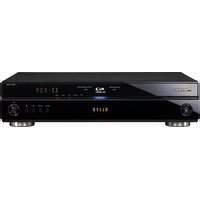
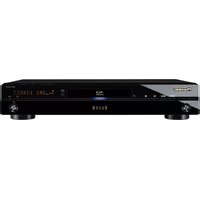
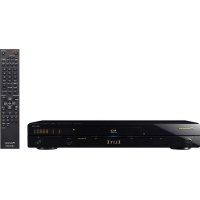
BDC-2202 - Blu-ray player PIONEER - Free user manual and instructions
Find the device manual for free BDC-2202 PIONEER in PDF.


Pick your language and provide your email: we'll send you a specifically translated version.
| Product Type | Blu-ray Disc Player |
| Model | BDC-2202 |
| Brand | Pioneer |
| Dimensions (W x H x D) | 430 x 49 x 258 mm |
| Weight | 2.8 kg |
| Power Supply | AC 120-240V, 50/60 Hz |
| Power Consumption | 25 W (Standby: 0.3 W) |
| Video Output | HDMI, Component, Composite |
| Audio Output | HDMI, Optical Digital, Analog Stereo |
| Playback Formats | BD-ROM, BD-R/RE, DVD-Video, DVD-R/RW, CD-Audio, CD-R/RW, JPEG, MP3 |
| Video Upscaling | 1080p upscaling for DVDs |
| Audio Decoding | Dolby TrueHD, DTS-HD Master Audio, Dolby Digital Plus |
| Connectivity | Ethernet, USB 2.0, HDMI-CEC (Kuro Link) |
| Remote Control | Included (with batteries) |
| Accessories | Remote control, HDMI cable, power cord, user manual |
| Special Features | PQLS (Precision Quartz Lock System), Pure Audio mode, 48-bit Deep Color |
| Maintenance | Clean with soft dry cloth; do not use liquids or solvents |
| Safety | Laser Class 1; ensure proper ventilation; avoid moisture |
| Spare Parts and Repairability | Laser unit, power supply board, HDMI board available through authorized service |
Frequently Asked Questions - BDC-2202 PIONEER
How do I connect the Pioneer BDC-2202 to my TV?
Use an HDMI cable for the best video and audio quality. Connect one end to the HDMI OUT on the player and the other to an HDMI input on your TV. Alternatively, you can use component or composite video cables, but HDMI is recommended for full HD.
Can I play Blu-ray discs from any region?
The Pioneer BDC-2202 is region-locked for Blu-ray discs (Region A for Americas/Asia, Region B for Europe, etc.). It will only play discs from the same region as the player. Check the region code on the disc packaging.
Why is there no picture on my TV?
Ensure the TV is set to the correct input source. Check that the HDMI cable is securely connected. Try a different HDMI port or cable. Also, confirm the player is powered on and a disc is inserted.
How do I update the firmware on my BDC-2202?
Pioneer occasionally releases firmware updates. Connect the player to the internet via Ethernet, then go to Setup > System Update > Update via Network. Follow on-screen instructions. Alternatively, you can burn the update to a CD-R and insert it.
How do I clean the Blu-ray lens?
Use a dedicated Blu-ray lens cleaning disc. Insert the disc and follow its instructions. Do not use any liquids or attempt to open the player. Regular cleaning every few months is recommended.
Can I output Dolby TrueHD or DTS-HD Master Audio?
Yes, the BDC-2202 supports Bitstream output of Dolby TrueHD and DTS-HD Master Audio via HDMI. Ensure your AV receiver or TV is compatible with these formats. Go to Audio Settings and set HDMI Audio to Bitstream.
The remote control is not working. What should I do?
Replace the batteries with new ones. Ensure there are no obstacles between the remote and the player's IR sensor. Check if the remote's IR emitter is clean. If still not working, try resetting the player by unplugging it for a minute.
How do I reset the Pioneer BDC-2202 to factory settings?
Go to Setup > Initial Setup > Factory Reset. Confirm the reset. The player will restart and all settings will be restored to defaults. Note that this will not affect firmware version.
What is PQLS and how do I enable it?
PQLS (Precision Quartz Lock System) reduces jitter for CD audio playback when connected via HDMI to a compatible Pioneer AV receiver. Enable it in Audio Settings > PQLS. Set to Auto for automatic operation.
Can I play USB media on the BDC-2202?
Yes, the player has a USB 2.0 port on the front. Insert a USB flash drive with compatible formats (MP3, JPEG, DivX, etc.). Use the Home Menu to access USB media. Note that not all codecs are supported.
User questions about BDC-2202 PIONEER
0 question about this device. Answer the ones you know or ask your own.
Ask a new question about this device
No questions yet. Be the first to ask one.
Download the instructions for your Blu-ray player in PDF format for free! Find your manual BDC-2202 - PIONEER and take your electronic device back in hand. On this page are published all the documents necessary for the use of your device. BDC-2202 by PIONEER.
USER MANUAL BDC-2202 PIONEER

Manual assistant
Powered by Anthropic
Waiting for your message
Product information
Brand : PIONEER
Model : BDC-2202
Category : Blu-ray player