
505II - Guitar effect ZOOM - Free user manual and instructions
Find the device manual for free 505II ZOOM in PDF.


| Product type | Multi-effects processor for guitar |
| Brand | ZOOM |
| Model | 505II |
| Dimensions (W x D x H) | 125 x 145 x 40 mm |
| Weight (without batteries) | 280 g |
| Power supply | 9 V DC, 300 mA AC adapter (center negative, ZOOM AD-0006) or 4 R6 (AA) alkaline batteries |
| Battery life | Approximately 28 hours (alkaline) / 8 hours (manganese) |
| Number of effects | 33 types, up to 9 simultaneously usable |
| Patch memory | 36 patches (6 banks x 6 patches), rewritable |
| Main functions | Built-in chromatic tuner, patch editing, amp simulation, ZNR noise reduction, input for optional expression pedal or footswitch |
| Input | Guitar input: 6.35 mm mono jack, impedance 470 kΩ |
| Output | 6.35 mm stereo jack output (line/headphone), minimum load impedance 10 kΩ |
| Control input | For FP01/FP02 expression pedal or FS01 footswitch |
| Cleaning | Soft, dry cloth; avoid solvents, alcohol or abrasive products |
| Safety | Use only the specified adapter; do not open the casing; avoid extreme temperatures, humidity, dust |
| Spare parts / Accessories | AD-0006 adapter, FS01 footswitch, FP01/FP02 expression pedal |
| General information | User manual available for free download at notice-facile.com |
Frequently Asked Questions - 505II ZOOM
User questions about 505II ZOOM
0 question about this device. Answer the ones you know or ask your own.
Ask a new question about this device
Download the instructions for your Guitar effect in PDF format for free! Find your manual 505II - ZOOM and take your electronic device back in hand. On this page are published all the documents necessary for the use of your device. 505II by ZOOM.
USER MANUAL 505II ZOOM
Thank you for selecting the ZOOM 505 II (hereafter simply called the "505 II").
Please take the time to read this manual carefully so as to get the most out of the unit and to ensure optimum performance and reliability.
Retain this manual, the warranty card and all other documentation for future reference.
Contents
SAFETY PRECAUTIONS 2
Features 3
Terms Used in This Manual 4
Using the unit on batteries 5
Controls and Functions 6
Selecting Patches for Play 8
Using the Tuner Function 10
Editing a Patch 12
Storing/Copying Patches 14
Changing the "Patch Call" Method 16
Using the Optional Pedal 18
Restoring Factory Defaults 19
Linking Effects 20
Effect Types and Parameters 21
Specifications 31
Usage Precautions 31
Patch List
Troubleshooting
SAFETY PRECAUTIONS
In this manual, symbols are used to highlight warnings and cautions for you to read so that accidents can be prevented. The meanings of these symbols are as follows:

This symbol indicates explanations about extremely dangerous matters. If users ignore this symbol and handle the device the wrong way, serious injury or death could result.

This symbol indicates explanations about dangerous matters. If users ignore this symbol and handle the device the wrong way, bodily injury and damage to the equipment could result.
Please observe the following safety tips and precautions to ensure hazard-free use of the 505 II.

About power
- Since power consumption of this unit is fairly high, we recommend the use of an AC adapter whenever possible. When powering the unit from a battery, use only an alkaline type.
AC adapter operation
- Be sure to use only an AC adapter which supplies 9V DC, 300mA and is equipped with a "center minus" plug (Zoom AD-0006). The use of an adapter other than the specified type may damage the unit and pose a safety hazard.
- Connect the AC adapter only to an AC outlet that supplies the rated voltage required by the adapter.
- When disconnecting the AC adapter from the AC outlet, always grasp the adapter itself and do not pull at the cable.
- If the unit is not to be used for a long time, disconnect the AC adapter from the outlet.
Battery operation
Use four IEC R6 (size AA) 1.5V batteries (alkaline/manganese).
- The 505 II cannot be used for recharging. Pay close attention to the labelling of the battery to make sure you choose the correct type.
- If the 505 II is not to be used for an extended period of time, remove the battery from the unit.
- If battery leakage has occurred, wipe the battery compartment and the battery terminals carefully to remove all remnants of battery fluid.
While using the unit, the battery compartment cover should be closed.

Environment
Avoid using your 505 II in environments where it will be exposed to:
- Extreme temperature
High humidity or moisture - Excessive dust or sand
- Excessive vibration or shock

Handling
- The 505 II is a precision instrument. Except for the foot switches, do not push other parts with your feet or subject them to strong force.
Take care that no foreign objects (coins or pins etc.) or liquids can enter the unit. - Be sure to turn the power to all equipment off before making connections.
Before moving the unit, turn the power off, and disconnect all cables and the AC adapter.

Alterations
Never open the case of the 505 II or attempt to modify the product in any way since this can result in damage to the unit
Features
The 505 II is a sophisticated multi effect processor for guitar with the following features and functions:
Top level performance
While similar in price to a compact effect device, the 505 II incorporates a varied palette of 33 effects. Up to nine effects (including ZNR and amp simulator) can be combined in a patch. The memory of the unit holds 36 rewritable patches, providing no-holds-barred performance.
- Intuitive user interface
The user interface has been thoroughly redesigned. Large switches and keys and a rotary selector make the unit extremely simple to operate. Any desired effect can be called up swiftly and without fuss.
Built-in auto-chromatic tuner
The integrated tuning function lets you quickly and precisely tune your instrument on stage.
- Dual power supply enables operation anywhere
The dual power supply principle allows the unit to be powered either from an AC adapter or from four IEC R6 (size AA) batteries. Continuous operation time on batteries is 8 hours with manganese batteries and 28 hours with alkaline batteries.
- Compatible with foot switch and pedals
An optional foot switch (FS01) or expression pedal (FP01/FP02) can be connected to the CONTROL IN jack. The foot switch is useful for quickly switching patches, and the expression pedal can serve to adjust the volume or effect tone in real time.
- Improved successor to 505
While inheriting the sound characteristics of the very successful ZOOM model 505, the 505 II is even more compact and carries a lower price tag. And what's more, it incorporates nine new effects, including distortion effects using sophisticated modeling techniques, practical stage-use and special effects.
Terms Used in This Manual
This section explains some important terms that are used throughout the 505 II documentation.
■Effect module
As shown in the illustration below, the 505 II can be thought of as a combination of several single effects. Each such effect is referred to as an effect module. In addition to modules comprising compressor effects (COMP) or distortion effects (DIST), the 505 II also provides a module for ZNR (ZOOM Noise Reduction) and a guitar amp simulator. Parameters such as effect intensity can be adjusted for each module individually, and modules can be switched on and off as desired.

■Effect type
Within each effect module, there are several different effects which are referred to as effect types. For example, the modulation effect module (MOD) comprises chorus, flanger, pitch shifter, and other effect types. Only one of these can be selected at a time. An effect type is also often simply referred to as an effect.
■ Effect parameter
All effect modules have various parameters that can be adjusted. When likening an effect module to a compact effect device, the parameters can be thought of as the control knobs on the device. Changing the parameter settings will result in changes to items such as effect intensity and tonal characteristics.
Patch
In the 505 II, effect module combinations are stored and called up in units referred to as patches. A patch comprises information about the on/off status of each effect module, about the effect type used in each module, and about effect parameter settings. The memory of the 505 II can store up to 36 patches.
■Bank
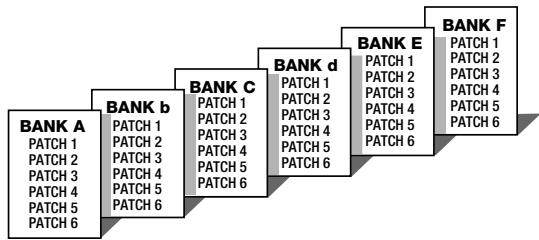
A group of six patches is called a bank. The 505 II manages a total of six banks, labelled A through F. The patches within each bank are numbered 1 through 6. To specify a patch, the 505 II uses the following format: "A1". This means that patch number 1 from bank A is selected. Therefore "b6" would refer to patch 6 from bank b.
■Play mode/edit mode
The internal status of the 505 II is referred to as the operation mode. The two major modes are play mode, in which you can select patches and use them for playing your instrument, and edit mode, in which you can modify the effects. The [PLAY/EDIT] selector serves for switching between the play mode and edit mode.
Using the unit on batteries
- Turn the 505 II over and open the cover of the battery compartment on the bottom.
Press the latch to release it and then raise the cover.
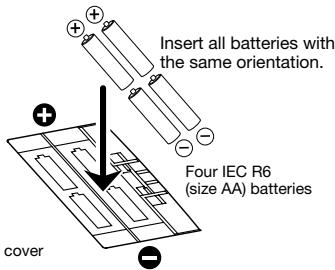
- Insert four fresh IEC R6 (size AA) batteries into the battery compartment.
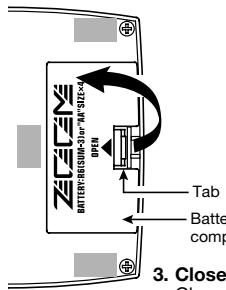
Rear of 505 II
- Close the cover of the battery compartment.
Close the cover of the battery compartment.
Push the cover in until the latch audibly snaps into place.
Use four IEC R6 (size AA) batteries.
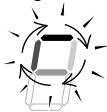
When the batteries are getting low, a dot (. in the bottom section of the display starts to flash.

While not using the 505 II, you should disconnect the cable plugged
into the INPUT jack, to prevent draining the batteries.
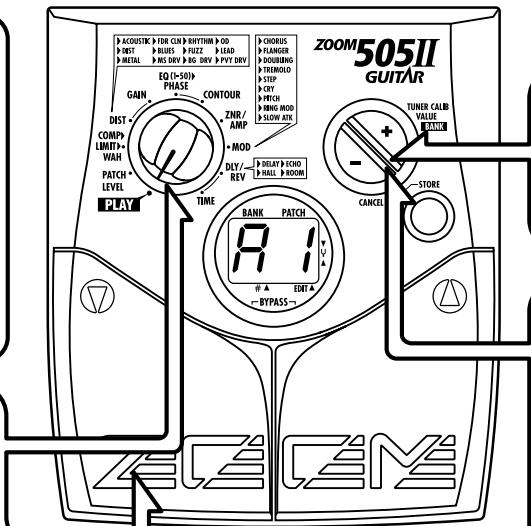
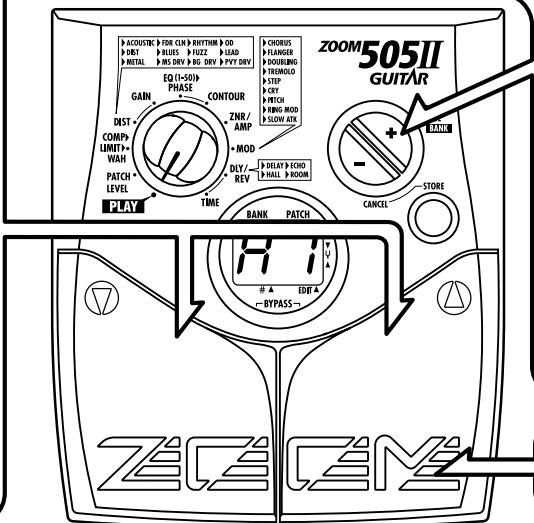
Top Panel
[PLAY/EDIT] selector
This knob serves for switching between play mode (in which you use the patches for playing) and edit mode (where you can edit patches to your liking).
Display
Shows patch numbers, setting values, and other information required for operation of the 505 II.
[▼]/[▲] foot switches
These switches are used for selecting patches, controlling the tuner, and other functions.
![ZOOM 505II - [▼]/[▲] foot switches - 1](/content/2025/01/152183/images/4dc8bdc55dfb42d199dc7e89355118ccc9ac2566cb8e24586289d3e43e7892b1.jpg)
[+] /[-] keys
Serve for switching banks up and down, adjusting parameters, and other functions.
[STORE] key
Serves for storing edited patches, copying patches to another location, and other functions.
![ZOOM 505II - [STORE] key - 1](/content/2025/01/152183/images/68c80bcf0b4f2d058a86e8336c2d629ba4bc0035c18ef94cd7bf868b0fb42c9d.jpg)
Rear Panel / Connections
Selecting Patches for Play
To try out the 505 II, we recommend that you simply play your instrument while switching patches. This will let you quickly see what the 505 II can do.
1 Power-on
- When using the 505 II on batteries, plug a shielded cable with mono phone plug into the INPUT jack of the 505 II.
- When using the 505 II with the AC adapter, plug the adapter into the outlet and plug the cable from the adapter into the DC 9V jack on the 505 II.
- Turn on the guitar amplifier and adjust the volume to a suitable position.
Set 505 II to play mode
- When the [PLAY/EDIT] selector is set to a different position, set it to "PLAY".

Bank Patch number
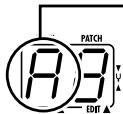
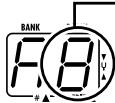
The currently selected bank and patch number are shown on the display.

Immediately after turning on power to the 505 II, the unit will be in play mode also if the [PLAY/EDIT] selector is set to a different position.
Switch patches
To switch patches in play mode, use the []/[] foot switches.
4 To directly switch the bank
- You can use the [+]/[-] keys to directly switch among the banks A - F.
To adjust the master volume
- Keep both [+] /[-] keys depressed for more than 1 second.

- While the master volume setting is shown, pressing the [+] or [-] key changes the setting. The setting range is 0 - 50. When the unit is turned off and on again, the setting will be reset to 40.

When using headphones, the master volume setting can be used to adjust the listening volume.
Using the Tuner Function
The 505 II incorporates an auto-chromatic tuner for guitars. To use the tuner function, the built-in effects must be bypassed (temporarily turned off) or muted (original sound and effect sound turned off).
Switch to bypass or mute
Bypass:
Press both [] / [] foot switches together briefly and release.

Mute:
Press both [] / [] foot switches together and hold for at least 1 second.


The bypass or mute condition cannot be activated when the unit is in the edit mode.

Adjusting the reference pitch of the tuner
The center A reference frequency of the built-in tuner can be fine-adjusted.
- Press one of the [+]/[-] keys.

Reference pitch
- While the reference pitch setting is shown, pressing the [+] or [-] key changes the setting.
The reference pitch range is 35 - 45 (center A = 435Hz - 445Hz

When the unit is turned off and on again, the reference pitch setting is reset to 40 (440 Hz).

Return to play mode
- Press one of the [] / [] foot switches.
Tune the guitar
- Play the open string you want to tune, and watch the display.
The left side of the display shows the note which is closest to the current pitch.
$$ \begin{array}{l} \mathbf {A} = \square \quad \mathbf {D} = \square^ {\prime} \quad \mathbf {G} = \square \ \mathbf {A} ^ {#} = \bar {\cap}, \quad \mathbf {D} ^ {#} = \square , \quad \mathbf {G} ^ {#} = \sqcup , \ \mathbf {B} = \square \quad \mathbf {E} = \square \ \mathbf {C} = \left[ \begin{array}{l l} \mathbf {F} & \mathbf {F} \end{array} \right] = \mathbf {F} \ \mathbf {C} ^ {#} = \varsubset . \mathbf {F} ^ {#} = F. \ \end{array} $$
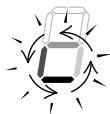
The right side of the display shows a symbol that indicates by how much the tuning is off.
- Tune the other strings in the same way.
Pitch is high
Pitch is correct
Pitch is low
Indication turns faster the more the pitch is off.

The patches of the 505 II can be freely edited by changing the effect parameter settings. Try editing the currently selected patch to create your own sound.
Select the effect parameter
- Use the [PLAY/EDIT] selector to select the effect you want to change.
The value of the currently selected parameter is shown on the display. (When the 505 II is in edit mode, a dot (. is shown in the bottom right section of the display.)
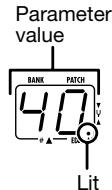
Modules and parameters that can be selected with the [PLAY/EDIT] selector
(1) Patch level
(2) Basic parameters of COMP module ()
(3) Basic parameters of DIST module (^)
(4) Extended parameters of DIST module
(5) Basic parameters of EQ module (*)
(6) Extended parameters of EQ module
![ZOOM 505II - Modules and parameters that can be selected with the [PLAY/EDIT] selector - 1](/content/2025/01/152183/images/aa4b5c2a1c3724850d5da3587afa1f16bca940747fd159b6373902085887df0e.jpg)
(7) Basic parameters of ZNR/AMP module ()
(8) Basic parameters of MOD module (^)
(9) Basic parameters of DLY/REV module (*)
(10) Extended parameters of DLY/REV module
![ZOOM 505II - Modules and parameters that can be selected with the [PLAY/EDIT] selector - 2](/content/2025/01/152183/images/68ef70bc3ecb793dfb93df7a9dd709c6685a134f03bd83bd8046e054799aa312.jpg)
Change the parameter value
- Use the [+] /[-] keys.
Holding down one of these keys will continuously change the value. Additionally pressing the opposite key will cause a faster change. Pressing both keys simultaneously skips to the first value of the next effect type in the same effect module.
Changing the module on/off condition
- Press both [] / [] foot switches together.
This is possible only if the basic parameter of that module (marked with an asterisk in the illustration 1) has been selected.

When an effect module has been switched off, the extended parameter of that module is not shown.
4 Terminate the edit mode
- To terminate the edit mode and return to the play mode, set the [PLAY/EDIT] selector to the "PLAY" position.

Unless you store the edited patch in memory, the settings you made will be lost when you select a different patch after returning to the play mode. Do not forget to store an edited patch that you wish to keep, as described on page 14.
Storing/Copying Patches
An edited patch can be stored at any desired location in the internal memory of the unit. It is also possible to copy an existing patch and store it at another location.
Press the STORE key in play mode or edit mode.
The bank and patch number on the display are flashing.
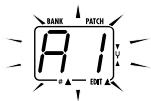
Use the [] / [] foot switches to select the target location in which to store the patch.
![ZOOM 505II - Use the [] / [] foot switches to select the target location in which to store the patch. - 1](/content/2025/01/152183/images/bad690640524d88c4552237ce4e42bb47fa467fe3284cd487e235072b99b4429.jpg)
When storing or copying a patch, it is not possible to use the [+] [-] keys to switch only the bank number.
![ZOOM 505II - Use the [] / [] foot switches to select the target location in which to store the patch. - 2](/content/2025/01/152183/images/8f3173d1e95d1cb3614c5afb4f1db4488b91fe87e61e65eced3c5ed39840c560.jpg)
![ZOOM 505II - Use the [] / [] foot switches to select the target location in which to store the patch. - 3](/content/2025/01/152183/images/74321051dfcf10e61b90396c864548e400001b514b6696d3b2f350bc9a184307.jpg)
Press the STORE key once more.
When the store/copy process is completed, the unit reverts to the original mode, with the target patch being selected.


When the store/copy process is executed, the previous content of the store target is overwritten and cannot be restored if it was a user-created patch. You should therefore take care when selecting a target patch. However, the factory default settings of an individual patch or all patches can be restored, as described on page 19.
To cancel the store/copy process
- Press the [-] key instead of the STORE key.
The store process is aborted and the unit reverts to the previous mode.

The store process is also canceled when [PLAY/EDIT] selector is operated instead of the [-] key.
Changing the "Patch Call" Method
In normal operation, the sound of the 505 II will change immediately if a patch is selected in play mode. This may be undesirable if a patch from a distant memory location is called and the sound of other unwanted patches in between is heard. If desired, you can change the "Patch call" method from direct selection to the pre-select method. In pre-select mode, you first specify the desired patch and then confirm the selection. The sound will only change after you have confirmed the operation.
Changing the "Patch call" method to pre-select
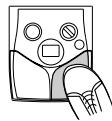
To change the "Patch call" method to preselect, you must turn the unit on while holding down the [ ] foot switch.
2 Specifying the desired patch
- Use the [] / [] foot switches to select the patch you want to use next.
You can also use the [+] /[-] keys to only switch the bank.

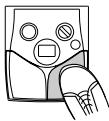
The bank and patch number of the patch to be used next will be shown on the display, but the sound does not yet change.
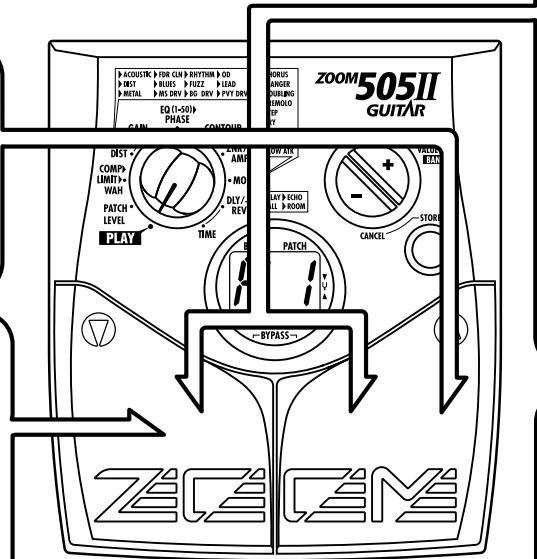
3 Confirm change
- When the desired patch is shown, press the [] / [] foot switches together.

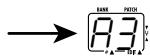
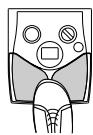
The patch change is confirmed, the sound changes, and the display stops flashing and stays constantly lit.
4 Changing the "Patch call" method back to direct select
- To change the "Patch call" method back to normal direct select operation, simply turn the unit off and back on again.
This will return the patch select method to the default setting.
Using the Optional Pedal
The 505 II is equipped with a CONTROL IN jack designed for connection of an optional foot switch or expression pedal. This section explains how to use these accessories.
Using the foot switch (FS01)
Connecting the optional foot switch FS01 to the CONTROL IN jack allows changing banks with the foot switch while the unit is in play mode. (Operating the foot switch in play mode has the same effect as pressing the [+] key.)
- Plug the cable from the FS01 into the CONTROL IN jack, and then plug the appropriate cable into the INPUT jack (or DC 9V jack).
- Press the foot switch.
With each push of the foot switch, the bank is switched up.

Using the expression pedal (FP01/FP02)
Connecting an expression pedal (FP01/FP02) to the CONTROL IN jack allows adjusting the volume or an effect parameter in real time. For information on parameters that can be adjusted with the expression pedal, please refer to pages 22 - 29.
- Plug the cable from the expression pedal into the CONTROL IN jack, and then plug the appropriate cable into the INPUT jack (or DC 9V jack).
- Select the patch in play mode, and move the expression pedal back and forth.
Depending on the program content of the patch, the volume or effect parameter will change.

If the foot switch or expression pedal is connected to the 505 II while the unit is powered, malfunction may occur. Be sure to plug the foot switch or expression pedal into the CONTROL IN jack first and then plug the appropriate cable into the INPUT jack (or DC 9V jack).

The pedal is active also in edit mode.
Restoring Factory Defaults
The 505 II comes with 36 preprogrammed patches. These factory default patches can be restored also if they were overwritten by patches created by the user.
There are two ways of restoring factory defaults. "All Initialize" returns the entire set of patches to the original condition. "Factory Recall" restores a specific patch to the original condition.
1. While holding down the STORE key, plug the appropriate cable into the INPUT jack (or DC 9V jack).
The indication "AL" flashes on the display.
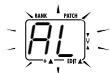
To perform All Initialize
2. Press the STORE key once more.
All patch settings are returned to the factory default condition, and the unit switches to play mode. To cancel All Initialize, press the [-] key.

All user-created patches will be lost when performing All Initialize.
Use this function with care.
To perform Factory Recall
2. Use the [] / [] foot switches to select the patch you want to return to the original condition.
The specified bank and patch number are flashing on the display.
![ZOOM 505II - Use the [] / [] foot switches to select the patch you want to return to the original condition. - 1](/content/2025/01/152183/images/f245fdac2a95cc9d133bc509f01ad27afa1e39a71f1c622bef662cd8bbe2b235.jpg)
During Factory Recall, the [+]/[-] keys cannot be used to switch the bank only.
3. Press the STORE key once more.
The settings of the specified patch are returned to the factory default condition.
If desired, repeat steps 2 and 3 to restore other patches. To terminate the Factory Recall operation, press the [-] key. The unit will switch to the play mode at this point.
Linking Effects
The patches of the 505 II consist of seven serially linked effect modules, as shown in the illustration below. (The maximum number of effects that can be used simultaneously is 9.) You can use all effect modules or selectively set certain modules to on or off.
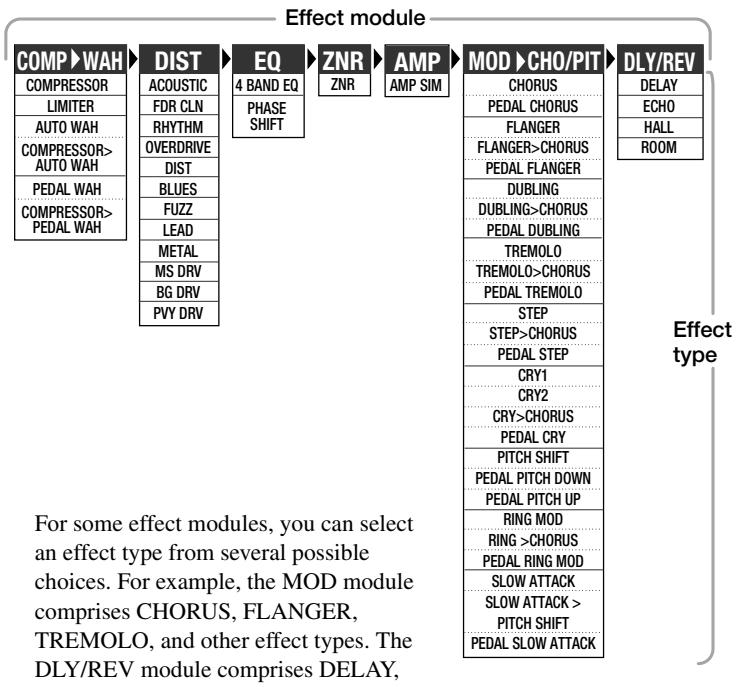
The COMP module and MOD module allow you to choose two effect types simultaneously, such as COMPRESSOR > AUTO WAH or DOUBLING > CHORUS.
Effect Types and Parameters
Starting on the next page, all effect types in all effect modules are listed, together with their parameters.
How to read the listing
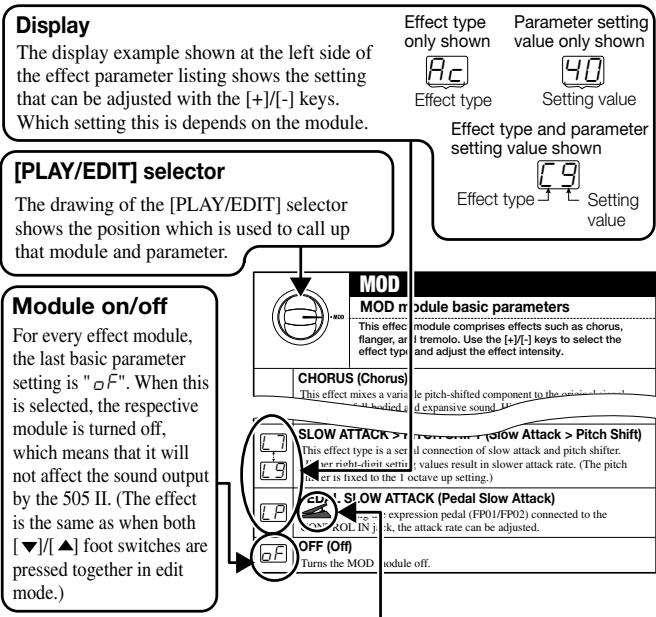
Expression pedal
A pedal icon ( ) in the listing indicates a parameter that can be controlled with the expression pedal (FP01/FP02).
When such a parameter is selected, the respective module can be controlled in real time with a connected expression pedal.

Except for pedal wah, when a parameter marked with a pedal icon is selected, the sound will correspond to the representative setting of that effect.
If there is no parameter marked with a pedal icon selected in the entire patch, the expression pedal operates as a volume pedal.
| PATCH LEVEL | |
| PATCH*LEVEL | Patch Level |
| ↑30 | Adjusts the overall volume of the patch. A value of 25 corresponds to unity gain (input level and output level are equal). |
| COMP>LIMIT>WAH | |
| COMP module basic parameters | |
| This module comprises the compressor, limiter, auto wah, and pedal wah effect types. Use the [+]/[-] keys to select the effect type and adjust the effect intensity. | |
| COMPRESSOR (Compressor) This effect type attenuates high-level signal components and boosts low-level signal components, thereby keeping the overall signal level within a certain range. The effect prolongs sustain and makes the sound more uniform. Higher setting values result in stronger compression. LEVEL Original sound TIME LEVEL Compressor TIME | |
| LIMITER (Limiter) This effect type attenuates peak levels and prevents overload of the next module. Higher setting values result in stronger limiter action. LEVEL Original sound TIME LEVEL Limiter TIME | |
| AUTO WAH (Auto Wah) This effect type applies wah which is dependent on playing intensity. Higher setting values result in higher input sensitivity for the auto wah effect. | |
| COMPRESSOR > AUTO WAH (Compressor > Auto Wah) This effect type is a serial connection of compressor and auto wah. Higher setting values result in higher input sensitivity for the auto wah effect. (The compressor effect is fixed.) |
| P1 : P4 | PEDAL WAH (Pedal Wah) This effect type allows using an expression pedal (FP01/FP02) connected to the CONTROL IN jack for pedal wah. The expression pedal then controls the frequency that is emphasized. Higher setting values result in higher emphasized frequency. |
| P5 : P9 | COMPRESSOR > PEDAL WAH (Compressor > Pedal Wah) This effect type is a serial connection of compressor and pedal wah. Higher setting values result in higher emphasized frequency. (The compressor effect is fixed.) |
| Off | OFF (Off) Turns the COMP module off. |
| GAIN DIST | DIST | |
| DIST module basic parameters | ||
| In addition to 10 distortion type effects, this module also comprises two clean effect types. Use the [+]/[-] keys to select the effect type. | ||
| Ac | ACOUSTIC (Acoustic)Changes the sound of an electric guitar into that of an acoustic guitar. | |
| Fd | FDR CLN (FDR Clean)Simulates the clean sound of a built-in type tube amplifier. | |
| Ry | RHYTHM (Rhythm)This is a crunch sound with slight distortion when playing strongly. | |
| Oe | OVERDRIVE (Overdrive)Extended overdrive sound with the character of tube amplifier distortion. | |
| Dt | DIST (Distortion)Distortion similar to driving a three-stack amp in the hard rock style. | |
| BL | BLUES (Blues)Overdrive with a solid blues style sound. | |
| FU | FUZZ (Fuzz)Sixties style fuzz sound with fat bass. | |
| Ld | LEAD (Lead)Smooth, bright distortion sound. | |
| ηE | METAL (Metal) Heavy metal type distortion with emphasized bass and treble. | |
| η5 | MS DRV (MS Drive) Drive sound emulating a British style tube stack amp. | |
| 60 | BG DRV (BG Drive) Drive sound emulating a tube stack amp with a tight and controlled midrange. | |
| PU | PVY DRV (PVY Drive) High-gain tube amplifier drive sound, great for heavy metal. | |
| OF | OFF (Off) Turns the DIST module off. | |
| GAIN DIST. | GAIN DIST module extended parameters | |
| These parameters serve to adjust the volume or distortion depth for the effect type selected with the DIST module basic parameters. | ||
| 1 30 -- (Off indication) | GAIN (Gain) The function of this parameter depends on the effect type selected for the DIST module. ·When ACOUSTIC (Ac) is selected Higher setting values emphasize the characteristic acoustic guitar string sound. ·FDR CLN (Fd) is selected Depending on the guitar in use, the sound may be distorted at certain settings. In such cases, reduce the setting value until the distortion disappears. ·Other effect type is selected Higher setting values result in stronger distortion. | |
| Pd | PEDAL DIST (Pedal Distortion) Using the expression pedal connected to the CONTROL IN jack, the GAIN value (1 - 30) can be controlled. | |
| EQD-601PHASECONTOUR | EQPHASE | |
| EQ module basic parameters | ||
| This module comprises a 4-band equalizer and phaser. Use the [+]/[+] keys to select the effect type and adjust the effect intensity. | ||
| 50 | 4 BAND EQ (4-Band Equalizer) Allows boost or cut in the bass/middle/high/presence band. You can select one out of 50 patterns (01 - 50). •01 - 10: Lower values result in attenuated highs and emphasized lows. •11 - 20: Lower values result in lower emphasized frequency. •21 - 24: Lower values result in emphasized midrange. •25: Flat characteristics •26 - 30: Higher values result in emphasized highs. •31 - 40: Higher values result in higher emphasized frequency. •41 - 50: Higher values result in emphasized presence and lows. | |
| 51 | PHASE SHIFT (Phaser) This effect mixes a phase-shifted component to the original sound, resulting in a pulsating character. Higher setting values result in faster modulation. | Original sound Effect sound TIME |
| 52 | OFF (Off) Turns the EQ module off. | |
| EQ(1-60)N PHASE CONTOUR | CONTOUR | |
| EQ module extended parameters | ||
| These parameters serve to adjust the effect operation for the effect type selected with the EQ module basic parameters. | ||
| - - - - - - - - - - - - - - - - - - - - - - - - - - - - - - - - - - - - - - - - - - - - - - - - - - - - - - - - - - - - - - - - - - - - - - - - - - - - - - - - - - - - - - - - - - - - - - - - - - - - - | ||
| - - - - - - - - - - - - - - - - - - - - - - - - - - - - - - - - - - - - - - - - - - - - - - - - - - - - - - - - - - - - - - - - - - - - - - - - - - - - - - - - - - - - - - - - - - - - - - - - | ||
| - | - | - |
| - | - | - |
| - | - | - |
| - | - | - |
| - | - | - |
| - | - | - |
| - | - | - |
| - | - | - |
| - | - | - |
| - | - | - |
| - | - | - |
| - | - | - |
| - | - | - |
| Off indication) | ||
| ZNR/AMP | |
| ZNR/AMP module basic parameters | |
| Serves for making the ZNR module and AMP module settings. ZNR is a noise reduction circuit developed by ZOOM, allowing control over the noise threshold. The AMP module is a guitar amp simulator that can be switched on or off. | |
| ZNR ZNR (ZOOM Noise Reduction) serves for reducing noise during play pauses or silent passages. Higher setting values result in more efficient noise reduction. Set the value as high as possible without causing the sound to be cut off unnaturally. | |
| AMP (Amp Simulator) The amp simulator adds the character of a guitar amplifier to the output signal. When this setting is selected, the amp simulator is on and ZNR is off. | |
| ZNR+AMP (ZNR + Amp Simulator) ZNR and amp simulator are both on. Increasing the right-digit value results in more efficient noise reduction. Set the value as high as possible without causing the sound to be cut off unnaturally. | |
| OFF (Off) ZNR and amp simulator are both off. |
| MOD | |
| MOD module basic parameters | |
| This effect module comprises effects such as chorus, flanger, and tremolo. Use the [+]/[−] keys to select the effect type and adjust the effect intensity. | |
| CHORUS (Chorus) This effect mixes a variable pitch-shifted component to the original signal, resulting in full-bodied and expansive sound. Higher setting values result in a more pronounced chorus effect. | |
| PITCH + 0 0 - | Pitch + 0 - |
| Original sound TIME | Effect sound (left channel) TIME |
| PITCH + 0 0 - | Effect sound (right channel) TIME |
| FP | PEDAL CHORUS (Pedal Chorus) Using the expression pedal (FP01/FP02) connected to the CONTROL IN jack, the chorus depth can be adjusted. |
| F1 F6 | FLANGER (Flanger) This effect produces a unique, undulating sound by shifting the pitch up and down. Higher right-digit setting values result in faster modulation. |
| F7 F9 | FLANGER > CHORUS (Flanger > Chorus) This effect type is a serial connection of flanger and chorus. Higher right-digit setting values result in faster flanger modulation. (Chorus intensity is fixed.) |
| FP | PEDAL FLANGER (Pedal Flanger) Using the expression pedal (FP01/FP02) connected to the CONTROL IN jack, the flanger modulation rate can be adjusted. The adjustable range is larger than available with F1 - F9. |
| D1 D6 | DOUBLING (Doubling) This effect adds very short delay components to the original signal, which gives the sound a more full-bodied character such as when several instruments are playing in unison. Higher right-digit setting values result in more pronounced doubling effect. |
| D7 D9 | DOUBLING > CHORUS (Doubling > Chorus) This effect type is a serial connection of doubling and chorus. Higher values result in more pronounced doubling effect. (Chorus intensity is fixed.) |
| FP | PEDAL DOUBLING (Pedal Doubling) Using the expression pedal (FP01/FP02) connected to the CONTROL IN jack, doubling intensity can be adjusted. |
| E1 E6 | TREMOLO (Tremolo) This effect periodically varies the volume. Higher setting values result in faster tremolo. LEVEL + 0 0 0 0 0 0 0 0 0 0 0 0 0 0 0 0 0 0 0 0 0 0 0 0 0 0 0 0 0 0 0 0 0 0 0 0 0 0 0 0 0 0 0 0 0 0 0 0 0 0 1 0 0 0 0 0 0 0 0 0 0 0 0 0 0 0 0 0 0 0 0 0 0 0 0 0 0 0 0 0 0 0 0 0 0 0 0 0 0 0 0 0 0 0 0 0 0 0 0 0 2 0 0 0 0 0 0 0 0 0 0 0 0 0 0 0 0 0 0 0 0 0 0 0 0 0 0 0 0 0 0 0 0 0 0 0 0 0 0 0 0 0 0 0 0 0 0 0 0 0 4 0 0 0 0 0 0 0 0 0 0 0 0 0 0 0 0 0 0 0 0 0 0 0 0 0 0 0 0 0 0 0 0 0 0 0 0 0 0 0 0 0 0 0 0 0 0 0 0 0 5 0 0 0 0 0 0 0 0 0 0 0 0 0 0 0 0 0 0 0 0 0 0 0 0 0 0 0 0 0 0 0 0 0 0 0 0 0 0 0 0 0 0 0 0 0 0 0 0 0 3 0 0 0 0 0 0 0 0 0 0 0 0 0 0 0 0 0 0 0 0 0 0 0 0 0 0 0 0 0 0 0 0 0 0 0 0 0 0 0 0 0 0 0 0 0 0 0 0 0 8 0 0 0 0 0 0 0 0 0 0 0 0 0 0 0 0 0 0 0 0 0 0 0 0 0 0 0 0 0 0 0 0 0 0 0 0 0 0 0 0 0 0 0 0 0 0 0 0 0 6 0 0 0 0 0 0 0 0 0 0 0 0 0 0 0 0 0 0 0 0 0 0 0 0 0 0 0 0 0 0 0 0 0 0 0 0 0 0 0 0 0 0 0 0 0 0 0 0 0 7 0 0 0 0 0 0 0 0 0 0 0 0 0 0 0 0 0 0 0 0 0 0 0 0 0 0 0 0 0 0 0 0 0 0 0 0 0 0 0 0 0 0 0 0 0 0 0 0 0 9 0 0 0 0 0 0 0 0 0 0 0 0 0 0 0 0 0 0 0 0 0 0 0 0 0 0 0 0 0 0 0 0 0 0 0 0 0 0 0 0 0 0 0 0 0 0 0 0 0 ① |
| E7 E9 | TREMOLO > CHORUS (Tremolo > Chorus) This effect type is a serial connection of tremolo and chorus. Higher setting values result in faster tremolo. (Chorus intensity is fixed.) |
| EP | PEDAL TREMOLO (Pedal Tremolo) Using the expression pedal (FP01/FP02) connected to the CONTROL IN jack, tremolo speed can be adjusted. The adjustable range is larger than available with t1 - t9. |
| 5156 | STEP (Step) This effect introduces a filter which changes randomly, resulting in an auto-arpeggio sound. Higher right-digit setting values give faster step sound change. |
| 5759 | STEP > CHORUS (Step > Chorus) This effect type is a serial connection of step and chorus. Higher right-digit setting values result in faster step sound change. (Chorus intensity is fixed.) |
| 5P | PEDAL STEP (Pedal Step) Using the expression pedal (FP01/FP02) connected to the CONTROL IN jack, the step sound change rate can be adjusted. The adjustable range is larger than available with S1 - S9. |
| C1C3 | CRY1 (Cry 1) This effect changes the sound in a similar way as a talking simulator. Higher right-digit setting values result in more pronounced sound change. |
| C4C6 | CRY2 (Cry 2) This is a cry effect with a different sound character. Higher right-digit setting values result in more pronounced sound change. |
| C7C9 | CRY > CHORUS (Cry > Chorus) This effect type is a serial connection of cry and chorus. Higher right-digit setting values result in more pronounced cry type sound change. (Chorus intensity is fixed.) |
| CP | PEDAL CRY (Pedal Cry) Using the expression pedal (FP01/FP02) connected to the CONTROL IN jack, the cry type sound change can be adjusted. |
| P1P9 | PITCH SHIFT (Pitch Shift) This effect varies the pitch of the original sound. You can select one out of nine preset pitch shift patterns (P1 - P9).P1: A component shifted by 1 octave down is mixed to the original sound.P2: A component shifted by a perfect fifth down is mixed to the original sound.P3: A chorus effect is added to the P2 setting.P4: A component shifted by a perfect fourth up is mixed to the original sound.P5: A chorus effect is added to the P4 setting.P6: A component shifted by 1 octave up is mixed to the original sound.P7: A slightly pitch-shifted component is mixed to the original sound, resulting in a chorus with slight modulation.P8: A component shifted by a perfect fourth up and down is mixed to the original sound.P9: A component shifted by 1 octave up and down is mixed to the original sound. |
| Pd | PEDAL PITCH DOWN (Pedal Pitch Down) Using the expression pedal (FP01/FP02) connected to the CONTROL IN jack, the pitch of the effect sound can be shifted over the range of 0 to -2 octaves. | |
| PU | PEDAL PITCH UP (Pedal Pitch Up) Using the expression pedal (FP01/FP02) connected to the CONTROL IN jack, the pitch of the effect sound can be shifted over the range of 0 to +1 octave. | |
| r1 | RING MOD (Ring Modulator) This effect adds amplitude modulation to the signal, resulting in a metallic sound. Higher right-digit setting values result in higher modulation frequency. | |
| r6 | RING > CHORUS (Ring > Chorus) This effect type is a serial connection of ring modulator and chorus. Higher right-digit setting values result in higher modulation frequency. (Chorus intensity is fixed.) | |
| r9 | PEDAL RING MOD (Pedal Ring Modulator) Using the expression pedal (FP01/FP02) connected to the CONTROL IN jack, the ring modulator frequency can be adjusted. | |
| rP | SLOW ATTACK (Slow Attack) This effect reduces the attack rate of the sound, resulting in a volume playing style sound. Higher right-digit setting values result in slower attack rate. | |
| r7 | SLOW ATTACK > PITCH SHIFT (Slow Attack > Pitch Shift) This effect type is a serial connection of slow attack and pitch shifter. Higher right-digit setting values result in slower attack rate. (The pitch shifter is fixed to the 1 octave up setting.) | |
| r9 | PEDAL SLOW ATTACK (Pedal Slow Attack) Using the expression pedal (FP01/FP02) connected to the CONTROL IN jack, the attack rate can be adjusted. | |
| Off | OFF (Off) Turns the MOD module off. | |
| TIME | DLY/REV | |
| DLY/REV module basic parameters | ||
| This module comprises delay, echo, reverb, and other effects. Use the [+] [-] keys to select the effect type and adjust the effect intensity. | ||
| DELAY (Delay) | LEVEL Original sound Delay sound Delay time TIME | |
| DELAY (Delay) | ||
| This is a conventional digital delay effect. By using the output in stereo, you can achieve a ping-pong delay where the delay sound alternates between the left and right channels. The right-digit setting values control the feedback (number of repetitions) and the mixing ratio between original sound and effect sound. | ||
| ECHO (Echo) | ECHO (Echo) This is a delay effect with a warm sound similar to a tape echo. By using the output in stereo, you can achieve a ping-pong delay where the delay sound alternates between the left and right channels. The right-digit setting values control the feedback (number of repetitions) and the mixing ratio between original sound and effect sound. | |
| HALL (Hall) | HALL (Hall) This is a reverb effect that produces a sound similar to the reverberation in a concert hall. Higher right-digit setting values result in stronger reverb. | |
| ROOM (Room) | ROOM (Room) This is a reverb effect that simulates the reverberation in a room. Higher right-digit setting values result in stronger reverb. | |
| OFF (Off) | OFF (Off) Turns the DLY/REV module off. | |
| TIME | |
| DLY/REV module extended parameters | |
| These parameters serve to adjust the effect operation for the effect type selected with the DLY/REV module basic parameters. | |
| DELAY TIME (Delay Time) (When DELAY or ECHO is selected as effect type) Sets the delay time in the range from 1 - 37. The actual delay time is the setting value x 10 (ms). (Example: A setting of "15" results in a delay time of 150 ms.) | |
| REVERB TIME (Reverb Time) (When HALL or ROOM is selected as effect type) Sets the reverb time in the range from 1 - 10. Higher right-digit setting values result in longer reverb time. |
Specifications
| Built-in effects | max. 9 simultaneous / 33 total |
| Effect modules | max. 7 simultaneous (5 modules + 1 block) |
| Banks and patches | 6 banks x 6 patches = 36 patches (rewritable, with memory store capability) |
| A/D converter | 16 bit, 64 times oversampling |
| D/A converter | 16 bit, 8 times oversampling |
| Sampling frequency | 31.25 kHz |
| Input | GUITAR input: standard mono phone jack (rated input level -20 dBm输入 impedance 470 kilohms) |
| Output | Standard stereo phone jack (doubles as line and headphone jack) (maximum output level +5 dBm/output load impedance 10 kilohms or more) |
| Control input | For optional FP01 or FP02 / FS01 |
| Display | 2-digit 7-segment LED |
| Power requirements | Separately available AC adapter, 9 V DC, 300 mA (center minus plug) (ZOOM AD-0006) Four IEC R6 (size AA) batteries Battery life: approx. 28 hours continuous operation (alkaline batteries) / approx. 8 hours continuous operation (manganese batteries) |
| Dimensions | 145 mm (D) x 125 mm (W) x 40 mm (H) Weight280 g (without batteries) |
- 0dBm = 0.775Vrms
- Design and specifications subject to change without notice.
Usage Precautions
- Electrical interference
For safety considerations, the 505II has been designed to provide maximum protection against the emission of electromagnetic radiation from inside the device, and protection from external interference. However, equipment that is very susceptible to interference or that emits powerful electromagnetic waves should not be placed near the 505II , as the possibility of interference cannot be ruled out entirely.
With any type of digital control device, the 505 II included, electromagnetic
interference can cause malfunctioning and can corrupt or destroy data. Care should be taken to minimize the risk of damage.
- Cleaning
Use a soft, dry cloth to clean the 505 II. If necessary, slightly moisten the cloth. Do not use abrasive cleanser, wax, or solvents (such as paint thinner or cleaning alcohol), since these may dull the finish or damage the surface.
Please keep this manual in a convenient place for future reference.
Patch List
| BANK | PATCH | PATCH NAME | COMMENT | PEDAL |
| A [DEMO] | 1 | SUPER DIST | Tight and smooth distortion sound. | Volume |
| 2 | CLEAN DELAY | Clean sound with pedal-chorus and feedback delay. | Chorus | |
| 3 | METAL PANEL | Rectified modeling sound with pedal-gain control. | Gain | |
| 4 | WILD METAL II | High-gain metal sound allows 2-octave bend-down with pedal. | Pitch | |
| 5 | AMERICAN | Crunchy clean sound of the built-in type tube amp. | Volume | |
| 6 | HARMONY SOLO | Distorted sound for harmony solo. | Volume | |
| b [DEMO] | 1 | PVY POWER | American fat amp distortion with pedal-gain control. | Gain |
| 2 | MULTI PHASER | Clean sound with phase shift effect. | Volume | |
| 3 | STANDARD OD | Straight overdrive sound. | Volume | |
| 4 | LA POWERED | 80's lead guitar sound with detune effect. | Volume | |
| 5 | ACOUSTIC | Electric acoustic guitar simulation sound. | Gain | |
| 6 | TALKING CRY | Talking lead sound with pedal-cry effect. | Cry | |
| C [MODEL] | 1 | VAN'S DRIVER | Eddie's famous hard driven sound. | Volume |
| 2 | SURF | Vintage tube amp sound with old tremolo effect. | Tremolo | |
| 3 | ZEP STACK | Old British style tube amp modeling sound. | Volume | |
| 4 | PEDAL WAH | Straight pedal-wah sound. | Wah | |
| 5 | ROCK'N POPS | 60's British crunch sound with 1-octave up pedal-pitch. | Pitch | |
| 6 | SORROW | Like Santana's "Solo". | Volume | |
| d [VARIATION] | 1 | JET DRIVE | Wild jet sound with pedal-flanger. | Flanger |
| 2 | FUNKY PHASE | Clean sound with auto-wah and phase shift for rhythm play. | Volume | |
| 3 | ECHO VIOLIN | Slow attack sound with delay. | Slow attack | |
| 4 | WAH FUZZ | Noisy pedal-wah/fuzz sound. | Wah | |
| 5 | BLUE NOTE | Crunch sound for blues style play. | Volume | |
| 6 | CHO WAH | Distorted sound with auto-wah and chorus effect. | Volume | |
| E [SFX] | 1 | PWM SYNTH | Synthesizer sound with full effect palette. | Wah |
| 2 | STEP MODE | SF style sound combining step effect with chorus. | Volume | |
| 3 | SPACE CONTACT | Ring modulator sound,sound good with pedal. | Ring Mod | |
| 4 | STEP JET | Zoom's famous step-type effect. | Volume | |
| 5 | SYMPHONY | Clean sound with phase and pedal-chorus. | Chorus | |
| 6 | STEEL CHINA | Synthesizer-like SFX sound. | Volume | |
| F [REAL] | 1 | POWER LEAD | Heavy distortion sound with doubling. | Volume |
| 2 | FLOW FLANGE | Clean sound with transparent chorus and flanger. | Volume | |
| 3 | ROCK DRIVE | Straight distortion sound for rock style play. | Volume | |
| 4 | TREBLE DIST | High frequency distortion sound with pedal-doubling. | Doubling | |
| 5 | BRIGHT CHORUS | Chorus sound with a distinct edge. | Volume | |
| 6 | DUPLEX | Distorted sound with twin pitch shifter. | Volume |
It is recommended to set the ZNR (Zoom Noise Reduction) value for each patch to match the guitar being used.
Troubleshooting
| No power | High level of noise |
| Refer to "1. Power-on" on page 8. | Is ZOOM AC adapter being used? Be sure to use only adapter for 9 V DC, 300 mA with center minus plug (ZOOM AD-0006). |
| Patch does not change | Battery life is short |
| Check whether patch call method is set to pre-select (see page 16). | Are manganese batteries being used? Continuous operation time is 28 hours with alkaline batteries but only 8 hours with manganese batteries. The use of alkaline batteries is recommended. |
- Contents
- SAFETY PRECAUTIONS
- About power
- AC adapter operation
- Battery operation
- Environment
- Handling
- Alterations
- Features
- Top level performance
- - Intuitive user interface
- Built-in auto-chromatic tuner
- - Dual power supply enables operation anywhere
- - Compatible with foot switch and pedals
- - Improved successor to 505
- Terms Used in This Manual
- ■Effect module
- ■Effect type
- ■ Effect parameter
- Patch
- ■Bank
- ■Play mode/edit mode
- Using the unit on batteries
- Top Panel
- [PLAY/EDIT] selector
- Display
- [▼]/[▲] foot switches
- [+] /[-] keys
- [STORE] key
- Selecting Patches for Play
- Power-on
- Set 505 II to play mode
- Switch patches
- To directly switch the bank
- To adjust the master volume
- Using the Tuner Function
- Switch to bypass or mute
- Adjusting the reference pitch of the tuner
- Return to play mode
- Tune the guitar
- Select the effect parameter
- Modules and parameters that can be selected with the [PLAY/EDIT] selector
- Change the parameter value
- Changing the module on/off condition
- Terminate the edit mode
- Storing/Copying Patches
- Press the STORE key in play mode or edit mode.
- Use the [] / [] foot switches to select the target location in which to store the patch.
- Press the STORE key once more.
- To cancel the store/copy process
- Changing the "Patch Call" Method
- Changing the "Patch call" method to pre-select
- Specifying the desired patch
- Confirm change
- Changing the "Patch call" method back to direct select
- Using the Optional Pedal
- Using the foot switch (FS01)
- Using the expression pedal (FP01/FP02)
- Restoring Factory Defaults
- While holding down the STORE key, plug the appropriate cable into the INPUT jack (or DC 9V jack).
- To perform All Initialize
- Press the STORE key once more.
- To perform Factory Recall
- Use the [] / [] foot switches to select the patch you want to return to the original condition.
- Press the STORE key once more.
- Linking Effects
- Effect Types and Parameters
- How to read the listing
- Expression pedal
- Specifications
- Usage Precautions
- - Electrical interference
- - Cleaning
Brand : ZOOM
Model : 505II
Category : Guitar effect