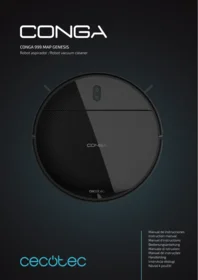
Conga Animal Pro - Robot vacuum CECOTEC - Free user manual and instructions
Find the device manual for free Conga Animal Pro CECOTEC in PDF.


Pick your language and provide your email: we'll send you a specifically translated version.
| Product type | Robotic vacuum for pet hair |
| Brand | Cecotec |
| Model | Conga Animal Pro |
| Dimensions (L x W x H) | 33 x 33 x 9 cm |
| Weight | 3,1 kg |
| Power supply | Li-ion battery 2600 mAh |
| Runtime | Up to 110 minutes |
| Charging time | Approximately 4 hours |
| Dustbin capacity | 600 ml |
| Noise level | 62 dB |
| Filtration system | Washable HEPA filter |
| Main functions | Vacuuming, sweeping, scheduling, carpet detection |
| Brushes | Silicone main brush, side brush |
| Sensors | Anti-drop, anti-collision, dirt detection |
| Connectivity | Wi-Fi, Cecotec mobile app |
| Voice assistant | Compatible with Alexa and Google Home |
| Maintenance | Clean the filter and brushes regularly |
| Spare parts available | Brushes, filters, batteries, dustbin |
| Repairability score | 8/10 |
| Warranty | 2 years |
Frequently Asked Questions - Conga Animal Pro CECOTEC
What is the battery life of the Cecotec Conga Animal Pro?
The runtime is about 110 minutes in standard mode, which allows covering large areas.
How to clean the robot's HEPA filter?
Remove the filter and rinse it with warm water. Let it dry completely before putting it back.
Is the robot suitable for pet hair?
Yes, it is specially designed with a tangle-free brush and a powerful suction system for pet hair.
Can I schedule cleaning with the app?
Yes, via the Cecotec smartphone app, you can schedule daily cleanings and customize zones.
How to set up the virtual barrier?
The app allows you to define restricted zones on the map. No physical accessory is needed.
What to do if the robot does not charge?
Check that the charging station is plugged in and the contacts are clean. Restart the robot if necessary.
Does the robot work on carpet?
Yes, it automatically detects carpets and increases suction power for deep cleaning.
How to reset the robot?
Hold down the power button for 10 seconds until the indicator light flashes.
Where to buy spare parts?
Spare parts are available on the official Cecotec website and from authorized dealers.
Is the robot compatible with Alexa?
Yes, enable the Cecotec skill on Alexa to control the robot by voice.
User questions about Conga Animal Pro CECOTEC
0 question about this device. Answer the ones you know or ask your own.
Ask a new question about this device
No questions yet. Be the first to ask one.
Download the instructions for your Robot vacuum in PDF format for free! Find your manual Conga Animal Pro - CECOTEC and take your electronic device back in hand. On this page are published all the documents necessary for the use of your device. Conga Animal Pro by CECOTEC.
USER MANUAL Conga Animal Pro CECOTEC
Manual assistant
Powered by Anthropic
Waiting for your message
Product information
Brand : CECOTEC
Model : Conga Animal Pro
Category : Robot vacuum