KP 07 - Air Conditioning AEG - Free user manual and instructions
Find the device manual for free KP 07 AEG in PDF.


Pick your language and provide your email: we'll send you a specifically translated version.
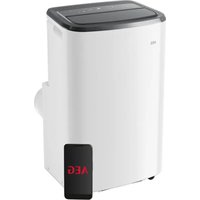
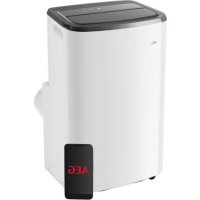
| Product Type | Portable Air Conditioner |
| Model | KP 07 |
| Brand | AEG |
| Cooling Capacity (BTU) | 7000 BTU/h |
| Energy Efficiency Ratio (EER) | 2.6 |
| Power Supply | 220-240 V ~ 50 Hz |
| Power Consumption (Cooling) | 800 W |
| Dimensions (W x D x H) | 330 x 360 x 700 mm |
| Net Weight | 25 kg |
| Refrigerant | R290 |
| Noise Level (Low/High) | 45/52 dB(A) |
| Airflow Rate (Max) | 320 m³/h |
| Timer | Yes, 24-hour |
| Remote Control | Yes, included |
| Dehumidification Function | Yes, 1 L/h |
| Fan Speeds | 3 (Low, Medium, High) |
| Auto Swing | Yes, vertical |
| Filter Type | Washable mesh filter |
| Maintenance | Clean filter every 2 weeks; empty drain pan |
| Safety Features | Overheat protection, auto restart |
| Spare Parts Availability | Remote control, filters, exhaust hose |
| Warranty | 2 years |
Frequently Asked Questions - KP 07 AEG
How do I install the AEG KP 07 air conditioner?
Place the unit near a window or door. Attach the exhaust hose to the back of the unit and lead it outside. Close the window to seal the hose. Plug the unit into a grounded outlet. Ensure the filter is clean before first use.
How do I clean the filter on the KP 07?
Turn off and unplug the unit. Remove the filter grille by pulling it forward. Take out the mesh filter and wash it with warm water and mild detergent. Let it dry completely before reinstalling. It is recommended to clean the filter every two weeks.
Can I use the KP 07 without the exhaust hose?
No, the exhaust hose must always be connected to expel hot air outside. Operating without the hose will cause the unit to overheat and reduce cooling efficiency significantly.
What does the error code E1 mean on my AEG KP 07?
Error code E1 indicates a room temperature sensor failure. Unplug the unit for 10 minutes and plug it back in. If the error persists, contact AEG service.
How do I use the remote control for the KP 07?
Insert two AAA batteries into the remote. Point it at the unit from a distance of up to 7 meters. Press the Mode button to select cooling, fan, or dehumidification. Use the + and - buttons to adjust temperature and fan speed.
The KP 07 is not cooling properly. What should I check?
First, check that the filter is clean. Ensure the exhaust hose is not kinked or blocked. Make sure all doors and windows are closed. Verify that the set temperature is lower than the room temperature. Measure the airflow; if weak, the unit may need servicing.
How do I set the timer on the AEG KP 07?
Press the Timer button on the remote or control panel. Use the + or - buttons to set the desired time (0.5 to 24 hours). Press Timer again to confirm. The unit will turn on or off automatically after the set time.
What is the proper way to store the KP 07 in winter?
Disconnect and drain any water from the unit. Clean the filter and dry it. Remove the batteries from the remote control. Cover the unit with a plastic bag or cloth to protect from dust. Store in a dry, cool place.
Is the AEG KP 07 energy efficient?
The KP 07 has an EER of 2.6, which is standard for a portable air conditioner of this size. To save energy, use the timer and keep curtains closed during the hottest part of the day.
Where can I find a replacement remote for the KP 07?
Replacement remotes are available from AEG authorized service centers or online retailers. The remote model is typically printed inside the battery compartment. Contact AEG customer support for exact part numbers.
User questions about KP 07 AEG
0 question about this device. Answer the ones you know or ask your own.
Ask a new question about this device
No questions yet. Be the first to ask one.
Download the instructions for your Air Conditioning in PDF format for free! Find your manual KP 07 - AEG and take your electronic device back in hand. On this page are published all the documents necessary for the use of your device. KP 07 by AEG.
USER MANUAL KP 07 AEG
Manual assistant
Powered by Anthropic
Waiting for your message
Product information
Brand : AEG
Model : KP 07
Category : Air Conditioning