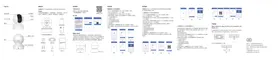
TAI6000L - Surveillance Camera PHILIPS - Free user manual and instructions
Find the device manual for free TAI6000L PHILIPS in PDF.


Pick your language and provide your email: we'll send you a specifically translated version.
| Product Type | Surveillance Camera |
| Brand | Philips |
| Model | TAI6000L |
| Dimensions (approx.) | 10 x 6 x 6 cm |
| Weight (approx.) | 200 g |
| Power Supply | DC 5V, 1A (via USB) |
| Image Resolution | 1080p Full HD |
| Night Vision | Infrared LEDs, up to 10m |
| Motion Detection | Yes, with push notifications |
| Two-Way Audio | Yes, built-in microphone and speaker |
| Connectivity | Wi-Fi 802.11 b/g/n, 2.4 GHz |
| Field of View | 130° diagonal |
| Storage | MicroSD card (up to 128 GB) / Cloud |
| Mobile App | Philips HomeControl (iOS/Android) |
| Maintenance | Clean lens with soft, dry cloth |
| Safety | Use only certified power adapter; comply with local regulations |
| Spare Parts | Power cable, mounting kit (screws, anchors) |
| Repairability | Designed for easy replacement of power adapter and mounting parts |
| Operating Temperature | -10°C to 40°C |
| Warranty | 2 years (varies by region) |
Frequently Asked Questions - TAI6000L PHILIPS
How do I reset the Philips TAI6000L camera?
Press and hold the reset button on the back of the camera for 10 seconds until you hear a beep. The camera will restart and enter pairing mode.
Can the camera be used outdoors?
The TAI6000L is designed for indoor use only. Exposure to rain or extreme temperatures may damage the device.
How do I connect the camera to Wi-Fi?
Download the Philips HomeControl app, create an account, and follow the in-app instructions to scan the QR code on the camera and connect to your 2.4 GHz Wi-Fi network.
Does the camera support 5 GHz Wi-Fi?
No, the camera only supports 2.4 GHz Wi-Fi (802.11 b/g/n). Ensure your router broadcasts a 2.4 GHz network.
How do I insert a microSD card?
Open the cover on the bottom of the camera and carefully insert the microSD card with the metal contacts facing up until it clicks into place. Close the cover securely.
What is the maximum microSD card capacity?
The camera supports microSD cards up to 128 GB. Use Class 10 or higher for optimal recording performance.
How can I view the camera feed remotely?
Open the Philips HomeControl app on your smartphone. The live feed will be available after you log in. You can also set up notifications for motion detection.
What should I do if the camera is not connecting?
First, ensure your router is broadcasting a 2.4 GHz network. Then restart the camera by unplugging it for 10 seconds. If the issue persists, reset the camera (see FAQ 1) and try the setup again.
How do I clean the camera lens?
Use a soft, lint-free cloth slightly dampened with water or lens cleaner. Gently wipe the lens in a circular motion. Avoid using abrasive materials.
Is the camera compatible with smart home systems?
The TAI6000L works with Amazon Alexa and Google Assistant via the Philips HomeControl app. Enable the skill or action in the respective app to control the camera with voice commands.
User questions about TAI6000L PHILIPS
0 question about this device. Answer the ones you know or ask your own.
Ask a new question about this device
No questions yet. Be the first to ask one.
Download the instructions for your Surveillance Camera in PDF format for free! Find your manual TAI6000L - PHILIPS and take your electronic device back in hand. On this page are published all the documents necessary for the use of your device. TAI6000L by PHILIPS.
USER MANUAL TAI6000L PHILIPS



Manual assistant
Powered by Anthropic
Waiting for your message
Product information
Brand : PHILIPS
Model : TAI6000L
Category : Surveillance Camera