CVM517P3RD1 - Microwave Café - Free user manual and instructions
Find the device manual for free CVM517P3RD1 Café in PDF.


Pick your language and provide your email: we'll send you a specifically translated version.
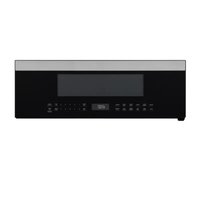
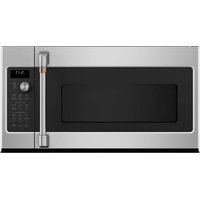
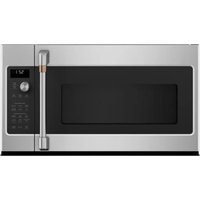
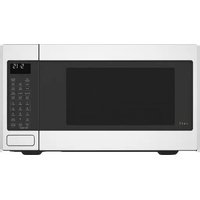
| Product Type | Countertop Microwave |
| Brand | Café |
| Model | CVM517P3RD1 |
| Capacity | 1.7 cu ft |
| Power Output | 1200 Watts |
| Voltage & Frequency | 120 V, 60 Hz |
| Dimensions (W x D x H) | 20.5 x 17.5 x 12.4 inches |
| Weight | 45 lbs |
| Control Type | Electronic touch with LED display |
| Door Opening | Side-swing with handle |
| Interior Light | Yes |
| Turntable | Yes, 12.5 inch glass |
| Cooking Functions | Sensor Cook, Convection, Broil, Reheat, Defrost, Popcorn, Beverage |
| Power Levels | 10 (including high) |
| Child Lock | Yes |
| Clock & Timer | Yes |
| Interior Finish | Stainless steel |
| Venting | Recirculating (charcoal filter) |
| Warranty | 1 year limited parts and labor |
| Repairability | User-replaceable fuse and filter; professional service for magnetron |
Frequently Asked Questions - CVM517P3RD1 Café
How do I set the clock on my Café microwave?
Press the Clock button. Use the number pads to enter the time. Press Clock again to confirm. AM/PM is toggled by pressing clock again or using AM/PM button if available.
How do I activate the child lock?
Press and hold the Stop/Cancel button for 3 seconds. A lock icon appears. Repeat to unlock.
What is the recommended cleaning method?
Unplug the microwave. Wipe exterior with mild soap and damp cloth. Clean interior with a solution of water and vinegar. Avoid abrasive cleaners. The glass turntable is dishwasher safe.
How to use the convection cooking feature?
Press the Convection button. Set the temperature (usually 325°F to 425°F) using number pads. Press Start. Preheating is automatic; place food after preheat beep.
Why does my microwave make noise when running?
Normal operating sounds include humming from the magnetron, fan, and turntable motor. Clicking sounds are from relays. If grinding or loud buzzing occurs, check for debris under turntable or contact service.
Can I use metal in this microwave?
Only use metal in convection mode if specifically recommended. In microwave mode, avoid metal as it can cause arcing. Use microwave-safe glass, ceramic, or plastic.
How do I change the charcoal filter?
The charcoal filter is located behind the vent grille on the top or back. Remove the grille screws, slide out the old filter, insert new one, and replace grille. Replace every 6-12 months.
What is the capacity and recommended load for popcorn?
Capacity is 1.7 cu ft. For popcorn, use a special microwave popcorn bag or a microwave-safe bowl with kernels. Press Popcorn and select bag size (small, medium, large). Do not use regular paper bags.
How do I defrost meat quickly?
Press the Defrost button. Enter the weight of the meat. The microwave will automatically set time and power. Turn food over when prompted. Use Defrost for raw meats only.
My microwave display shows 'PF' or 'F-1'. What does this mean?
PF indicates a power failure. Reset the clock. F-1 or other error codes suggest a sensor or control board fault. Unplug for 1 minute, then retry. If persists, contact Café customer service.
User questions about CVM517P3RD1 Café
0 question about this device. Answer the ones you know or ask your own.
Ask a new question about this device
No questions yet. Be the first to ask one.
Download the instructions for your Microwave in PDF format for free! Find your manual CVM517P3RD1 - Café and take your electronic device back in hand. On this page are published all the documents necessary for the use of your device. CVM517P3RD1 by Café.
USER MANUAL CVM517P3RD1 Café
Manual assistant
Powered by Anthropic
Waiting for your message
Product information
Brand : Café
Model : CVM517P3RD1
Category : Microwave