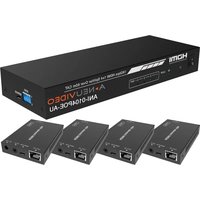
ANI-0104POE-XT - Receiver A-NeuVideo - Free user manual and instructions
Find the device manual for free ANI-0104POE-XT A-NeuVideo in PDF.


Pick your language and provide your email: we'll send you a specifically translated version.
| Product Type | Receiver |
| Brand | A-NeuVideo |
| Model | ANI-0104POE-XT |
| Power Supply | PoE (Power over Ethernet) IEEE 802.3af/at |
| Input Voltage | 48V DC (PoE) |
| Power Consumption | ≤ 12W |
| Video Input | 4x BNC (CVBS) |
| Video Output | 1x BNC (Loop-through) or via network |
| Video Standard | NTSC/PAL auto-detect |
| Audio Support | Yes, 1-channel audio input per channel |
| Network Interface | 1x RJ45 10/100 Mbps |
| Dimensions (W x D x H) | 200 x 120 x 44 mm (rackmount 1U) |
| Weight | 0.8 kg |
| Operating Temperature | -10°C to 50°C |
| Operating Humidity | 10% to 90% non-condensing |
| Compliance | CE, FCC, RoHS |
| Mounting | Desktop or rackmount (brackets included) |
| Package Contents | Receiver unit, power adapter (optional if non-PoE), mounting brackets, user manual |
| Cleaning Instructions | Wipe with dry cloth; do not use liquids |
| Safety | Use only PoE switch or included adapter; avoid water |
| Spare Parts Availability | Contact A-NeuVideo or authorized dealers |
Frequently Asked Questions - ANI-0104POE-XT A-NeuVideo
How do I connect the ANI-0104POE-XT to my cameras?
Connect each camera to one of the four BNC inputs. If your cameras support audio, connect the audio cable to the corresponding audio input. Then connect the receiver to your network via the RJ45 port using a PoE switch.
Does this receiver support audio?
Yes, the ANI-0104POE-XT supports one audio channel per video input. You can transmit audio from each camera to the NVR or network.
What is the maximum cable length for the BNC connections?
The maximum recommended BNC cable length for video is 300 meters (984 feet) for RG59 coax cable.
Can I use this receiver without a PoE switch?
Yes, you can use the optional 12V DC power adapter (sold separately) if your network switch does not support PoE.
How do I reset the device to factory settings?
Press and hold the reset button (located on the front panel) for 10 seconds using a paper clip until the LED indicators flash.
What video formats are supported?
The receiver supports both NTSC and PAL video formats. It automatically detects the format.
Is the ANI-0104POE-XT compatible with all NVRs?
Yes, it outputs standard analog video over coax and can be connected to any DVR or NVR with BNC inputs. For network streaming, ensure compatibility with ONVIF protocols.
How do I mount the receiver in a rack?
Attach the included rackmount brackets to the sides of the unit using the provided screws, then slide it into a standard 19-inch rack and secure it.
What should I do if the receiver gets hot?
Ensure proper ventilation around the unit. Do not stack devices directly on top. If overheating persists, reduce the ambient temperature or check for obstructions.
Can I extend the warranty?
Warranty extension options are available. Contact A-NeuVideo customer support or visit the official website for details. Standard warranty is 2 years.
User questions about ANI-0104POE-XT A-NeuVideo
0 question about this device. Answer the ones you know or ask your own.
Ask a new question about this device
No questions yet. Be the first to ask one.
Download the instructions for your Receiver in PDF format for free! Find your manual ANI-0104POE-XT - A-NeuVideo and take your electronic device back in hand. On this page are published all the documents necessary for the use of your device. ANI-0104POE-XT by A-NeuVideo.
USER MANUAL ANI-0104POE-XT A-NeuVideo

Manual assistant
Powered by Anthropic
Waiting for your message
Product information
Brand : A-NeuVideo
Model : ANI-0104POE-XT
Category : Receiver