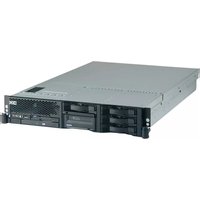
eServer xSeries 255 - Server IBM - Free user manual and instructions
Find the device manual for free eServer xSeries 255 IBM in PDF.


Pick your language and provide your email: we'll send you a specifically translated version.
| Product Type | Server |
| Brand | IBM |
| Model | eServer xSeries 255 |
| Form Factor | Tower |
| Dimensions (H x W x D) | 467 x 165 x 470 mm |
| Weight | Approximately 25 kg |
| Processor | Intel Xeon, up to dual processors |
| Memory | Up to 4 GB ECC DDR SDRAM |
| Storage | Hot-swap SCSI hard drives |
| Networking | Dual 10/100/1000 Ethernet |
| Expansion Slots | PCI-X |
| Power Supply | Redundant power supplies (optional) |
| Cooling | Multiple hot-swap fans |
| Management | IBM Director, remote management |
| Operating System | Windows Server, Linux |
| Power Consumption | Approximately 500 W |
| Operating Temperature | 10°C to 35°C |
| Safety Certifications | UL, CE, FCC |
| Maintenance | Easy access for upgrades |
| Cleaning | Use compressed air, avoid liquids |
| Reparability | Modular design, spare parts available |
Frequently Asked Questions - eServer xSeries 255 IBM
How do I power on the server for the first time?
Connect the power cables, then press the power button on the front panel. The system will run POST and boot.
How can I access the BIOS setup?
Press F1 during startup when prompted to enter the setup utility.
What type of memory does the server support?
It supports registered ECC DDR SDRAM, up to 4 GB.
How do I identify a failed hard drive?
The hard drive activity/fault LED will illuminate amber. Check the IBM Director for detailed status.
Can I install additional network cards?
Yes, the server has PCI-X slots for adding compatible expansion cards.
How do I reset the system if it becomes unresponsive?
Press and hold the reset button on the front panel for 5 seconds.
What is the recommended cleaning procedure?
Use compressed air to remove dust from vents and fans. Avoid liquid cleaners.
How do I replace a failed power supply?
If the server has redundant supplies, you can hot-swap the failed unit. Disconnect cables, press release latch, and slide out.
Where can I download the latest drivers?
Visit IBM Support website and search for eServer xSeries 255 to download drivers and firmware.
How do I perform a factory reset?
Enter BIOS setup, select Load Default Settings, then save and exit.
User questions about eServer xSeries 255 IBM
0 question about this device. Answer the ones you know or ask your own.
Ask a new question about this device
No questions yet. Be the first to ask one.
Download the instructions for your Server in PDF format for free! Find your manual eServer xSeries 255 - IBM and take your electronic device back in hand. On this page are published all the documents necessary for the use of your device. eServer xSeries 255 by IBM.
USER MANUAL eServer xSeries 255 IBM


Manual assistant
Powered by Anthropic
Waiting for your message
Product information
Brand : IBM
Model : eServer xSeries 255
Category : Server