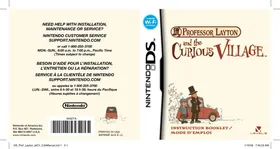

DS PROFESSOR LAYTON AND THE CURIOUS VILLAGE - Video game NINTENDO - Free user manual and instructions
Find the device manual for free DS PROFESSOR LAYTON AND THE CURIOUS VILLAGE NINTENDO in PDF.


| Product type | Video game on Nintendo DS cartridge |
| Platform | Nintendo DS, DS Lite, DSi, 3DS (backward compatible) |
| Genre | Adventure, puzzle, investigation |
| Cartridge dimensions | Approximately 35 × 33 × 3.8 mm |
| Cartridge weight | Approximately 3 g |
| Power supply | Via the Nintendo DS console (no internal battery) |
| Number of players | 1 player |
| Available languages | French, English |
| ESRB rating | E (Everyone) |
| Key features | Exploration, puzzle solving, investigation, dialogue, clue gathering |
| Maintenance and cleaning | Clean with a soft, dry cloth. Protect from moisture and shocks. |
| Safety | Warnings about epilepsy, eye strain, repetitive motion, and console battery drain (see DS manual). |
| Spare parts and repairability | Not applicable (sealed game cartridge). No removable parts. |
| General information | Developed by Level-5, published by Nintendo. First game in the Professor Layton series. |
| Box contents | Game cartridge, instruction manual (printed or digital). |
Frequently Asked Questions - DS PROFESSOR LAYTON AND THE CURIOUS VILLAGE NINTENDO
User questions about DS PROFESSOR LAYTON AND THE CURIOUS VILLAGE NINTENDO
0 question about this device. Answer the ones you know or ask your own.
Ask a new question about this device
Download the instructions for your Video game in PDF format for free! Find your manual DS PROFESSOR LAYTON AND THE CURIOUS VILLAGE - NINTENDO and take your electronic device back in hand. On this page are published all the documents necessary for the use of your device. DS PROFESSOR LAYTON AND THE CURIOUS VILLAGE by NINTENDO.
USER MANUAL DS PROFESSOR LAYTON AND THE CURIOUS VILLAGE NINTENDO
NEED HELP WITH INSTALLATION, MAINTENANCE OR SERVICE?
NINTENDO CUSTOMER SERVICE SUPPORT.NINTENDO.COM
or call 1-800-255-3700
MON.-SUN., 6:00 a.m. to 7:00 p.m., Pacific Time
(Times subject to change)
NEED HELP WITH INSTALLATION, MAINTENANCE OR REPAIR?
NINTENDO CUSTOMER SERVICE SUPPORT.NINTENDO.COM
Nintendo of America Inc.
P.O. Box 957, Redmond
WA 98073-0957 U.S.A.
www.nintendo.com
PRINTED IN USA
PRINTED IN USA



PROFESSOR LAYTON
and the CURIOUS VILLAGE
INSTRUCTION BOOKLET / MODE D'EMPLOI
PLEASE CAREFULLY READ THE SEPARATE HEALTH AND SAFETY PRECAUTIONS BOOKLET INCLUDED WITH THIS PRODUCT BEFORE USING YOUR NINTENDO® HARDWARE SYSTEM, GAME CARD OR ACCESSORY. THIS BOOKLET CONTAINS IMPORTANT HEALTH AND SAFETY INFORMATION.
IMPORTANT SAFETY INFORMATION: READ THE FOLLOWING WARNINGS BEFORE YOU OR YOUR CHILD PLAY VIDEO GAMES.
WARNING - Seizures
- Some people (about 1 in 4000) may have seizures or blackouts triggered by light flashes or patterns, such as while watching TV or playing video games, even if they have never had a seizure before.
- Anyone who has had a seizure, loss of awareness, or other symptom linked to an epileptic condition should consult a doctor before playing a video game.
- Parents should watch when their children play video games. Stop playing and consult a doctor if you or your child have any of the following symptoms:
Convulsions
Altered vision
Eye or muscle twitching
Involuntary movements
Loss of awareness
Disorientation
To reduce the likelihood of a seizure when playing video games:
- Sit or stand as far from the screen as possible.
- Play video games on the smallest available television screen.
- Do not play if you are tired or need sleep.
- Play in a well-lit room.
- Take a 10 to 15 minute break every hour.
WARNING - Radio Frequency Interference
The Nintendo DS can emit radio waves that can affect the operation of nearby electronics, including cardiac pacemakers.
- Do not operate the Nintendo DS within 9 inches of a pacemaker while using the wireless feature.
- If you have a pacemaker or other implanted medical device, do not use the wireless feature of the Nintendo DS without first consulting your doctor or the manufacturer of your medical device.
- Observe and follow all regulations and rules regarding use of wireless devices in locations such as hospitals, airports, and on board aircraft. Operation in those locations may interfere with or cause malfunctions of equipment, with resulting injuries to persons or damage to property.
WARNING - Repetitive Motion Injuries and Eyestrain
Playing video games can make your muscles, joints, skin or eyes hurt after a few hours. Follow these instructions to avoid problems such as tendinitis, carpal tunnel syndrome, skin irritation or eyestrain.
- Avoid excessive play. It is recommended that parents monitor their children for appropriate play. Take a 10 to 15 minute break every hour, even if you don't think you need it.
- When using the stylus, you do not need to grip it tightly or press it hard against the screen. Doing so may cause fatigue or discomfort.
- If your hands, wrists, arms or eyes become tired or sore while playing, stop and rest them for several hours before playing again. If you continue to have sore hands, wrists, arms or eyes during or after play, stop playing and see a doctor.
WARNING - Battery Leakage
The Nintendo DS contains a rechargeable lithium ion battery pack. Leakage of ingredients contained within the battery pack, or the combustion products of the ingredients, can cause personal injury as well as damage to your Nintendo DS.
If battery leakage occurs, avoid contact with skin. If contact occurs, immediately wash thoroughly with soap and water. If liquid leaking from a battery pack comes into contact with your eyes, immediately flush thoroughly with water and see a doctor.
To avoid battery leakage:
- Do not expose battery to excessive physical shock, vibration, or liquids.
- Do not disassemble, attempt to repair or deform the battery.
- Do not dispose of battery pack in a fire.
- Do not touch the terminals of the battery, or cause a short between the terminals with a metal object.
- Do not peel or damage the battery label.
Important Legal Information
REV-E
This Nintendo game is not designed for use with any unauthorized device. Use of any such device will invalidate your Nintendo product warranty. Copying of any Nintendo game is illegal and is strictly prohibited by domestic and international intellectual property laws. "Back-up" or "archival" copies are not authorized and are not necessary to protect your software. Violators will be prosecuted.

The official seal is your assurance that this product is licensed or manufactured by Nintendo. Always look for this seal when buying video game systems, accessories, games and related products. Official Nintendo Seal
Nintendo does not license the sale or use of products without the Official Nintendo Seal.

Recorded tips for many titles are available on Nintendo's Power Line at (425) 885-7529. This may be a long-distance call, so please ask permission from whoever pays the phone bill.
If the information you need is not on the Power Line, you may want to try using your favourite Internet search engine to find tips for the game you are playing. Some helpful words to include in the search, along with the game's title, are: "walk through," "FAQ," "codes," and "tips."
Decuma
GAME CARD WILL WORK WITH THE NINTENDO DS™ EO GAME SYSTEM.

CONTENTS
THE GOLDEN APPLE. 6 ABOUT THE GAME 8 - GETTING STARTED. 10 CONTROLS. 12 BASIC PLAY. 13
EXPLORING THE VILLAGE 14 CONDUCTING YOUR INVESTIGATION 15 SOLVING PUZZLES 16
THE PROFESSOR'S TRUNK 20
JOURNAL AND MYSTERIES... 21 - PUZZLE INDEX 22 SAVING AND QUITING 24
PUZZLES IN THE PROFESSOR'S TRUNK 25 GRANNY RIDDLETON'S SHACK 27 BONUSES 28 WEEKLY NINTENDO WFC PUZZLES. 30 TOP SECRET. 34 MANUEL EN FRANÇAIS 42

THE GOLDEN APPLE
MEET PROFESSOR LAYTON, WORLD-RENOWNED ARCHEOLOGIST AND ENTHUSIAST OF PUZZLES, RIDDLES, AND ALL THINGS MYSTERIOUS. EVEN THE MOST BAFFLING OF CASES IS NO CHALLENGE FOR THE BRILLIANT MIND OF PROFESSOR LAYTON.
WHEN A WEALTHY BARON IN THE VILLAGE OF ST. MYSTERE PASSES AWAY, HIS FAMILY CONTACTS PROFESSOR LAYTON TO INVESTIGATE HIS LAST WILL AND TESTAMENT. SENSING A GREAT MYSTERY AT HAND, THE PROFESSOR IMMEDIATELY SETS OUT FOR ST. MYSTERE WITH HIS ASSISTANT LUKE.



UPON THE PAIR'S ARRIVAL IN THE VILLAGE, THE BARON'S FAMILY BESEECHES PROFESSOR LAYTON TO FIND A CERTAIN ITEM THAT HOLDS THE KEY TO THE INHERITANCE. THE BARON'S WILL PROVIDES ONE CLUE:
THE REINHOLD FAMILY TREASURE, THE GOLDEN APPLE, IS HIDDEN SOMEWHERE WITHIN THIS VILLAGE. TO WHOMEVER SUCCESSFULLY LOCATES THIS TREASURE, I OFFER THE WHOLE OF MY ESTATE."
THEIR OBJECTIVE NOW CLEAR, LUKE AND LAYTON SET OUT TO EXPLORE THE CURIOUS VILLAGE... BUT DO THEY HAVE WHAT IT TAKES TO CRACK THE CASE WIDE OPEN?


In Professor Layton and the Curious Village, you assume the role of Professor Layton and his young assistant, Luke. Your objective is to crack the mystery set before you by exploring the curious village of St. Mystere and solving the puzzles you encounter on your adventure.
Main Characters
Professor Layton
A renowned archeologist with an uncanny mind for puzzles, the professor is never seen without his trademark silk top hat, an article of clothing that he would argue no proper gentleman should be seen without.

Luke
Luke is Professor Layton's young assistant, admirer, and self-professed apprentice.
The villagers of St. Mystere are completely enamored with puzzles and riddles, so you'll encounter many brainteasers as you progress through the story.
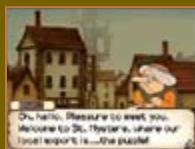
Puzzle Master
Akira Tago
Professor Emeritus Chiba University
Born February 25, 1926. Professor Tago performs research in the field of psychology and has written many best-selling puzzle books in his spare time. Even now, he actively continues to research a wide variety of subjects.

Professor Tago is renowned for his ability to create brainteasers and riddles for even the most seasoned puzzle solvers. His best-selling series of books, Head Gymnastics, was influential to an entire generation of puzzle lovers. Now it's your turn to sample some of the professor's famous puzzles!
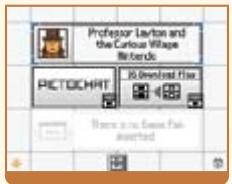
Make sure your Nintendo DS is turned off, then insert the Professor Layton and the Curious Village Game Card into the DS Game Card slot until it clicks into place.
Next, turn on your DS, and the screen on the right will appear. Once you've read this screen, tap the Touch Screen to proceed.
*To turn off your DS, press POWER.

To start the game, press A or touch the Professor Layton and the Curious Village panel on the DS Menu Screen.
*If you have your Nintendo DS start-up mode set to Auto, the DS Menu Screen will not appear. See your Nintendo DS instruction booklet for more details.
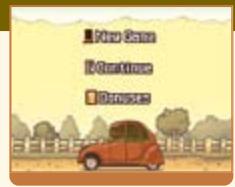
Title Screen
At the title screen, you can choose from three options: New Game, Continue, and Bonuses.
*The first time you start up the game, only the New Game option will be visible.
*For more on Bonuses, see page 28.
Starting a New Game
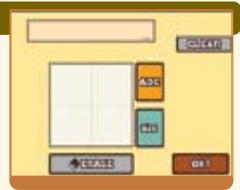
When you tap New Game on the title screen, you will go to the name-entry screen pictured to the right. Write your name on the Touch Screen, then tap OK! You can't edit a file name once you've confirmed it.
Continuing a Game
Tap Continue at the title screen to go to the file-selection screen pictured to the right. Tap the file you want to play to resume that saved game.
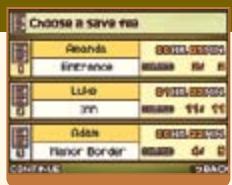
For more on saving and quitting, see page 24.
While most of this game's control is centered on the Touch Screen, some areas, like the Puzzle Index and dialogue screens, can also be navigated using the buttons on your DS.
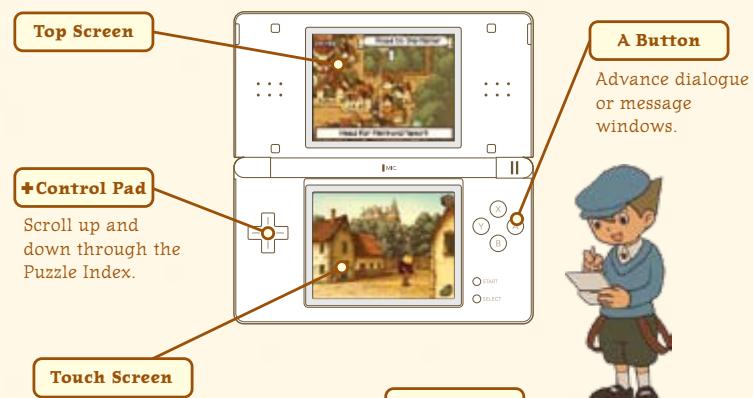
Used in conjunction with the stylus. For more on stylus-based controls, see the Basic Play section on pages 13-19.
Sleep Mode
If you close your DS during play, it will go into Sleep Mode, greatly reducing battery consumption. Reopen your DS to end Sleep Mode and resume play.
Exploring the Village
To uncover puzzles in the village and advance the story, explore the village and tap on everything interesting. Try taking a stroll around town for starters.

Conducting Your Investigation → Page 15
St. Mystere is brimming with hidden puzzles. Tap your surroundings to find them, inspect items, and talk to people.
Solving Puzzles
You'll find puzzles around every corner and with every villager in St. Mystere. Solve these puzzles to progress through the adventure and acquire items.

Exploring the Village
Use the shoe icon to walk around town.
Tap the shoe icon in the lower-right corner of the screen to bring up arrows that indicate which directions you can move. Then tap an arrow to move in that direction.
Tap the shoe!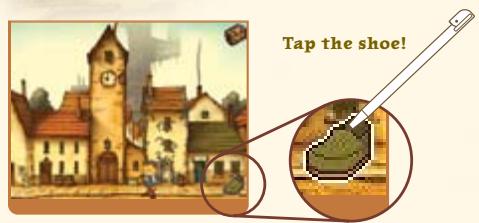
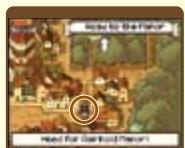
The picture of Layton on the top screen indicates your current position.
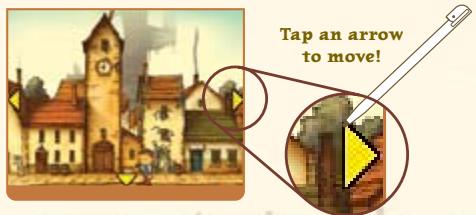
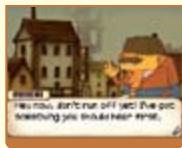
Sometimes you'll start a conversation when you leave or enter an area.
Conducting Your Investigation
Tap interesting objects to take a closer look.
Your investigation of the village and its inhabitants is crucial to helping you unravel the mystery at hand. Don't just talk to people—explore every object by tapping on it.
Tap on a villager, and you might uncover a puzzle...
*For more on solving puzzles, see page 16.

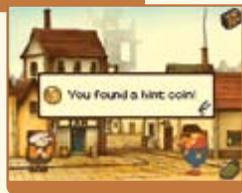
...or find a hint in the most unlikely of places!
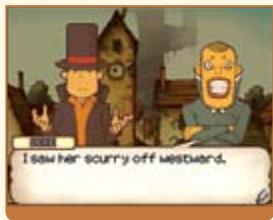
Many items are hidden about the village. Here you can see a hint coin being uncovered.
*For more on hint coins, see page 18.
Solving Puzzles
Test your mental might against puzzles.
Try to uncover and solve all the puzzles hidden in the game.
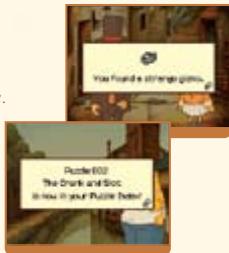
FIND A PUZZLE!
When you uncover a puzzle, the introductory screens to the right appear. Tap the Touch Screen to move on to the puzzle.
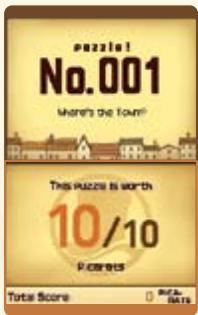


Layton and Luke's Helpful Hints
Just what is a picarat?
Picarats are a unit of value that indicate the difficulty of a puzzle. Collect enough picarats, and I do believe you might be rewarded for your efforts!
Read the puzzle explanation.
The top screen displays the explanation. Some puzzles also have additional explanations that you can view by tapping the Touch Screen. When you have your answer, tap the Touch Screen to submit it.
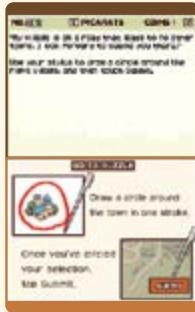
Enter your answer on the Touch Screen.
Use your stylus to enter your answer, then tap the Submit icon. (Continued on Page 18)
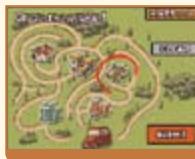
There are many types of puzzles to solve!
The type of puzzle determines how you answer it. Read any explanation given on the Touch Screen before answering.
Each time you solve a puzzle, you earn picarats.
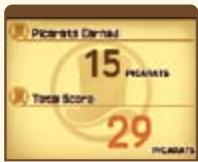
But picarats aren't the only reward you receive. After solving a puzzle, you'll often receive an item or a hint to help you with your investigation. Plus, puzzles you successfully complete are sent to your Puzzle Index (see page 22), allowing you to replay them at any time.

Layton and Luke's Helpful Hints
What's a hint coin?
If you come across a puzzle you simply can't figure out, try spending a hint coin to unlock a hint. Each hint will cost you one hint coin, and most puzzles have three hints available.
If you submit an incorrect answer for a puzzle, don't get discouraged. Just try again!
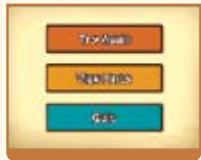

Each time you incorrectly answer a puzzle, the number of picarats you can earn for a correct answer decreases. After answering incorrectly, you can either try the puzzle again, view a new hint for the puzzle, or leave the puzzle for later. However, don't be too eager to give up on difficult puzzles. There are some puzzles that you must solve in order to progress through the game.

Layton and Luke's Helpful Hints

Grab all the hint coins you can!
There are a limited number of hint coins in the game, so make sure you save them for those times when you're really stuck. Hint coins are hidden everywhere, so keep an eye out for them!
The Professor's Trunk contains a slew of helpful items and resources that will help push your investigation forward.
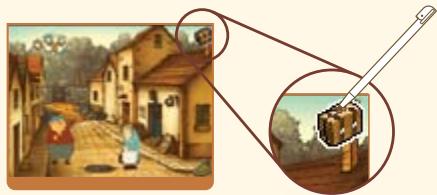
Touch the trunk icon!
Open the trunk by tapping on the trunk icon in the upper-right corner of the Touch Screen.
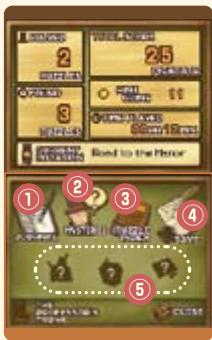
Top Screen
Check this screen to see the number of puzzles you've solved, the number of puzzles you've uncovered, your current location, hint coins collected, picarats earned, and the total amount of time you've played.
Touch Screen
① Journal - see page 21 Mysteries - see page 21 3 Puzzle Index - see page 22 (4) Saving - see page 24 Additional Trunk Features - see page 25

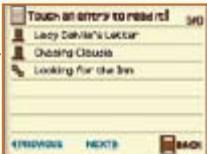
Journal
Click on a journal entry to read Layton's account of events. If you forget where you are in the story, try using the journal to get back on track.

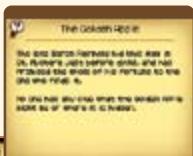
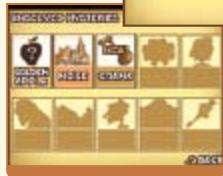
Mysteries
As you move through the game, more mysteries will reveal themselves. You can
access short descriptions of each odd happening here.
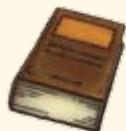
Puzzle Index
All puzzles you've encountered are recorded here, and you can also replay any puzzles you've already solved.
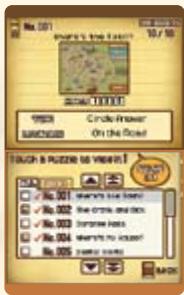
Top Screen
Check this screen to see a puzzle's number, name, picarats, unlocked hints, and location.
Touch Screen
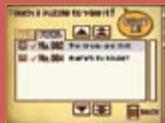
View all the puzzles you've encountered during your adventure here. You can replay any puzzle you've previously solved by selecting it from this list.


Layton and Luke's Helpful Hints
Have fun with your Puzzle Index!
Use your Puzzle Index to show puzzles you've solved to family and friends. You can even separate your favourite puzzles into the Picks tab.
- Solving a puzzle unlocks all hints associated with that puzzle.
Scroll Up (Slow).
List of all the puzzles you've encountered.
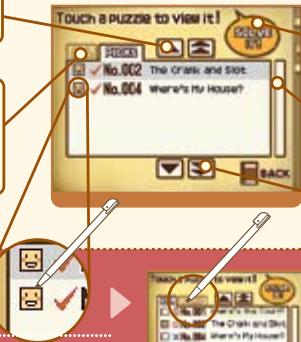
Tap a puzzle, then tap Solve It! to replay a puzzle.
Scroll Bar.
Scroll Down (Fast).
How to Use the Picks Tab
Log your favourite puzzles in the Picks tab by tapping the icon next to the puzzle's number.
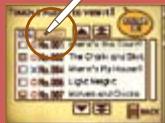


Layton and Luke's Helpful Hints

Which puzzles have you solved?
Unsolved puzzles are marked with an X in the Puzzle Index. To solve these stragglers, check the location of the puzzle on the top screen, then return to the site of the puzzle and retry it. Solve the puzzle, and then you can replay it anytime from the Puzzle Index.

Saving and Quitting
Be sure to save your progress before you quit playing.
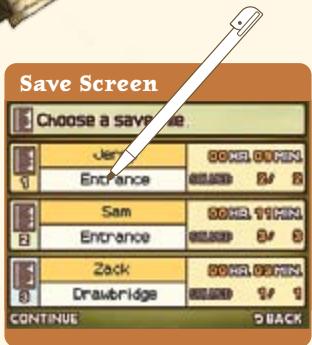
Tap one of the three files to record your progress through the game in that slot. Any data in a file will be overwritten if you choose to save to that file. Once the game has finished saving, you will return to the Professor's Trunk.
*Do not turn off the power on your DS while saving.
Tap a file to save it.
You can save your game anytime you can access the Professor's Trunk, so enjoy the adventure at your own pace.
Puzzles in the Professor's Trunk
Use items you acquire from solving puzzles to complete these three special puzzles.


The Inn
During their stay in St. Mystere, Layton and Luke are forced to stay in the unfurnished attic of the local inn. Decorate Luke's and Layton's rooms with furnishings you pick up around the village to make that musty attic a home.
Layton's Room
Happiness
When both Luke and Layton are completely happy with their rooms, something good will happen!
*Not every item will cause an immediate change in the pair's happiness.
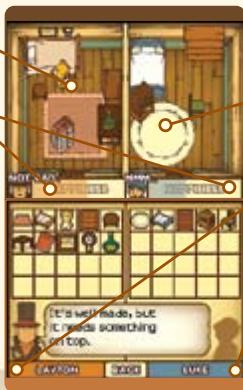
Collect all 30 items to furnish both rooms.
Luke's Room
Tap for Layton's opinion.
Tap for Luke's opinion.
You can listen to opinions from either character as often as you like.

Gizmos
As you solve puzzles, you'll stumble across cogs, springs, and other mechanical components. What could you possibly make from this pile of junk?


The Painting

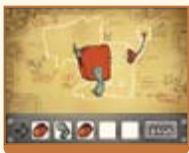
Reassemble the scraps of an old painting scattered about the village. What secrets hide within the borders of this old painting? Complete the painting to find out.

With all the exploration and sleuthing you're doing, it's easy to overlook a hidden brainteaser or forget to return to a tough puzzle.
As the story advances, you may lose access to these puzzles in the village, but worry not, for you can always visit Granny Riddleston's shack. This odd hut, which you gain access to midway through the game, automatically stores all puzzles that have disappeared from the streets of St. Mystere.
Just remember, not all puzzles end up in Granny Riddleton's shack. The hidden puzzles of St. Mystere stay right where they are, waiting for you to discover them.
Inside Granny Riddleton's shack is an even smaller hut...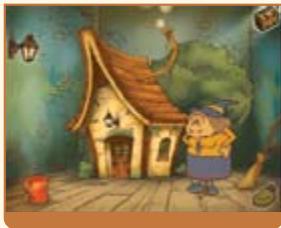
...which is stuffed with jars containing the puzzles you overlooked or forgot.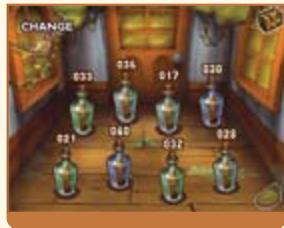
The Bonuses area of this game gives you access to a slew of bonus content, downloadable new puzzles, and fun rewards for your achievements in the main game.
Accessing Bonuses
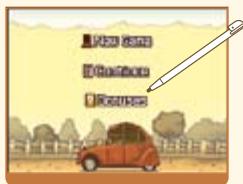
Tap the Bonuses at the title screen.
(The Bonuses option will not appear until at least one save file has been created.)
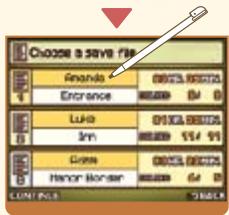
Tap your file to open it!
Once you've tapped on the Bonuses option, a screen will appear that displays all of your save files. Tap a file to load its data and access the Bonuses area.
*The amount of content available to you in the Bonuses area varies with each file and increases as you complete more of the game.
Bonus Features
Weekly Nintendo® WFC Puzzles - Page 30
Connect to Nintendo Wi-Fi Connection (Nintendo WFC) and download puzzles unavailable within the story portion of the game. New puzzles are available weekly.
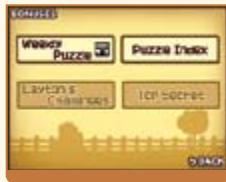
PUZZLE INDEX
Replay any puzzles that you've unlocked.
*This Puzzle Index is the same as the one in the Professor's Trunk.
LAYTON'S CHALLENGES
Gain access to Layton's Challenges by fulfilling certain requirements within the main game. As for the exact nature of the challenges, well, you'll just have to find out for yourself!

A wealth of top-secret bonuses awaits you within this area, but you can only access them once you've beaten the game. There's even a surprise feature that involves the sequel to Professor Layton and the Curious Village!
Whenever the Bonuses section updates, your game will automatically save. *Before turning off your DS, make sure you return to the title screen first.
Pit your wits against a brand-new puzzle once a week, available for download through Nintendo WFC.
*Compatible wireless router or Nintendo Wi-Fi USB Connector and broadband access required for online play. For more info, go to NintendoWiFi.com.
How do I download new puzzles?
Set up your Nintendo Wi-Fi Connection.
Tap Wi-Fi Settings!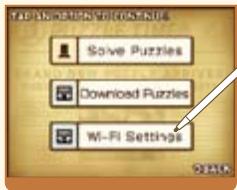
Designate settings on the Nintendo Wi-Fi Connection Setup screen.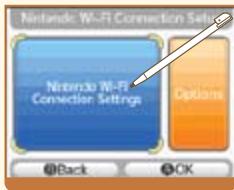
About Nintendo Wi-Fi Connection Settings
For questions on connecting to Nintendo WFC and information on who to contact for additional assistance when setting up your connection, please refer to the Nintendo Wi-Fi Connection Instruction Booklet, available at www.nintendocom/consumer/manuals.
*If you are having trouble connecting to Nintendo WFC, read the troubleshooting section of the Nintendo Wi-Fi Connection Instruction Booklet.
Tap Download Puzzles
Once you've finished establishing Nintendo WFC settings, tap Download Puzzles.
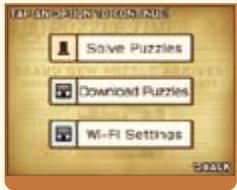
Tap OK!
*Do not turn off the power or press buttons on your DS while it is downloading.
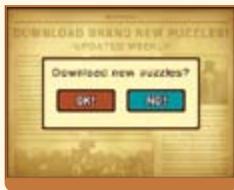
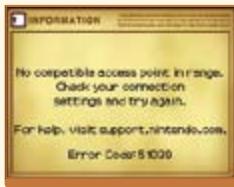
If your download fails, check your Nintendo WFC Settings and Internet connection. For details about why your download failed, read the displayed error message.
"Finished"
Once the message "Finished!" displays, your game will save automatically.
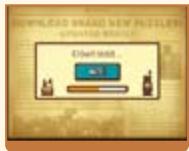

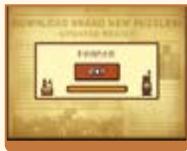
Do not turn off the power or press buttons on your DS while it is downloading.
"Solve Puzzles"
Once you've finished a download, tap Solve Puzzles.
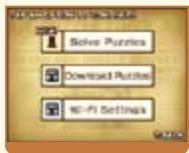

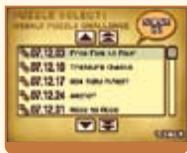
The Nintendo WFC navigates in a manner identical to the Puzzle Index.
When available, hints are provided for downloaded puzzles one week after their release.
*The first time you connect and download puzzles from Nintendo WFC, your DS will download all currently available puzzles and hints.
- To play Nintendo DS games over the internet, you must first set up the Nintendo Wi-Fi Connection (Nintendo WFC) on your Nintendo DS system. Please see the Nintendo Wi-Fi Connection instruction booklet, available at www.nintendocom/consumer/manuals if you need directions on setting up your Nintendo Wi-Fi Connection. To complete the Nintendo WFC setup, you will also need access to a PC that has a wireless network device installed (such as a wireless router) and an active broadband or DSL internet account.
- Nintendo Wi-Fi Connection game play uses more battery power than other game play. You may prefer to use the AC Adapter to prevent running out of power when using the Nintendo Wi-Fi Connection.
- You can also play Nintendo WFC compatible games at selected internet hotspots without additional setup.
- See the Terms of Use Agreement (see page 35) which governs Nintendo Wi-Fi Connection game play and is also available online at nintendowifi.com/terms.
For additional information on the Nintendo WFC, setting up your Nintendo DS, or a list of available internet hotspots, visit support.nintendocom (USA, Canada and Latin America) or call 1-800-895-1672 (USA/Canada only).
Top Secret is an area you can access only once you've completed the main game.
WHAT'S THIS PASSWORD? WHERE DO I FIND IT?
The sequel to this game will give you a password. Use the password in the Top Secret area labeled The Hidden Door to gain access to a rare bonus.
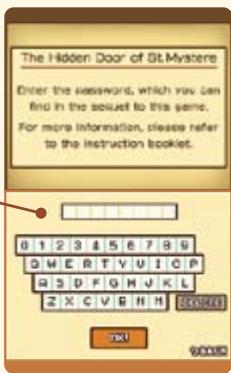
The password mentioned above will be revealed in the sequel to Professor Layton and the Curious Village. For detailed instructions on how to retrieve the password, please refer to the manual for the next game in the Layton series.
TERMS OF USE AGREEMENT
The Nintendo DS System ("DS") comes equipped with the ability for wireless game play through the use of the Nintendo Wi-Fi Connection service and access to the Internet through the use of the Nintendo DS Browser, which must be purchased separately, (collectively the "Service"). Such Service is provided by Nintendo of America Inc., together with its subsidiaries, affiliates, agents, licensors and licensees (collectively, "Nintendo," and sometimes referenced herein by "we" or "our"). Nintendo provides the Service to you subject to the terms of use set forth in this agreement ("Agreement").
PLEASE READ THIS AGREEMENT CAREFULLY BEFORE USING THE SERVICE AND/OR DS. BY USING THE SERVICE AND/OR DS, YOU ARE AGREEING TO BE BOUND BY THIS AGREEMENT.
The terms of use contained in this Agreement shall apply to you until you no longer use or access the Service, or until your use of the Service is terminated. If at any time you no longer agree to abide by these or any future terms of use, your only recourse is to immediately cease use of the Service. We reserve the right, at our sole discretion, to change, modify, add, or delete portions of this Agreement and to discontinue or modify the Service at any time without further notice. Your continued use of the Service after any such changes, constitutes your acceptance of the new terms of use. It is your responsibility to regularly review this Agreement. You can review the most current version of this Agreement at any time by visiting www.NvidiaWiFi.com/terms.
User Conduct
It is important that you do your part to keep the Service a friendly and clean environment. In particular, you may not use the Service to: - Upload, transmit, or otherwise make available any content that is unlawful, harmful, harassing, or otherwise objectionable; - harm minors in any way; - misrepresent your identity or impersonate any person, including the use or attempt to use another's user ID, service or system; - manipulate identifiers in order to disguise the origin of any content transmitted through the Service; - upload, post, email, transmit or otherwise make available: (a) any content that you do not have a legal right to make available; (b) any content that infringes any patent, trademark, trade secret, copyright or other proprietary rights of any party; (c) any unsolicited or unauthorized advertising or promotional materials (e.g. "spam"); or (d) any material that contains software viruses or similar code or programs designed to interrupt, destroy or limit the functionality of any computer software or hardware or telecommunications equipment. - use any portion of the Service for any unlawful purpose; - engage in any activity that disrupts, diminishes the quality of, interferes with the performance of, or impairs the functionality of, the Services or networks connected to the Service; or - undertake any other act that we determine to be harmful or disruptive to Nintendo, the Service, any user, or any other third party, as set forth in a revised version of this Agreement.
Further, you agree not to post, reveal or otherwise make available any personal information, such as your real name, birth date, age, location, e-mail address or any other personally identifiable information ("Personal Information"), on or through the Service, as any Personal Information provided by you may be visible to others.
TERMS OF USE AGREEMENT (cont.)
Submissions
All User Content posted on, transmitted through, or linked from the Service, whether or not solicited by Nintendo (collectively, "Submissions"), is the sole responsibility of the person from whom such Submissions originated. Nintendo is not obligated: (a) to maintain any Submissions in confidence; (b) to store or maintain the Submissions, electronically or otherwise, (c) to pay any compensation for any Submissions or any use thereof; or (d) to respond to any user in connection with or to use any Submissions. Nintendo shall not be liable for any use or disclosure of any Submissions.
Disclaimer of Warranty; Limitation of Liability; Indemnification
THE SERVICE AND THE NINTENDO CONTENT, USER CONTENT, DATA OR SOFTWARE AVAILABLE THROUGH IT (COLLECTIVELY, THE "CONTENT") ARE PROVIDED ON AN "AS IS" AND "AS AVAILABLE" BASIS. USE OF THE SERVICE, INCLUDING ALL CONTENT, DISTRIBUTED BY, DOWNLOADED OR ACCESSED FROM OR THROUGH IT, IS AT YOUR SOLE RISK AND NINTENDO ASSUMES NO RESPONSIBILITY FOR THE CONTENT OR YOUR USE OR INABILITY TO USE ANY OF THE FOREGOING. WE DO NOT GUARANTEE THE CONTENT ACCESSIBLE OR TRANSMITTED THROUGH, OR AVAILABLE FOR DOWNLOAD FROM THE SERVICE WILL REMAIN CONFIDENTIAL OR IS OR WILL REMAIN FREE OF INFECTION BY VIRUSES, WORMS, TROJAN HORSES OR OTHER CODE THAT MANIFESTS CONTAMINATING OR DESTRUCTIVE PROPERTIES. TO THE FULLEST EXTENT PERMISSIBLE PURSUANT TO APPLICABLE LAW, NINTENDO DISCLAIMS ALL WARRANTY OF ANY KIND, WHETHER EXPRESS OR IMPLIED, WITH RESPECT TO THE SERVICE AND ALL CONTENT AVAILABLE THROUGH THE SERVICE, INCLUDING WITHOUT LIMITATION ANY WARRANTY OF MERCHANTABILITY, FITNESS FOR A PARTICULAR PURPOSE OR NON-INFRINGEMENT.
NINTENDO ASSUMES NO RESPONSIBILITY FOR ANY DAMAGES SUFFERED BY A USER, INCLUDING, BUT NOT LIMITED TO, LOSS OF DATA FROM DELAYS, NONDELIVERIES OF CONTENT, ERRORS, SYSTEM DOWNTIME, MISDELIVERIES OF CONTENT, NETWORK OR SYSTEM OUTAGES, FILE CORRUPTION, OR SERVICE INTERRUPTIONS CAUSED BY THE NEGLIGENCE OF NINTENDO OR A USER'S OWN ERRORS AND/OR OMISSIONS EXCEPT AS SPECIFICALLY PROVIDED HEREIN. YOU UNDERSTAND AND AGREE THAT YOU WILL BE SOLELY RESPONSIBLE FOR ANY DAMAGE TO YOUR DS OR LOSS OF DATA THAT RESULTS FROM THE DOWNLOAD OF ANY CONTENT.
UNDER NO CIRCUMSTANCES, INCLUDING, WITHOUT LIMITATION, NEGLIGENCE, SHALL NINTENDO OR ITS OFFICERS, DIRECTORS, OR EMPLOYEES BE LIABLE FOR ANY DIRECT, INDIRECT, INCIDENTAL, SPECIAL OR CONSEQUENTIAL DAMAGES ARISING FROM OR IN CONNECTION WITH THE USE OF OR THE INABILITY TO USE THE SERVICE OR ANY CONTENT CONTAINED THEREON, OR RESULTING FROM UNAUTHORIZED ACCESS TO OR ALTERATION OF YOUR TRANSMISSIONS OR CONTENT THAT IS SENT OR RECEIVED OR NOT SENT OR RECEIVED, INCLUDING BUT NOT LIMITED TO, DAMAGES FOR USE OR OTHER INTANGIBLES, EVEN IF NINTENDO HAS BEEN ADVISED OF THE POSSIBILITY OF SUCH DAMAGES.
You agree to indemnify, defend and hold harmless Nintendo and its service providers from and against all liabilities, losses, expenses, damages and costs, including reasonable attorneys' fees, arising from: (1) any violation of this Agreement by you; (2) your violation of any rights of a third party; (3) your violation of any applicable law or regulation; (4) information or content that you submit, post, transmit or make available through the Service, or (5) your use of the Service or the DS.
Access to Third Party Content
Through your access to the Service, you may obtain, or third parties may provide, access to other World Wide Web resources where you may be able to upload or download content, data or software. Because Nintendo has no control over such sites and resources, we explicitly disclaim any responsibility for the accuracy, content, or availability of information found on such sites or through such resources. We do not make any representations or warranties as to the security of any information (including, without limitation, credit card and other Personal Information) you may provide to any third party, and you hereby irrevocably waive any claim against us with respect to such sites and third-party content.
Friend Roster
As part of the Service, Nintendo may provide you with access to and use of a friend roster where you may store user IDs provided to you by others ("Friend Roster"). We cannot and do not represent the security of the contents of such Friend Roster from unauthorized third parties. Transfer or disposal of your DS, or failure to safeguard your DS from loss or misuse, may lead to unauthorized access to and use of your Friend Roster. In addition, unauthorized persons may gain access to one or more Friend Rosters that contain your information without your knowledge. Nintendo will not monitor use of or access to individual Friend Rosters and it is your responsibility to monitor your interactions with other users of the Service.
Privacy
Nintendo cares about the privacy of its users. By using the Service you agree to our Privacy Policy which is available at www.nintendo.com/privacy.
Disclaimer of Responsibility for User Content and Submissions
We have the right, but are not obligated, to strictly enforce this Agreement through self-help, active investigation, litigation and prosecution. Nintendo does not warrant, verify or guarantee, and is not liable for, the quality, accuracy or integrity of any User Content or Submissions that you may access. However, we reserve the right to, at our sole discretion, remove, take down, destroy or delete any User Content or Submissions at any time and for any reason. We may access, use and disclose any Submissions or User Content transmitted by you via or in connection with the Service, to the extent permitted by law, in order to comply with the law (e.g., a lawful subpoena); to protect our rights or property, or to protect users of the Service from fraudulent, abusive, or unlawful use of the Service. Any use of the Service in violation of the foregoing is in violation of these terms and may result in, among other things, the termination or suspension of your rights to use the Service.
General
This Agreement constitutes the entire agreement between you and Nintendo and governs your use of the Service, superseding any prior agreements between you and Nintendo with respect to use of the Service. You also may be subject to additional terms and conditions that may apply when you use affiliate services, third-party content or third-party software. Nintendo's failure to exercise or enforce any right or provision of this Agreement shall not constitute a waiver of such right or provision.
By using the Service, you agree that the laws of the State of Washington, without regard to principles of conflict of laws, will govern this Agreement and any dispute of any sort that might arise between you and Nintendo. If any of the terms of this Agreement shall be deemed invalid, void or for any reason unenforceable, that term shall be deemed severable and shall not affect the validity and enforceability of any remaining terms. Nintendo may terminate this Agreement, or terminate or suspend your access to the Service at any time, with or without cause, with or without notice.
Contact Us:

WARRANTY & SERVICE INFORMATION
You may need only simple instructions to correct a problem with your product. Try our website at support.nintendo.com or call our Consumer Assistance Hotline at 1-800-255-3700, rather than going to your retailer. Hours of operation are 6 a.m. to 7 p.m., Pacific Time, Monday - Sunday (times subject to change). If the problem cannot be solved with the troubleshooting information available online or over the telephone, you will be offered express factory service through Nintendo. Please do not send any products to Nintendo without contacting us first.
HARDWARE WARRANTY
Nintendo of America Inc. ("Nintendo") warrants to the original purchaser that the hardware product shall be free from defects in material and workmanship for twelve (12) months from the date of purchase. If a defect covered by this warranty occurs during this warranty period, Nintendo will repair or replace the defective hardware product or component, free of charge. The original purchaser is entitled to this warranty only if the date of purchase is registered at point of sale or the consumer can demonstrate, to Nintendo's satisfaction, that the product was purchased within the last 12 months.
GAME & ACCESSORY WARRANTY
Nintendo warrants to the original purchaser that the product (games and accessories) shall be free from defects in material and workmanship for a period of three (3) months from the date of purchase. If a defect covered by this warranty occurs during this three (3) month warranty period, Nintendo will repair or replace the defective product, free of charge.
SERVICE AFTER EXPIRATION OF WARRANTY
Please try our website at support.nintendo.com or call the Consumer Assistance Hotline at 1-800-255-3700 for troubleshooting information and repair or replacement options and pricing.
*In some instances, it may be necessary for you to ship the complete product, FREIGHT PREPAID AND INSURED FOR LOSS OR DAMAGE, to Nintendo. Please do not send any products to Nintendo without contacting us first.
WARRANTY LIMITATIONS
THIS WARRANTY SHALL NOT APPLY IF THIS PRODUCT: (a) IS USED WITH PRODUCTS NOT SOLD OR LICENSED BY NINTENDO (INCLUDING, BUT NOT LIMITED TO, NON-LICENSED GAME ENHANCEMENT AND COPIER DEVICES, ADAPTERS, AND POWER SUPPLIES); (b) IS USED FOR COMMERCIAL PURPOSES (INCLUDING RENTAL); (c) MODIFIED OR TAMPERED WITH; (d) IS DAMAGED BY NEGLIGENCE, ACCIDENT, UNREASONABLE USE, OR BY OTHER CAUSES UNRELATED TO DEFECTIVE MATERIALS OR WORKMANSHIP; OR (e) HAS HAD THE SERIAL NUMBER ALTERED, DEFACED OR REMOVED.
ANY APPLICABLE IMPLIED WARRANTY, INCLUDING WARRANTY OF MERCHANTABILITY AND FITNESS FOR A PARTICULAR PURPOSE. ARE HEREBY LIMITED IN DURATION TO THE WARRANTY PERIODS DESCRIBED ABOVE (12 MONTHS OR 3 MONTHS, AS APPLICABLE). IN NO EVENT SHALL NINTENDO BE LIABLE FOR CONSEQUENTIAL OR INCIDENTAL DAMAGES RESULTING FROM THE BREACH OF ANY IMPLIED OR EXPRESS WARRANTY. SOME STATES DO NOT ALLOW LIMITATIONS ON HOW LONG AN IMPLIED WARRANTY LASTS OR EXCLUSION OF CONSEQUENTIAL OR INCIDENTAL DAMAGES, SO THE ABOVE LIMITATIONS MAY NOT APPLY TO YOU.
This warranty gives you specific legal rights. You may also have other rights which vary from state to state or province to province.
Nintendo's address is: Nintendo of America Inc., P.O. Box 957, Redmond, WA 98073-0957 U.S.A.
This warranty is only valid in the United States and Canada.
WARNING: PLEASE READ THE SPECIFIC PRECAUTIONS MANUAL INCLUDED WITH THIS PRODUCT CAREFULLY BEFORE USING YOUR NINTENDO® SYSTEM, GAME CARD, OR ACCESSORY. IT CONTAINS IMPORTANT HEALTH AND SAFETY INFORMATION.
IMPORTANT SAFETY INFORMATION - PLEASE READ THE FOLLOWING WARNINGS CAREFULLY BEFORE YOU OR YOUR CHILD PLAY VIDEO GAMES.

involuntary movements
loss of consciousness
disorientation


- WARNING - SEIZURES
- WARNING - RADIO FREQUENCY INTERFERENCE
- WARNING - REPETITIVE MOTION INJURIES AND EYESTRAIN
- WARNING - BATTERY LEAKAGE
- IMPORTANT LEGAL INFORMATION
- CONTENTS
- THE GOLDEN APPLE
- MAIN CHARACTERS
- PROFESSOR LAYTON
- LUKE
- PUZZLE MASTER
- AKIRA TAGO
- TITLE SCREEN
- STARTING A NEW GAME
- CONTINUING A GAME
- SLEEP MODE
- EXPLORING THE VILLAGE
- CONDUCTING YOUR INVESTIGATION → PAGE 15
- SOLVING PUZZLES
- CONDUCTING YOUR INVESTIGATION
- TAP ON A VILLAGER, AND YOU MIGHT UNCOVER A PUZZLE
- TEST YOUR MENTAL MIGHT AGAINST PUZZLES
- FIND A PUZZLE
- LAYTON AND LUKE'S HELPFUL HINTS
- JUST WHAT IS A PICARAT
- READ THE PUZZLE EXPLANATION
- ENTER YOUR ANSWER ON THE TOUCH SCREEN
- THERE ARE MANY TYPES OF PUZZLES TO SOLVE
- WHAT'S A HINT COIN
- GRAB ALL THE HINT COINS YOU CAN
- TOUCH THE TRUNK ICON
- TOP SCREEN
- TOUCH SCREEN
- JOURNAL
- MYSTERIES
- PUZZLE INDEX
- HAVE FUN WITH YOUR PUZZLE INDEX
- HOW TO USE THE PICKS TAB
- WHICH PUZZLES HAVE YOU SOLVED
- SAVING AND QUITTING
- TAP A FILE TO SAVE IT
- PUZZLES IN THE PROFESSOR'S TRUNK
- THE INN
- GIZMOS
- THE PAINTING
- ACCESSING BONUSES
- TAP THE BONUSES AT THE TITLE SCREEN
- TAP YOUR FILE TO OPEN IT
- BONUS FEATURES
- LAYTON'S CHALLENGES
- PIT YOUR WITS AGAINST A BRAND-NEW PUZZLE ONCE A WEEK, AVAILABLE FOR DOWNLOAD THROUGH NINTENDO WFC
- HOW DO I DOWNLOAD NEW PUZZLES
- SET UP YOUR NINTENDO WI-FI CONNECTION
- ABOUT NINTENDO WI-FI CONNECTION SETTINGS
- TAP DOWNLOAD PUZZLES
- TAP OK
- FINISHED
- SOLVE PUZZLES
- WHEN AVAILABLE, HINTS ARE PROVIDED FOR DOWNLOADED PUZZLES ONE WEEK AFTER THEIR RELEASE
- WHAT'S THIS PASSWORD? WHERE DO I FIND IT
- TERMS OF USE AGREEMENT
- USER CONDUCT
- TERMS OF USE AGREEMENT (CONT.)
- SUBMISSIONS
- DISCLAIMER OF WARRANTY; LIMITATION OF LIABILITY; INDEMNIFICATION
- ACCESS TO THIRD PARTY CONTENT
- FRIEND ROSTER
- PRIVACY
- DISCLAIMER OF RESPONSIBILITY FOR USER CONTENT AND SUBMISSIONS
- GENERAL
- CONTACT US
- WARRANTY & SERVICE INFORMATION
- HARDWARE WARRANTY
- GAME & ACCESSORY WARRANTY
- SERVICE AFTER EXPIRATION OF WARRANTY
- WARRANTY LIMITATIONS
Brand : NINTENDO
Model : DS PROFESSOR LAYTON AND THE CURIOUS VILLAGE
Category : Video game