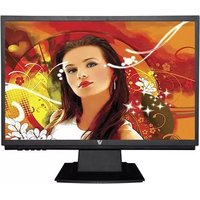
LED215W2R-8N - Screen V7 - Free user manual and instructions
Find the device manual for free LED215W2R-8N V7 in PDF.


Pick your language and provide your email: we'll send you a specifically translated version.
| Product Type | Monitor |
| Brand | V7 |
| Model | LED215W2R-8N |
| Screen Size | 21.5 inches (54.6 cm) |
| Resolution | 1920 x 1080 (Full HD) |
| Aspect Ratio | 16:9 |
| Brightness | 250 cd/m² |
| Contrast Ratio | 1000:1 (typical) |
| Response Time | 5 ms |
| Viewing Angles | 170° horizontal / 160° vertical |
| Connectivity | VGA, DVI, HDMI |
| Power Consumption | Typical 25 W, standby <0.5 W |
| Power Supply | AC 100-240 V, 50/60 Hz |
| Weight (with stand) | Approx. 3.5 kg |
| Dimensions (with stand) | 510 x 380 x 180 mm |
| VESA Mount Compatible | Yes, 100 x 100 mm |
| Color | Black |
| Energy Efficiency Class | A |
| Cleaning Instructions | Use a soft, dry cloth. For stubborn stains, slightly dampen with water and mild detergent. Do not spray liquid directly on the screen. |
| Safety Precautions | Avoid exposure to liquids, unplug before cleaning, do not block ventilation slots. |
| Maintenance | No user-serviceable parts inside. Refer to qualified service personnel for repairs. |
| Spare Parts & Repairability | Contact V7 support for replacement parts or repair options. |
Frequently Asked Questions - LED215W2R-8N V7
How do I connect my V7 LED215W2R-8N monitor to my computer?
Use an appropriate cable (VGA, DVI, or HDMI) to connect the monitor's input port to your computer's output port. Then select the correct input source using the monitor's OSD menu.
How do I adjust the brightness and contrast on this monitor?
Press the menu button on the monitor to access the OSD (On-Screen Display) menu. Navigate to the picture settings using the arrow keys, and adjust brightness and contrast as desired.
What is the recommended way to clean the screen?
Use a soft, lint-free cloth slightly dampened with water or a mild screen cleaner. Never spray liquid directly onto the screen; wipe gently to avoid scratches.
Does this monitor support 1920x1080 resolution?
Yes, the V7 LED215W2R-8N has a native resolution of 1920 x 1080 (Full HD). Ensure your computer's display settings are set to this resolution for optimal image quality.
Can I wall-mount this monitor?
Yes, the monitor is VESA compatible with a 100 x 100 mm mounting pattern. Use a standard VESA wall mount bracket and screws (not included).
What is the power consumption of this monitor?
Typical power consumption is 25 W during normal operation. In standby mode, it consumes less than 0.5 W.
How long is the warranty period for this product?
V7 typically offers a 3-year limited warranty. Please check your region-specific warranty card or contact V7 support for exact terms.
What should I do if the monitor shows 'No Signal'?
Check that the video cable is securely connected to both the monitor and computer. Ensure the monitor is set to the correct input source (VGA/DVI/HDMI). Try restarting your computer or testing with another device.
How do I enable dual monitor setup with this display?
Connect both monitors to your computer via available ports. In Windows, go to Display Settings and choose 'Extend these displays' or 'Duplicate these displays' under multiple displays. Adjust resolution as needed.
Where can I download the user manual for this monitor?
The user manual can be downloaded for free from the notice-facile.com website by selecting your language and providing your email. Alternatively, visit the V7 support page and search for model LED215W2R-8N.
User questions about LED215W2R-8N V7
0 question about this device. Answer the ones you know or ask your own.
Ask a new question about this device
No questions yet. Be the first to ask one.
Download the instructions for your Screen in PDF format for free! Find your manual LED215W2R-8N - V7 and take your electronic device back in hand. On this page are published all the documents necessary for the use of your device. LED215W2R-8N by V7.
USER MANUAL LED215W2R-8N V7


Manual assistant
Powered by Anthropic
Waiting for your message
Product information
Brand : V7
Model : LED215W2R-8N
Category : Screen