TSSTJCPS01 - Toaster OSTER - Free user manual and instructions
Find the device manual for free TSSTJCPS01 OSTER in PDF.


Pick your language and provide your email: we'll send you a specifically translated version.
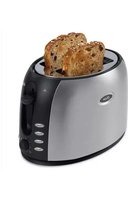
| Product Type | 2-Slice Toaster |
| Brand | Oster |
| Model | TSSTJCPS01 |
| Dimensions (H x W x D) | 7.5 x 10.5 x 8.0 inches (approx.) |
| Weight | 2.5 lbs (approx.) |
| Power Rating | 900 watts |
| Voltage / Frequency | 120 V / 60 Hz |
| Plug Type | 2-prong polarized plug |
| Number of Slots | 2 |
| Browning Control | Adjustable shade selector with 7 levels |
| Functions | Toast, cancel button, reheat, defrost, bagel setting |
| Self-Centering Racks | Yes, for even toasting |
| High Lift Lever | Yes, for easy removal of small items |
| Removable Crumb Tray | Yes, slide-out for easy cleaning |
| Cord Storage | Yes, cord wrap underneath |
| Material | Stainless steel body with plastic accents |
| Safety Features | Auto shut-off, non-slip feet, cool-touch exterior |
| Cleaning / Maintenance | Unplug and wipe exterior with damp cloth; empty crumb tray regularly |
| Spare Parts Availability | Crumb tray, heating elements available through Oster customer service |
| Warranty | 1-year limited warranty |
Frequently Asked Questions - TSSTJCPS01 OSTER
How to use the bagel setting?
The bagel setting toasts only one side of the bagel. Insert bagel with cut side facing the center and press the Bagel button before lowering the lever.
How to clean the toaster?
Unplug the toaster and let it cool. Wipe the exterior with a damp cloth. Slide out the crumb tray and empty it. Do not immerse in water.
Why does the toaster turn off before toasting is complete?
The toaster has an auto shut-off feature. If the browning setting is too low, it may turn off early. Try a higher number. Also ensure the lever is fully depressed.
Can I toast frozen bread?
Yes, use the Defrost function. Insert frozen bread, press the Defrost button, then lower the lever. The toaster will adjust the cycle.
How to reheat toast?
Place the toast in the slots, press the Reheat button, and lower the lever. The toaster will warm it without additional browning.
What does the cancel button do?
The Cancel button stops the toasting cycle immediately and raises the toast. Use it if you need to stop early.
Is the toaster suitable for use with pastries?
Yes, but avoid toaster pastries with sugary fillings that may leak. Always use the lightest setting first to prevent burning.
Why is my toast uneven?
Ensure the bread is centered in the slots. The self-centering racks should hold it in place. Check that the crumb tray is clean and not obstructing.
How to store the cord?
Wrap the cord around the cord storage hooks underneath the toaster to keep it tidy.
What is the warranty period?
Oster offers a 1-year limited warranty from the date of purchase. Retain your receipt for service.
User questions about TSSTJCPS01 OSTER
0 question about this device. Answer the ones you know or ask your own.
Ask a new question about this device
No questions yet. Be the first to ask one.
Download the instructions for your Toaster in PDF format for free! Find your manual TSSTJCPS01 - OSTER and take your electronic device back in hand. On this page are published all the documents necessary for the use of your device. TSSTJCPS01 by OSTER.
USER MANUAL TSSTJCPS01 OSTER
Manual assistant
Powered by Anthropic
Waiting for your message
Product information
Brand : OSTER
Model : TSSTJCPS01
Category : Toaster