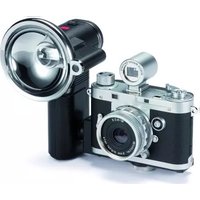
DC 7022 - Camera MINOX - Free user manual and instructions
Find the device manual for free DC 7022 MINOX in PDF.


Pick your language and provide your email: we'll send you a specifically translated version.
| Product Type | Digital Compact Camera |
| Model | DC 7022 |
| Brand | Minox |
| Resolution | 7.2 Megapixels |
| Optical Zoom | 3x |
| Digital Zoom | 4x |
| Display | 2.7-inch LCD |
| Image Stabilization | Electronic |
| Shutter Speed | 1/1000 to 4 seconds |
| ISO Sensitivity | Auto, 100-800 |
| Video Recording | 640x480 @ 30fps |
| Storage Media | SD/SDHC card (up to 32GB) |
| Power Source | Rechargeable Li-ion Battery (NP-60) |
| Dimensions (W x H x D) | 95 x 62 x 30 mm |
| Weight (with battery) | Approx. 145 g |
| Interface | USB 2.0 (Mini-B), AV Out |
| Flash Range | Up to 3 m |
| Self-Timer | 2s / 10s |
| White Balance | Auto, Daylight, Cloudy, Fluorescent, Tungsten |
| Scene Modes | Portrait, Landscape, Night, Sports, etc. |
| Maintenance & Cleaning | Use a soft, dry cloth. Avoid water and solvents. |
| Safety | Do not disassemble. Keep away from children under 3 years. |
| Spare Parts & Repairability | Contact Minox support for service. |
Frequently Asked Questions - DC 7022 MINOX
How do I turn on the camera?
Press and hold the power button located on the top of the camera until the lens extends.
How do I insert the memory card?
Open the battery/card compartment cover and slide the SD card into the slot until it clicks. Ensure the card is oriented correctly.
How do I transfer photos to a computer?
Connect the camera to your computer using the USB cable. The camera will appear as a removable drive. Copy the photos to your computer.
How do I charge the battery?
Remove the battery and place it in the external charger (included). The charger LED turns red while charging and green when fully charged.
What is the maximum video resolution?
The camera records video at 640x480 pixels at 30 frames per second.
How do I use the flash?
Press the flash button (lightning icon) repeatedly to cycle through modes: Auto, Red-eye reduction, Fill-in, and Off.
How do I delete photos?
In playback mode, select the photo you want to delete and press the Delete button (trash icon). Confirm by selecting 'Yes'.
How do I reset the camera settings?
Go to the Setup menu and select Reset to restore factory defaults. You may need to enter a password if one is set.
What type of battery does the camera use?
It uses a rechargeable Li-ion battery model NP-60. A spare battery can be purchased from authorized dealers.
How do I clean the lens?
Use a soft, lint-free cloth or lens cleaning paper. Gently wipe in a circular motion. Do not use liquid cleaners.
User questions about DC 7022 MINOX
0 question about this device. Answer the ones you know or ask your own.
Ask a new question about this device
No questions yet. Be the first to ask one.
Download the instructions for your Camera in PDF format for free! Find your manual DC 7022 - MINOX and take your electronic device back in hand. On this page are published all the documents necessary for the use of your device. DC 7022 by MINOX.
USER MANUAL DC 7022 MINOX

Manual assistant
Powered by Anthropic
Waiting for your message
Product information
Brand : MINOX
Model : DC 7022
Category : Camera