SF-NP50AX - Receiver RDL - Free user manual and instructions
Find the device manual for free SF-NP50AX RDL in PDF.


Pick your language and provide your email: we'll send you a specifically translated version.
| Product Type | AV Receiver |
| Brand | RDL |
| Model | SF-NP50AX |
| Dimensions (W x H x D) | 430 x 130 x 300 mm (16.9 x 5.1 x 11.8 in) |
| Weight | 5.4 kg (11.9 lbs) |
| Power Consumption | 400 W |
| Standby Power Consumption | 0.5 W |
| Audio Inputs | 4 x HDMI, 2 x Optical, 1 x Coaxial, 2 x Analog RCA |
| Audio Outputs | 1 x HDMI (ARC), 1 x Subwoofer Pre-out, 5 x Speaker Terminals |
| Supported Audio Formats | Dolby Digital, DTS, PCM |
| Radio Tuner | FM/AM with 30 presets |
| Remote Control | Included (IR) |
| Power Supply | AC 110-240V, 50/60 Hz |
| Operating Temperature | 0°C to 40°C (32°F to 104°F) |
| Safety Precautions | Do not expose to moisture; unplug during storms; ensure adequate ventilation. |
| Cleaning Instructions | Wipe with a soft, dry cloth; do not use solvents. |
| Spare Parts Availability | Contact RDL support for genuine parts. |
| Repairability | Refer to service manual; repairs by qualified personnel only. |
| General Information | Free user manual available in PDF format at notice-facile.com. |
Frequently Asked Questions - SF-NP50AX RDL
How do I connect my speakers to the SF-NP50AX receiver?
Use the speaker terminals on the back panel. For each speaker, connect the positive (+) terminal to the red binding post and negative (-) to the black. Ensure the impedance matches (4-8 ohms).
Why is there no sound coming from the receiver?
Check that the receiver is powered on and the volume is not muted. Verify the correct input source is selected. Ensure speaker wires are properly connected and not shorted. If using HDMI, confirm the source device is outputting audio.
How do I reset the RDL SF-NP50AX to factory settings?
Press and hold the Power button on the front panel for 5 seconds while the unit is on. The display will show 'RESET'. Release the button. Alternatively, unplug the power cord for 30 seconds.
The remote control is not working. What should I do?
Replace the batteries with fresh ones. Ensure there is no obstruction between the remote and the receiver's IR sensor. Point the remote directly at the front panel. If still not working, try resetting the remote by removing batteries and pressing all buttons.
Can I stream music via Bluetooth on this receiver?
The SF-NP50AX does not have built-in Bluetooth. However, you can connect a Bluetooth adapter to the analog or optical input.
How do I improve FM radio reception?
Extend the FM antenna wire fully and position it for best reception. Avoid placing the antenna near metal objects. For AM, rotate the loop antenna for optimal signal.
What should I do if the receiver overheats?
Ensure the receiver has at least 10 cm of ventilation space on all sides. Do not block the cooling vents. Reduce the volume level. If overheating persists, turn off the unit and let it cool down.
How do I connect a subwoofer to the SF-NP50AX?
Use the Subwoofer Pre-out jack on the back panel. Connect to the subwoofer's LFE or line input using a single RCA cable. Adjust the subwoofer's crossover frequency according to your speakers.
Is it safe to leave the receiver on standby?
Yes, standby mode consumes minimal power. However, during thunderstorms or prolonged absence, it is recommended to unplug the unit for safety.
Where can I find the latest firmware for my receiver?
Firmware updates are not available for this model. The SF-NP50AX is designed to work as-is. If you encounter issues, consult the manual or contact RDL support.
User questions about SF-NP50AX RDL
0 question about this device. Answer the ones you know or ask your own.
Ask a new question about this device
No questions yet. Be the first to ask one.
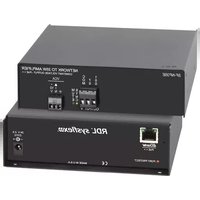
Download the instructions for your Receiver in PDF format for free! Find your manual SF-NP50AX - RDL and take your electronic device back in hand. On this page are published all the documents necessary for the use of your device. SF-NP50AX by RDL.
USER MANUAL SF-NP50AX RDL
Manual assistant
Powered by Anthropic
Waiting for your message
Product information
Brand : RDL
Model : SF-NP50AX
Category : Receiver