APV700B - Water filter ASTRALPOOL - Free user manual and instructions
Find the device manual for free APV700B ASTRALPOOL in PDF.


Pick your language and provide your email: we'll send you a specifically translated version.
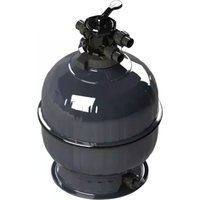
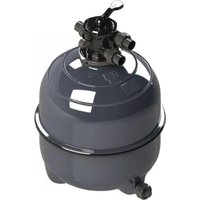
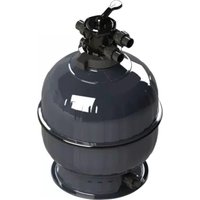
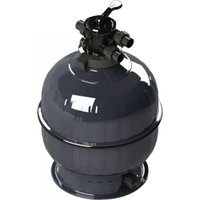
| Product Type | Pool Water Filter |
| Model | APV700B |
| Brand | AstralPool |
| Filter Media | Sand or Cartridge |
| Flow Rate | 7 m³/h |
| Maximum Pressure | 2.5 bar |
| Connection Size | 50 mm (2") |
| Filtration Area | 0.35 m² |
| Temperature Range | 4°C to 40°C |
| Housing Material | Reinforced Polypropylene |
| Seal Material | EPDM Rubber |
| Weight (Empty) | 18 kg |
| Weight (Full) | 26 kg |
| Dimensions (L x W x H) | 700 x 350 x 500 mm |
| Mounting Type | Vertical, Floor-standing |
| Valve Type | Multiport or Slide Valve |
| Backwash Function | Yes |
| Recommended Sand Size | 0.4 - 0.8 mm |
| Sand Capacity | 50 kg |
| Cartridge Size (if applicable) | N/A (sand filter) |
| Warranty | 2 years |
Frequently Asked Questions - APV700B ASTRALPOOL
What type of filter media does the APV700B use?
The APV700B is primarily designed as a sand filter, using silica sand with a grain size of 0.4-0.8 mm. Some models may also accept alternative media like glass or zeolite.
How often should I backwash the filter?
Backwashing is recommended when the pressure gauge reads 0.5-0.8 bar above the starting pressure, or at least once a week during high usage. Turn off the pump, set the valve to backwash, run for 2-3 minutes, then rinse.
What is the maximum flow rate for this filter?
The maximum flow rate is 7 m³/h (approximately 30 GPM). Exceeding this may reduce filtration efficiency.
Can I use the filter with a saltwater pool?
Yes, the APV700B is compatible with saltwater systems. The materials (polypropylene, EPDM seals) are corrosion-resistant. However, regular inspection is advised.
How do I change the sand in the filter?
To change sand: disconnect the pump, remove the valve, extract old sand via the top opening, clean the internal parts, fill with fresh sand to the recommended level (about 50 kg), reassemble, and perform a backwash.
What does the pressure gauge indicate?
The pressure gauge shows the internal pressure of the filter. Normal operating pressure is typically 1.0-1.5 bar. A higher reading indicates a dirty filter; a lower reading may indicate a blockage or pump issue.
Is the APV700B suitable for above-ground pools?
Yes, it can be used with above-ground pools, provided the pump flow rate matches. Ensure the filter is placed on a level, stable surface near the pool.
How do I winterize the filter?
Drain all water from the filter, remove any remaining sand if recommended, disconnect hoses, store indoors. Loosen the drain plug to avoid cracking. Follow the manufacturer's winterizing instructions.
What spare parts are available for the APV700B?
Common spare parts include the multiport valve, pressure gauge, O-rings, drain plug, and gasket kits. Use only genuine AstralPool parts to ensure proper fit and performance.
Where can I download the full user manual?
The official user manual is available for free download on the AstralPool website or via notice-facile.com. Search for APV700B or AstralPool water filter manual.
User questions about APV700B ASTRALPOOL
0 question about this device. Answer the ones you know or ask your own.
Ask a new question about this device
No questions yet. Be the first to ask one.
Download the instructions for your Water filter in PDF format for free! Find your manual APV700B - ASTRALPOOL and take your electronic device back in hand. On this page are published all the documents necessary for the use of your device. APV700B by ASTRALPOOL.
USER MANUAL APV700B ASTRALPOOL
Manual assistant
Powered by Anthropic
Waiting for your message
Product information
Brand : ASTRALPOOL
Model : APV700B
Category : Water filter