S3000.Domino.IS.2 - Cooker Foster - Free user manual and instructions
Find the device manual for free S3000.Domino.IS.2 Foster in PDF.


Pick your language and provide your email: we'll send you a specifically translated version.
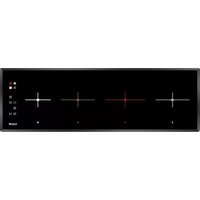
| Product Type | Domino Cooker (Modular Induction Hob) |
| Brand | Foster |
| Model | S3000.Domino.IS.2 |
| Installation | Built-in |
| Fuel Type | Induction |
| Number of Cooking Zones | 2 |
| Dimensions (W x D x H) | 290 mm x 520 mm x 50 mm |
| Weight | 8 kg |
| Power Supply | 230 V ~ 50/60 Hz |
| Total Power | 3.5 kW |
| Control Type | Touch Sensor |
| Safety Features | Child Lock, Residual Heat Indicator, Auto Shut-off, Overheat Protection |
| Cleaning & Maintenance | Easy-clean glass ceramic surface; use a damp cloth with mild detergent |
| Spare Parts | Available through authorized Foster service centers |
| Warranty | 2 years |
Frequently Asked Questions - S3000.Domino.IS.2 Foster
How do I activate the child lock on my Foster S3000.Domino.IS.2?
To activate the child lock, press and hold the lock symbol for 3 seconds until the indicator lights up. To deactivate, repeat the same action.
Why does my induction hob not start?
Ensure the hob is connected to power and the control panel is not locked. Also check that you are using induction-compatible cookware (magnetic base). If the problem persists, reset the hob by disconnecting power for 30 seconds.
How should I clean the glass surface?
Wait until the hob cools down completely. Use a soft cloth or sponge with warm water and a mild detergent. For stubborn residues, use a ceramic glass scraper carefully. Avoid abrasive cleaners.
What types of pans are compatible with this induction hob?
Only ferromagnetic cookware works with induction hobs. Test with a magnet: if it sticks, the pan is compatible. Common materials: stainless steel, cast iron, and enameled steel. Copper, aluminum, and glass are not suitable.
How do I reset the hob after a power cut?
After a power outage, the hob may need a reset. Simply turn the main power switch off and on again. If the error code persists, refer to the manual or contact customer service.
Why is my hob making a humming or buzzing noise?
A low humming or buzzing noise during operation is normal for induction hobs. It is caused by the magnetic field interacting with the pan. The noise may vary depending on the cookware and power setting.
How do I use the boost function?
To activate the boost function, select the cooking zone and press the boost (P) button. The zone will operate at maximum power for a limited time (e.g., 10 minutes) to rapidly heat food.
What does error code E mean on the display?
Error codes vary. Common ones: E1 (pan not compatible), E2 (overheated), E3 (sensor failure). Refer to the manual for a full list. If the problem persists, contact service.
Can I install this domino hob directly above an oven?
Yes, but ensure proper ventilation. The hob and oven must be separated by a wooden panel (minimum 20 mm thickness) and an air gap of at least 20 mm. Follow the installation guidelines in the manual.
Where can I find spare parts for my Foster hob?
Spare parts are available through authorized Foster service centers. Check the official Foster website or contact customer support with your model number (S3000.Domino.IS.2) to order.
User questions about S3000.Domino.IS.2 Foster
0 question about this device. Answer the ones you know or ask your own.
Ask a new question about this device
No questions yet. Be the first to ask one.
Download the instructions for your Cooker in PDF format for free! Find your manual S3000.Domino.IS.2 - Foster and take your electronic device back in hand. On this page are published all the documents necessary for the use of your device. S3000.Domino.IS.2 by Foster.
USER MANUAL S3000.Domino.IS.2 Foster


Manual assistant
Powered by Anthropic
Waiting for your message
Product information
Brand : Foster
Model : S3000.Domino.IS.2
Category : Cooker