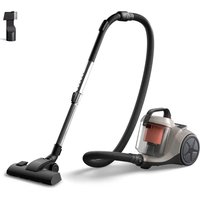
SmartPro Active FC8830 - Vacuum Cleaner PHILIPS - Free user manual and instructions
Find the device manual for free SmartPro Active FC8830 PHILIPS in PDF.


Pick your language and provide your email: we'll send you a specifically translated version.
| Product Type | Robotic Vacuum Cleaner |
| Brand | Philips |
| Model | SmartPro Active FC8830 |
| Dimensions (Diameter x Height) | 33 cm x 8 cm |
| Weight | 3.2 kg |
| Battery Type | Lithium-ion |
| Battery Capacity | 2600 mAh |
| Runtime (approx.) | 120 minutes |
| Charging Time | 4 hours |
| Navigation System | SmartPro Active Navigation with sensors |
| Suction Power | 20 kPa |
| Dustbin Capacity | 0.6 L |
| Floor Types | Hard floors, carpets |
| App Control | Yes, via Philips HomeCare app |
| Voice Control | Compatible with Amazon Alexa, Google Assistant |
| Maintenance | Empty dustbin, clean filters and brushes regularly |
| Filter Type | HEPA washable |
| Safety Features | Drop sensors, obstacle detection, automatic charging |
| Spare Parts Available | Filters, brushes, batteries, side brushes |
| Repairability Index | 8.0/10 (estimated) |
| Warranty | 2 years |
Frequently Asked Questions - SmartPro Active FC8830 PHILIPS
How do I connect the Philips SmartPro Active FC8830 to the app?
Download the Philips HomeCare app from the App Store or Google Play. Create an account, then press the Wi-Fi button on the robot until it blinks. Follow the in-app instructions to connect.
What does the 'SmartPro Active' navigation mean?
It uses a combination of infrared sensors and gyroscope to map your home and clean systematically. It can avoid obstacles and navigate under furniture.
How often should I clean the filters?
Clean the HEPA filter every 2 weeks by tapping it gently. Replace it every 3-6 months for optimal performance.
My robot is not charging. What should I do?
First, check the charging contacts on the robot and the dock – they must be clean. Ensure the dock is connected to power and placed against a wall. Also, verify the battery is properly inserted.
Can I use the vacuum on thick carpets?
Yes, the SmartPro Active FC8830 can handle low to medium pile carpets. For very thick carpets, the robot may struggle with navigation.
How do I schedule cleaning sessions?
Open the app, go to Schedule, and set the days and time. The robot will automatically start cleaning at the set time.
What is the dustbin capacity?
The dustbin holds 0.6 liters. Empty it after each cleaning cycle to maintain suction power.
Where can I buy replacement parts?
Replacement parts like filters, brushes, and batteries are available on the Philips website or authorized retailers.
Does it work with Amazon Alexa?
Yes, you can connect the robot to Amazon Alexa via the Philips HomeCare skill. Voice commands include 'Alexa, ask Philips to start cleaning'.
How long does the battery last?
The lithium-ion battery provides up to 120 minutes of cleaning on a full charge under normal conditions.
User questions about SmartPro Active FC8830 PHILIPS
0 question about this device. Answer the ones you know or ask your own.
Ask a new question about this device
No questions yet. Be the first to ask one.
Download the instructions for your Vacuum Cleaner in PDF format for free! Find your manual SmartPro Active FC8830 - PHILIPS and take your electronic device back in hand. On this page are published all the documents necessary for the use of your device. SmartPro Active FC8830 by PHILIPS.
USER MANUAL SmartPro Active FC8830 PHILIPS
Manual assistant
Powered by Anthropic
Waiting for your message
Product information
Brand : PHILIPS
Model : SmartPro Active FC8830
Category : Vacuum Cleaner