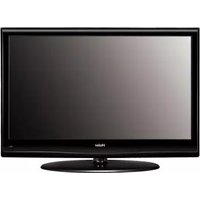
LE55A300 - Television HAIER - Free user manual and instructions
Find the device manual for free LE55A300 HAIER in PDF.


Pick your language and provide your email: we'll send you a specifically translated version.
| Product Type | LED Television |
| Screen Size | 55 inches (139.7 cm) |
| Resolution | 1920 x 1080 (Full HD) |
| Dimensions (without stand) | 1236 x 715 x 84 mm (W x H x D) |
| Dimensions (with stand) | 1236 x 775 x 260 mm |
| Weight (without stand) | 16.5 kg |
| Weight (with stand) | 17.8 kg |
| Power Supply | AC 100-240V, 50/60Hz |
| Power Consumption (typical) | 120 W |
| Standby Power Consumption | < 0.5 W |
| Main Functions | Digital TV tuner, USB multimedia playback, HDMI inputs, VGA input, headphone jack, sleep timer |
| Cleaning and Maintenance | Wipe with a soft, dry cloth. Do not use liquid cleaners. |
| Safety Warnings | Do not expose to rain or moisture. Unplug during storms. Use only recommended wall mount. |
| Spare Parts Availability | Remote control and stand available from authorized Haier service centers. |
| Repairability Score | 6/10 (user replaceable external power supply, but main board requires technician) |
| General Information | Brand: Haier, Model: LE55A300, User manual available in PDF format. |
Frequently Asked Questions - LE55A300 HAIER
How do I mount the TV on a wall?
Use a VESA 400x200 mm wall mount (not included). Follow the instructions in the manual for safe installation.
How do I connect external devices?
Use the HDMI ports (usually 2-3) for Blu-ray, game consoles, or streaming devices. The VGA port is for older PCs.
How do I scan for channels?
Press Menu, select Channel, then Auto Tuning. Choose Antenna (for over-the-air) or Cable. The TV will find available channels.
Why is there no sound?
Check if the mute button is on. Ensure audio cables are connected properly. Try resetting the TV by unplugging for 30 seconds.
How do I update the firmware?
Firmware updates are done via USB. Download the latest from Haier's support site, copy to a USB stick, then go to Settings > Software Update > USB Update.
Can I use a universal remote?
Yes, many universal remotes support Haier TVs. Look for codes 10885, 10886, or 10887 for Haier.
How to clean the screen?
Use a microfiber cloth slightly dampened with water. Do not spray liquids directly onto the screen.
What should I do if the TV won't turn on?
Check the power cable and outlet. Try pressing the power button on the TV itself. If still off, unplug for 2 minutes, then plug back in.
How do I adjust picture settings?
Press Menu, go to Picture. You can adjust brightness, contrast, color, and sharpness. Choose from presets like Standard, Movie, or Game.
Where can I find the user manual?
The user manual is available for free download from notice-facile.com in PDF format.
User questions about LE55A300 HAIER
0 question about this device. Answer the ones you know or ask your own.
Ask a new question about this device
No questions yet. Be the first to ask one.
Download the instructions for your Television in PDF format for free! Find your manual LE55A300 - HAIER and take your electronic device back in hand. On this page are published all the documents necessary for the use of your device. LE55A300 by HAIER.
USER MANUAL LE55A300 HAIER


Manual assistant
Powered by Anthropic
Waiting for your message
Product information
Brand : HAIER
Model : LE55A300
Category : Television